zabbix安装--centOS7.6系统安装zabbix4.0版本
linux系统版本zabbix安装包含的软件zabbix-server: 监控服务端zabbix-agent: 监控客户端zabbix-web: 监控网站服务php: 处理动态请求mysql: 数据库存储监控数据zabbix: 负责收集agent信息汇总告知zabbix-server关闭防火墙和selinux添加zabbix源和epel源[root@ecs-cb85 ~]# rpm -ivh ht
·
linux系统版本
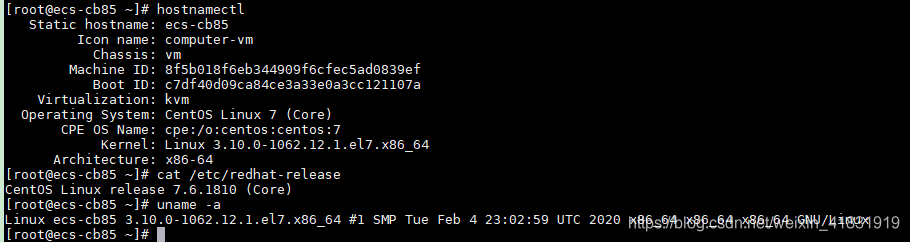
最后可查安装的zabbix版本

zabbix安装包含的软件
zabbix-server: 监控服务端
zabbix-agent: 监控客户端
zabbix-web: 监控网站服务
php: 处理动态请求
mysql: 数据库存储监控数据
zabbix: 负责收集agent信息汇总告知zabbix-server
从这里开始
关闭防火墙和selinux

添加zabbix源和epel源
[root@ecs-cb85 ~]# rpm -ivh https://mirrors.tuna.tsinghua.edu.cn/zabbix/zabbix/4.0/rhel/7/x86_64/zabbix-release-4.0-1.el7.noarch.rpm
Retrieving https://mirrors.tuna.tsinghua.edu.cn/zabbix/zabbix/4.0/rhel/7/x86_64/zabbix-release-4.0-1.el7.noarch.rpm
warning: /var/tmp/rpm-tmp.ocxGvG: Header V4 RSA/SHA512 Signature, key ID a14fe591: NOKEY
Preparing...                          ################################# [100%]
Updating / installing...
   1:zabbix-release-4.0-1.el7         ################################# [100%]
[root@ecs-cb85 ~]# rpm -qa |grep zabbix-release-4.0-1.el7
zabbix-release-4.0-1.el7.noarch
[root@ecs-cb85 ~]# wget -O /etc/yum.repos.d/epel.repo http://mirrors.aliyun.com/repo/epel-7.repo
--2020-12-13 22:38:34--  http://mirrors.aliyun.com/repo/epel-7.repo
Resolving mirrors.aliyun.com (mirrors.aliyun.com)... 180.163.121.243, 180.163.121.244, 114.80.177.243, ...
Connecting to mirrors.aliyun.com (mirrors.aliyun.com)|180.163.121.243|:80... connected.
HTTP request sent, awaiting response... 200 OK
Length: 664 [application/octet-stream]
Saving to: ‘/etc/yum.repos.d/epel.repo’

100%[=====================================================================================================================================================================>] 664         --.-K/s   in 0s

2020-12-13 22:38:34 (181 MB/s) - ‘/etc/yum.repos.d/epel.repo’ saved [664/664]

[root@ecs-cb85 ~]#
安装zabbix和相关服务组件
把这两个包先拿下来,因为安装的时候网络问题会出现安装超时
[root@ecs-cb85 ~]# wget https://mirrors.tuna.tsinghua.edu.cn/zabbix/zabbix/4.0/rhel/7/x86_64/{zabbix-server-mysql-4.0.20-1.el7.x86_64.rpm,zabbix-web-4.0.22-1.el7.noarch.rpm}
安装zabbix的服务程序和web程序
[root@ecs-cb85 ~]# yum install -y httpd php zabbix-server-mysql-4.0.20-1.el7.x86_64.rpm zabbix-web-mysql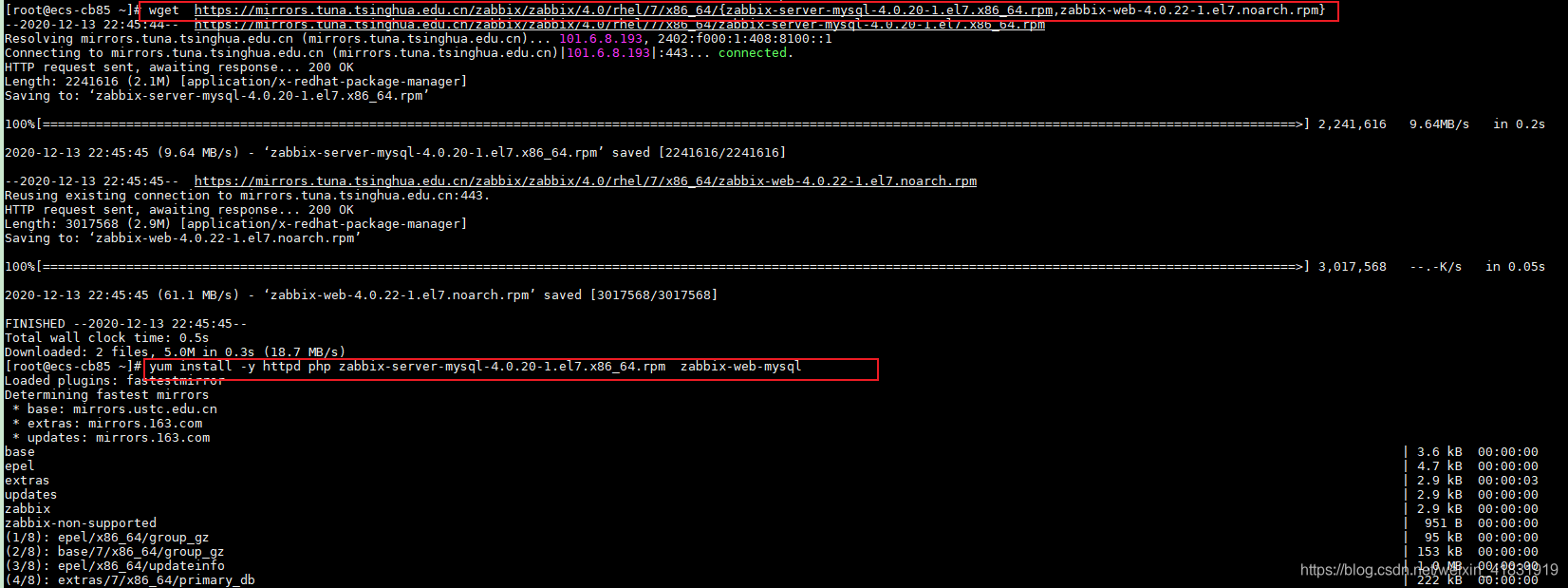 安装数据库服务
[root@ecs-cb85 ~]# yum install -y mariadb-server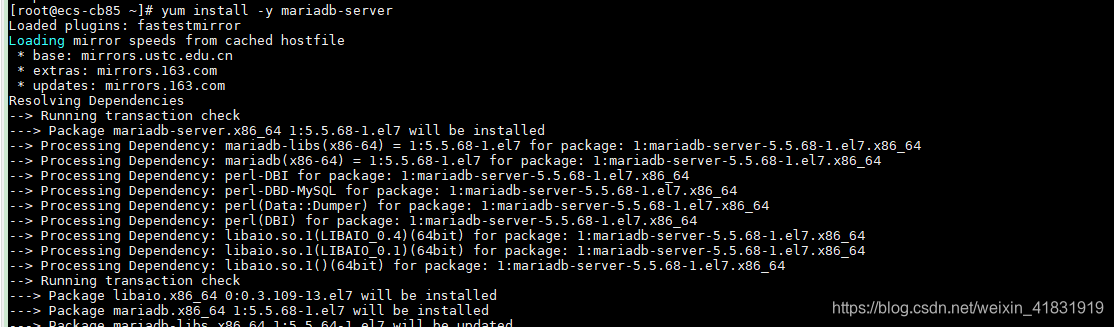
修改zabbix配置文件
修改zabbix数据库密码为zabbix;修改时区为国内
[root@ecs-cb85 ~]# sed -ri.bak '/# DBPassword=/cDBPassword=zabbix' /etc/zabbix/zabbix_server.conf
[root@ecs-cb85 ~]# sed -ri.bak 's/ #(.*)date.timezone.*/\1date.timezone Asia\/Shanghai/' /etc/httpd/conf.d/zabbix.conf
配置数据库服务
启动数据库
[root@ecs-cb85 ~]# systemctl start mariadb
[root@ecs-cb85 ~]# systemctl status mariadb
● mariadb.service - MariaDB database server
   Loaded: loaded (/usr/lib/systemd/system/mariadb.service; disabled; vendor preset: disabled)
   Active: active (running) since Sun 2020-12-13 22:55:36 CST; 11s ago
  Process: 16523 ExecStartPost=/usr/libexec/mariadb-wait-ready $MAINPID (code=exited, status=0/SUCCESS)
  Process: 16431 ExecStartPre=/usr/libexec/mariadb-prepare-db-dir %n (code=exited, status=0/SUCCESS)
 Main PID: 16520 (mysqld_safe)
   CGroup: /system.slice/mariadb.service
           ├─16520 /bin/sh /usr/bin/mysqld_safe --basedir=/usr
           └─16686 /usr/libexec/mysqld --basedir=/usr --datadir=/var/lib/mysql --plugin-dir=/usr/lib64/mysql/plugin --log-error=/var/log/mariadb/mariadb.log --pid-file=/var/run/mariadb/mariadb.pid --socke...

Dec 13 22:55:34 ecs-cb85 mariadb-prepare-db-dir[16431]: MySQL manual for more instructions.
Dec 13 22:55:34 ecs-cb85 mariadb-prepare-db-dir[16431]: Please report any problems at http://mariadb.org/jira
Dec 13 22:55:34 ecs-cb85 mariadb-prepare-db-dir[16431]: The latest information about MariaDB is available at http://mariadb.org/.
Dec 13 22:55:34 ecs-cb85 mariadb-prepare-db-dir[16431]: You can find additional information about the MySQL part at:
Dec 13 22:55:34 ecs-cb85 mariadb-prepare-db-dir[16431]: http://dev.mysql.com
Dec 13 22:55:34 ecs-cb85 mariadb-prepare-db-dir[16431]: Consider joining MariaDB's strong and vibrant community:
Dec 13 22:55:34 ecs-cb85 mariadb-prepare-db-dir[16431]: https://mariadb.org/get-involved/
Dec 13 22:55:34 ecs-cb85 mysqld_safe[16520]: 201213 22:55:34 mysqld_safe Logging to '/var/log/mariadb/mariadb.log'.
Dec 13 22:55:34 ecs-cb85 mysqld_safe[16520]: 201213 22:55:34 mysqld_safe Starting mysqld daemon with databases from /var/lib/mysql
Dec 13 22:55:36 ecs-cb85 systemd[1]: Started MariaDB database server.
[root@ecs-cb85 ~]#
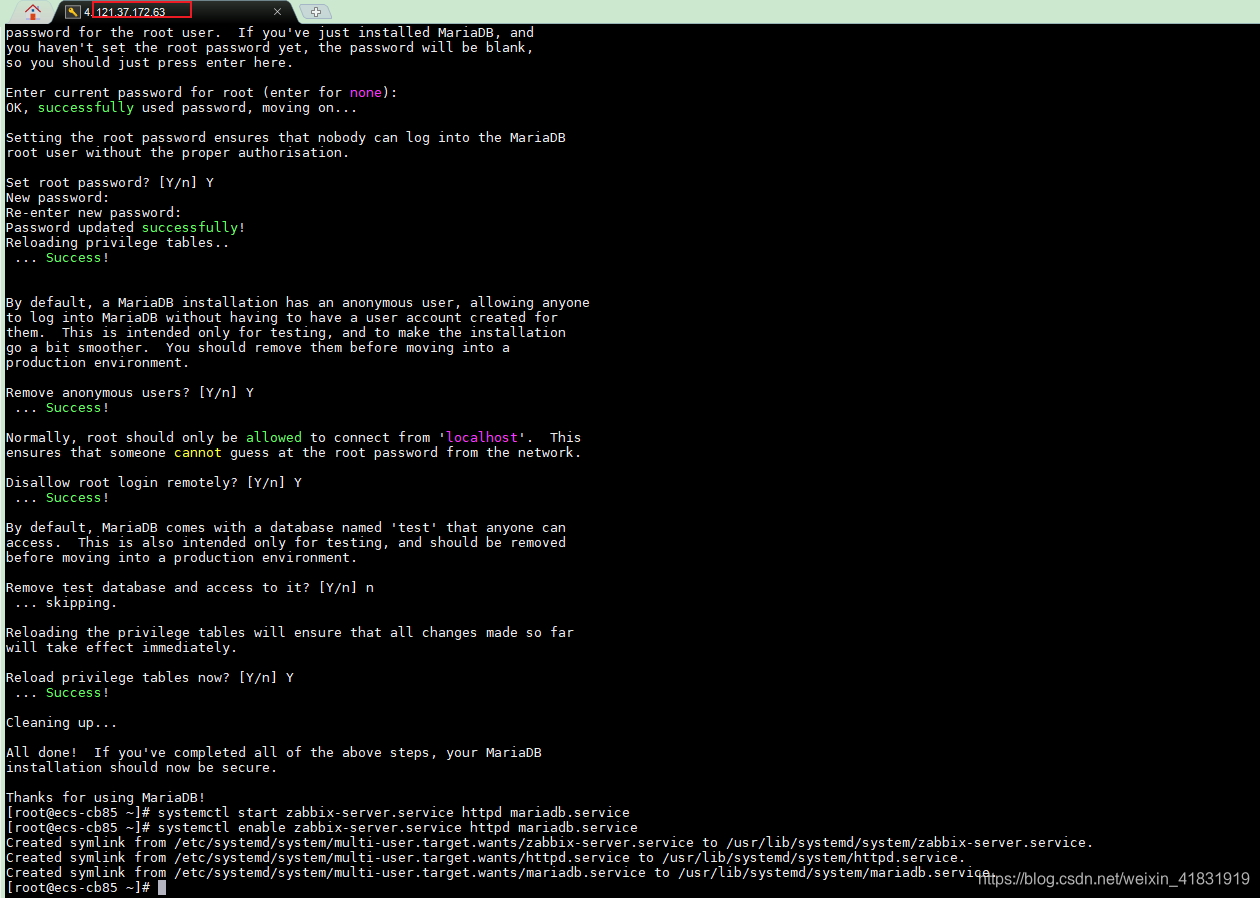
初始化数据库 可初始化设置密码为123456
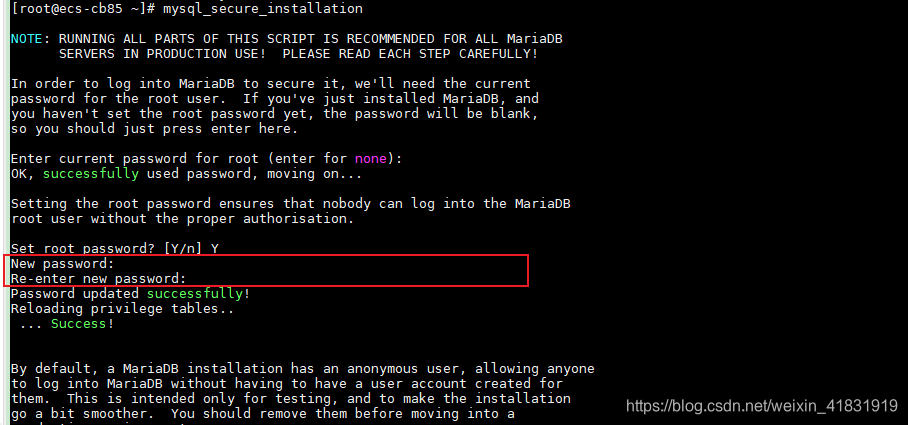
[root@ecs-cb85 ~]# mysql_secure_installation

NOTE: RUNNING ALL PARTS OF THIS SCRIPT IS RECOMMENDED FOR ALL MariaDB
      SERVERS IN PRODUCTION USE!  PLEASE READ EACH STEP CAREFULLY!

In order to log into MariaDB to secure it, we'll need the current
password for the root user.  If you've just installed MariaDB, and
you haven't set the root password yet, the password will be blank,
so you should just press enter here.

Enter current password for root (enter for none):
OK, successfully used password, moving on...

Setting the root password ensures that nobody can log into the MariaDB
root user without the proper authorisation.

Set root password? [Y/n] Y
New password:
Re-enter new password:
Password updated successfully!
Reloading privilege tables..
 ... Success!


By default, a MariaDB installation has an anonymous user, allowing anyone
to log into MariaDB without having to have a user account created for
them.  This is intended only for testing, and to make the installation
go a bit smoother.  You should remove them before moving into a
production environment.

Remove anonymous users? [Y/n] Y
 ... Success!

Normally, root should only be allowed to connect from 'localhost'.  This
ensures that someone cannot guess at the root password from the network.

Disallow root login remotely? [Y/n] Y
 ... Success!

By default, MariaDB comes with a database named 'test' that anyone can
access.  This is also intended only for testing, and should be removed
before moving into a production environment.

Remove test database and access to it? [Y/n] n
 ... skipping.

Reloading the privilege tables will ensure that all changes made so far
will take effect immediately.

Reload privilege tables now? [Y/n] Y
 ... Success!

Cleaning up...

All done!  If you've completed all of the above steps, your MariaDB
installation should now be secure.

Thanks for using MariaDB!
[root@ecs-cb85 ~]#
登录数据库
输入默认密码:123456
创建zabbix数据库
创建数据库管理用户
create database zabbix character set utf8 collate utf8_bin;
grant all privileges on zabbix.* to zabbix@localhost identified by 'zabbix';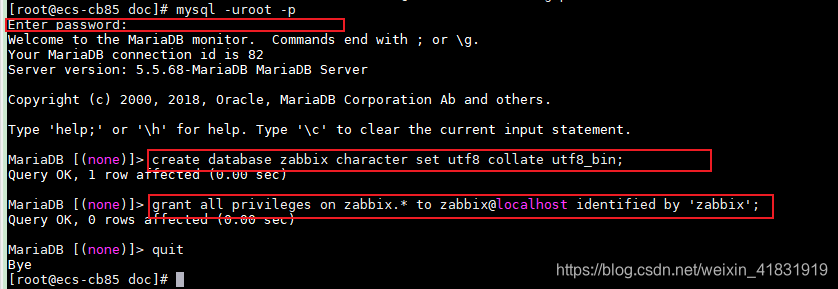
启动zabbix和相关服务
[root@ecs-cb85 ~]# systemctl start zabbix-server.service httpd mariadb.service
[root@ecs-cb85 ~]# systemctl enable zabbix-server.service httpd mariadb.service
Created symlink from /etc/systemd/system/multi-user.target.wants/zabbix-server.service to /usr/lib/systemd/system/zabbix-server.service.
Created symlink from /etc/systemd/system/multi-user.target.wants/httpd.service to /usr/lib/systemd/system/httpd.service.
Created symlink from /etc/systemd/system/multi-user.target.wants/mariadb.service to /usr/lib/systemd/system/mariadb.service.
[root@ecs-cb85 ~]#
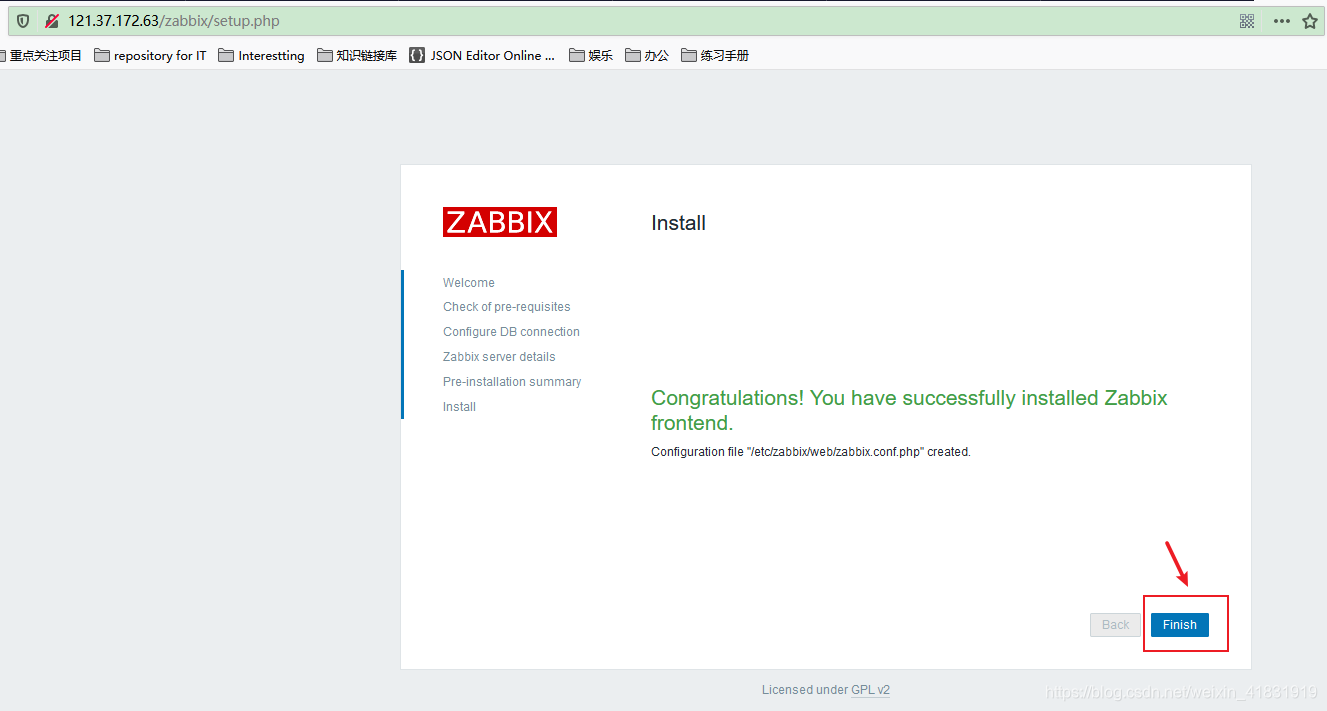
登录zabbix的web界面,进行初始化
我这里使用公网的IP地址
初始化地址http://121.37.172.63/zabbix/setup.php
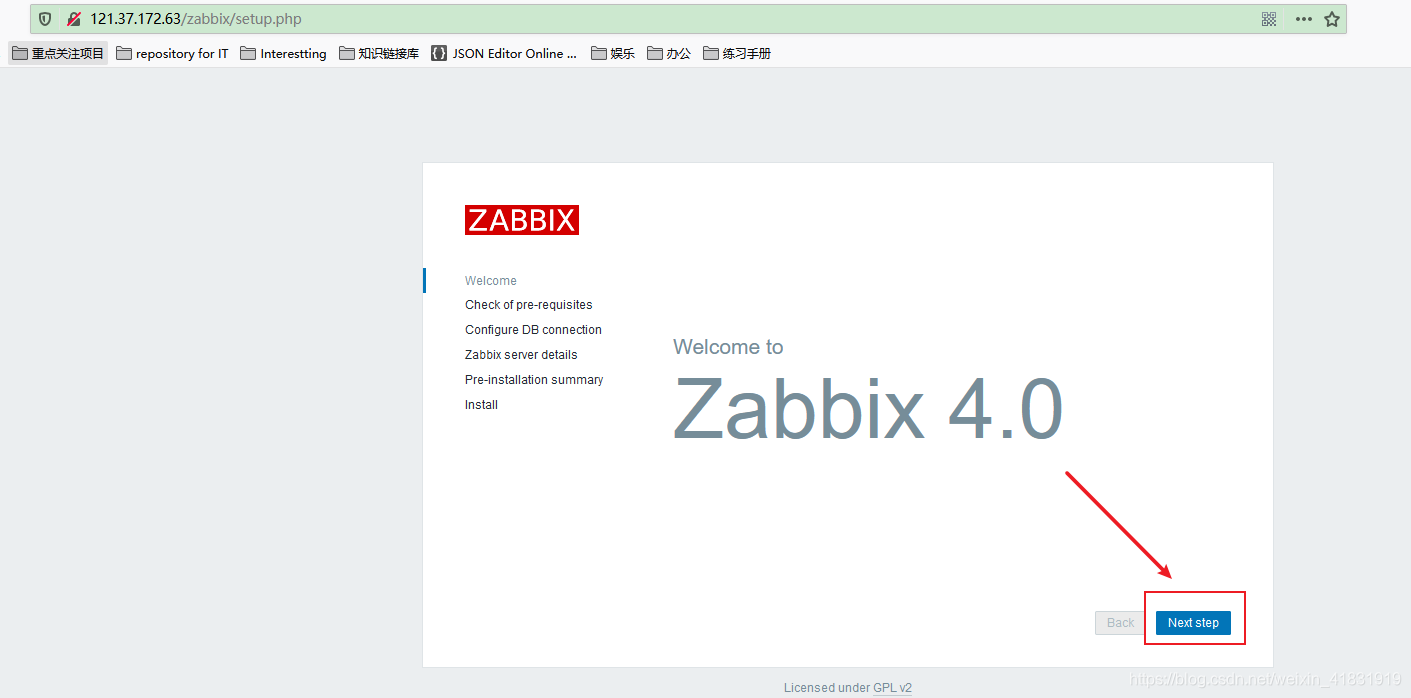
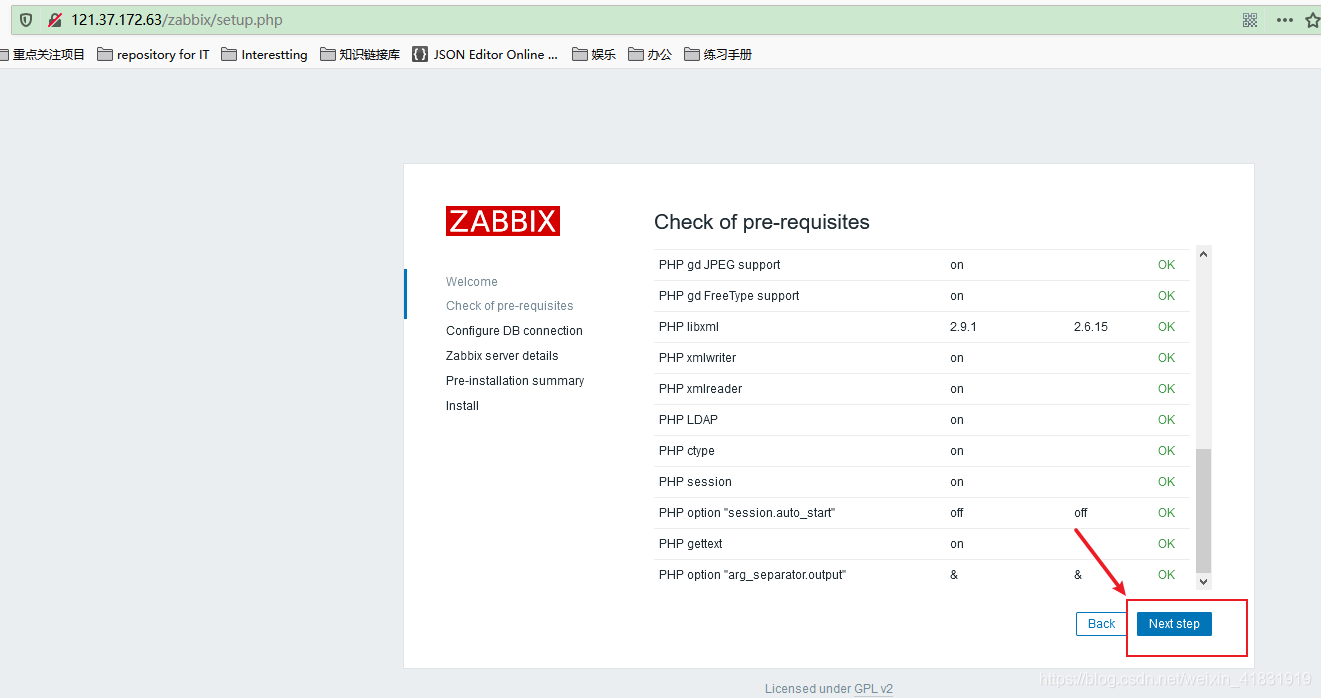
0表示默认端口:即3306 密码为zabbix
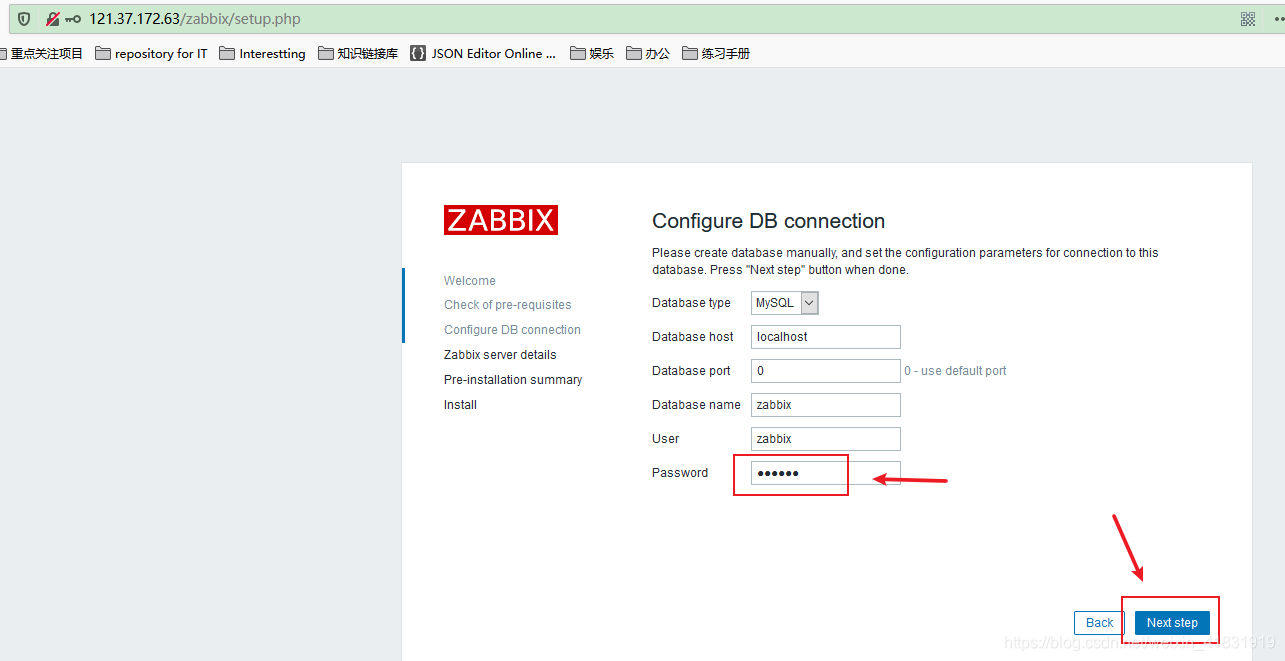
注意:有坑位
zabbix技术遇到的问题--Unable to determine current Zabbix database version...
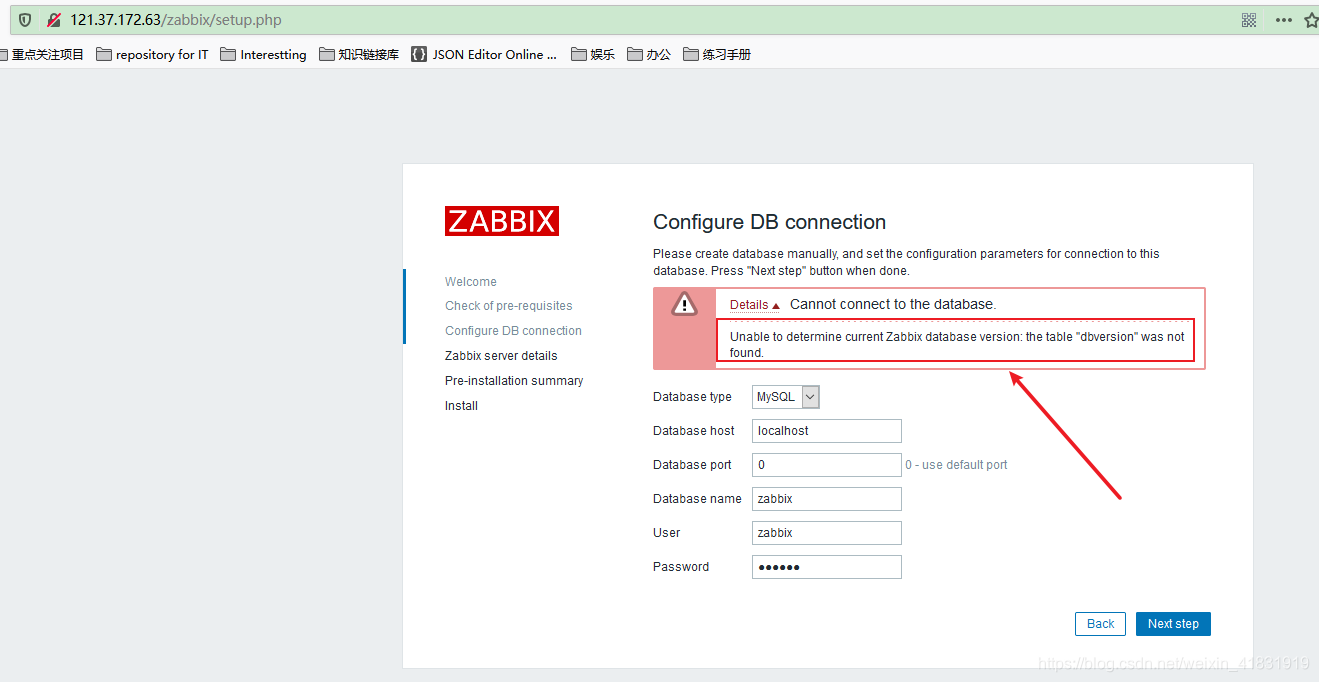
解决办法:
[root@ecs-cb85 ~]# cd  /usr/share/doc/
[root@ecs-cb85 doc]# ll |grep zabbix-server-mysql
drwxr-xr-x  2 root root 4096 Dec 13 22:51 zabbix-server-mysql-4.0.20
[root@ecs-cb85 doc]# zcat /usr/share/doc/zabbix-server-mysql-4.0.20/create.sql.gz | mysql -uzabbix -pzabbix zabbix
[root@ecs-cb85 doc]#
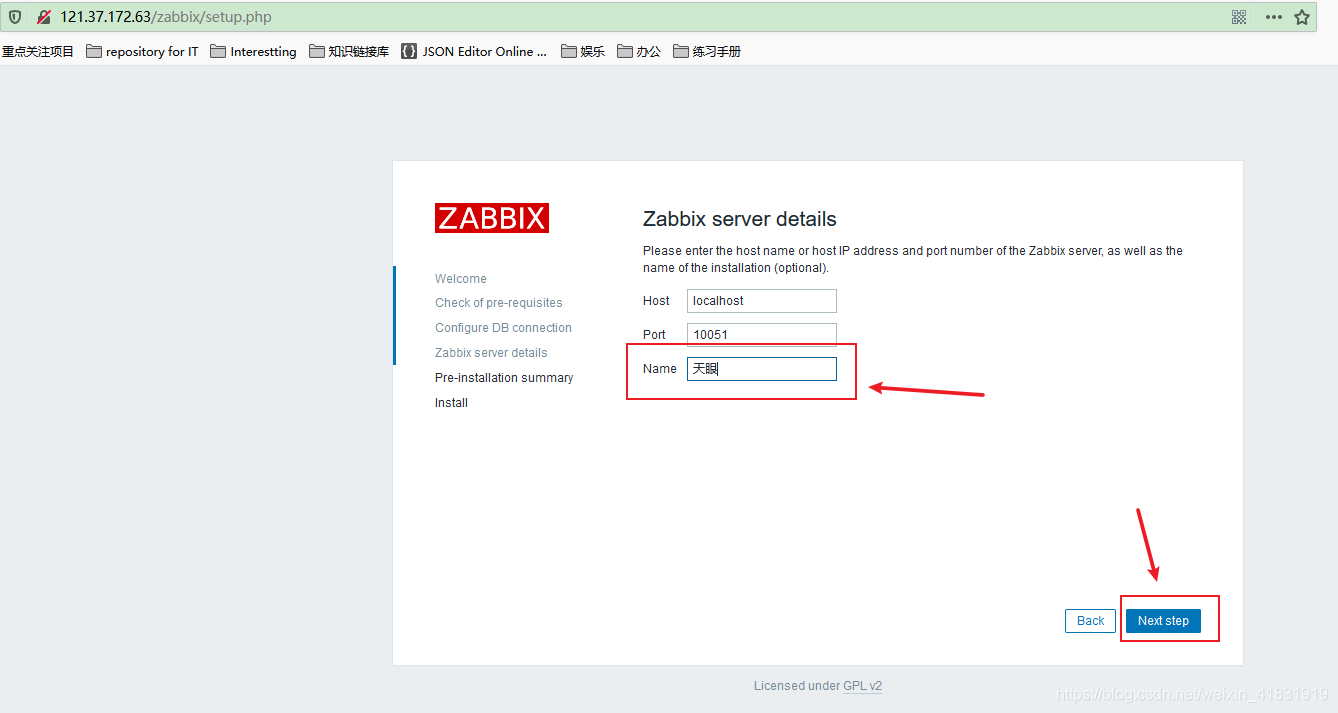
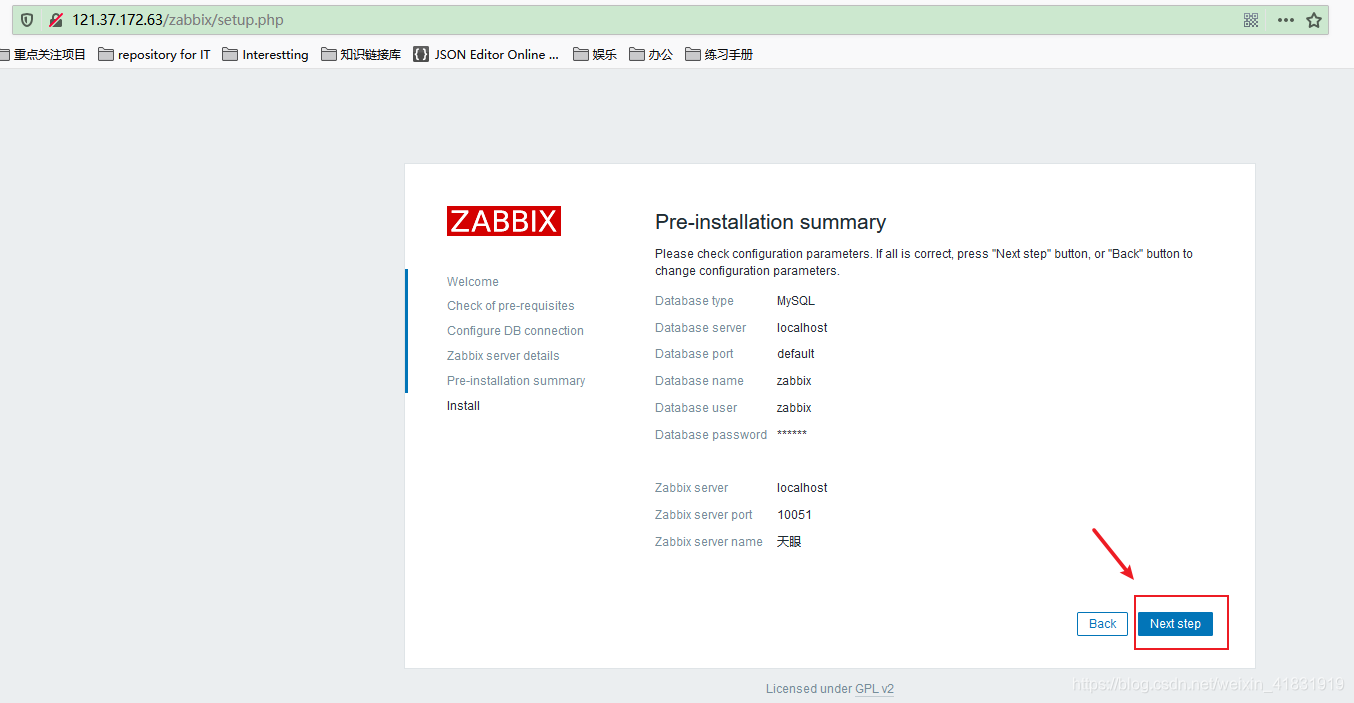
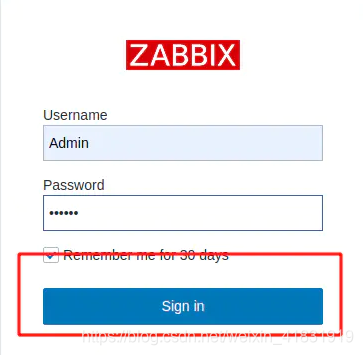
帐号Admin 密码zabbix ,再点Sign in
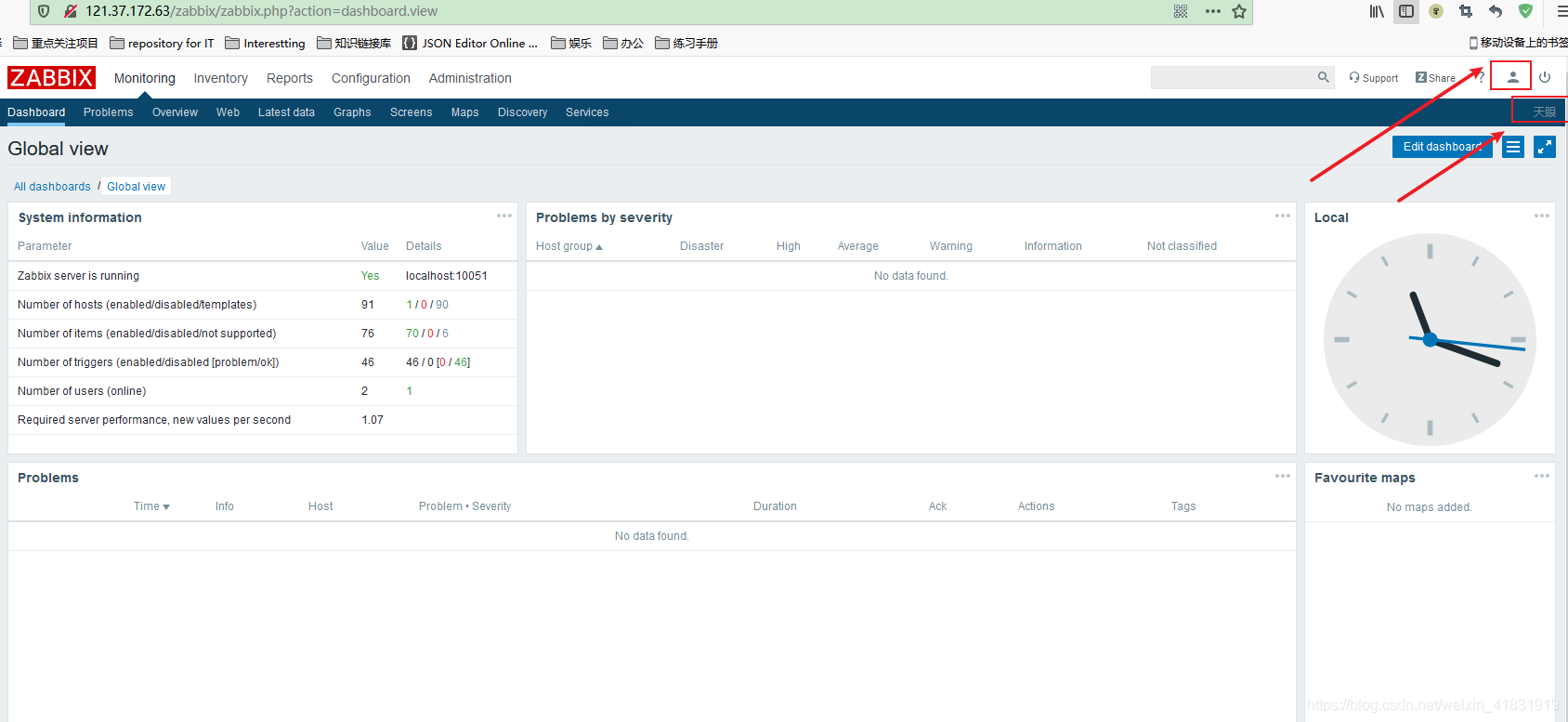
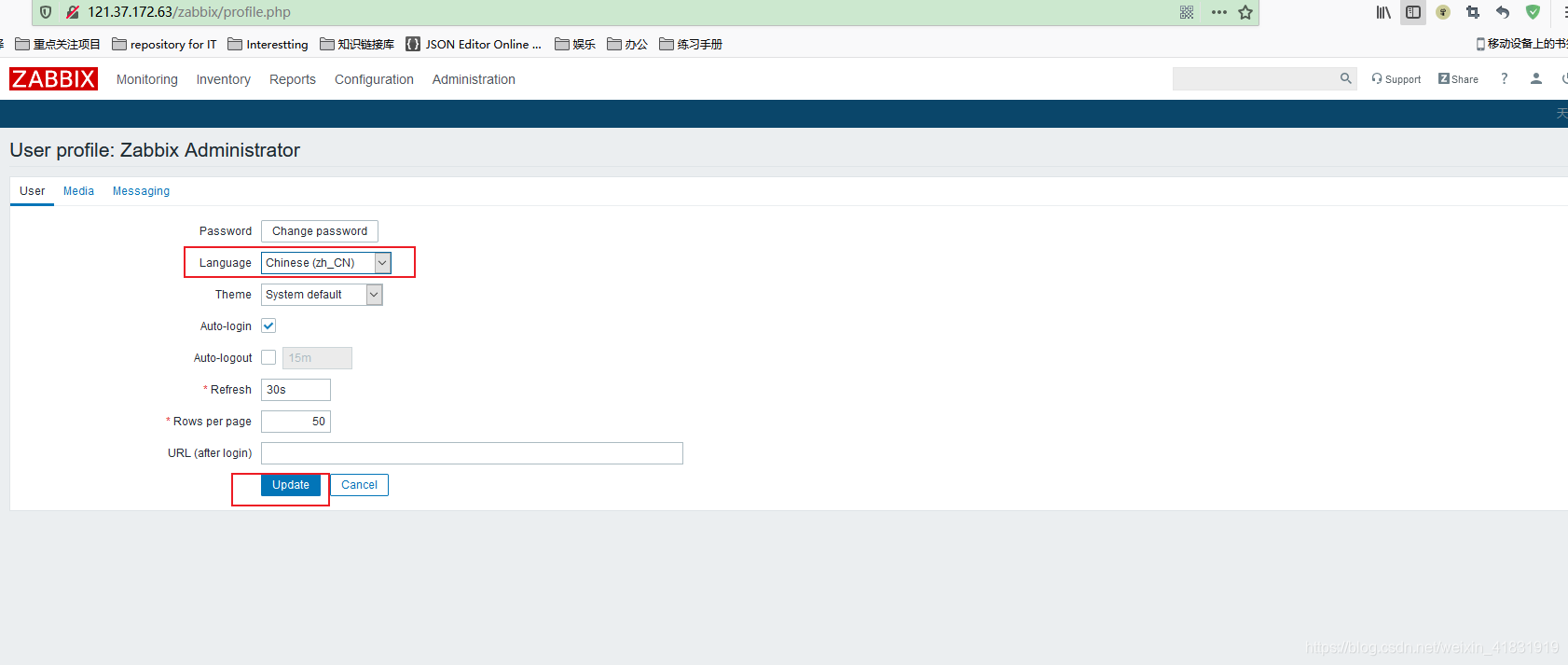
zabbix界面语言为中文

欢迎加入 MCP 技术社区!与志同道合者携手前行,一同解锁 MCP 技术的无限可能!
更多推荐


 1
1 0
0- 0


 已为社区贡献1条内容

所有评论(0)