使用LLaMA-Factory微调训练Qwen2-VL-7B/Qwen2.5-VL-7B/Qwen3-VL-2B与视觉大模型数据集制作流程与训练评估
视觉大模型汇总 LVM:https://blog.csdn.net/WhiffeYF/article/details/153721733
文章目录
0 相关资料
b站视频:
01 视觉大模型数据集制作流程 qwen2-vl:https://www.bilibili.com/video/BV1opPueXEix/
02 使用LLaMA-Factory微调训练Qwen2-VL-7B-环境安装-模型下载:https://www.bilibili.com/video/BV1DjPheTEsF/
03 使用LLaMA-Factory微调训练Qwen2-VL-7B-数据集:https://www.bilibili.com/video/BV1DjPheTE7e/
04 使用LLaMA-Factory微调训练Qwen2-VL-7B-模型测试:https://www.bilibili.com/video/BV1Q5PheBEAk/
05 使用LLaMA-Factory微调训练Qwen2-VL-7B-模型训练前准备:https://www.bilibili.com/video/BV1D5PheBEGB/
06 使用LLaMA-Factory微调训练Qwen2-VL-7B-模型训练:https://www.bilibili.com/video/BV1Q5PheBENS/
07 使用LLaMA-Factory微调训练Qwen2-VL-7B-模型训练导出与样例测试:https://www.bilibili.com/video/BV1D5PheBEKc/
08 使用LLaMA-Factory微调训练Qwen2-VL-7B-Qwen安装与模型测试:https://www.bilibili.com/video/BV1TkP8ehEMs/
09 使用LLaMA-Factory微调训练Qwen2-VL-7B-Qwen安装与模型测试:https://www.bilibili.com/video/BV1KkP8ehE37/
10 使用LLaMA-Factory微调训练Qwen2-VL-7B-Qwen测试结果:https://www.bilibili.com/video/BV1FRP8epEhW/
11 补充 使用LLaMA-Factory微调训练Qwen2-VL-7B Qwen2.5-VL-7B与视觉大模型数据集制作流程
https://www.bilibili.com/video/BV1KXKsz1EJA
12 使用LLaMA-Factory微调训练Qwen2.5-VL-7B与视觉大模型进行课堂行为数据集训练
https://www.bilibili.com/video/BV1HJKVzzEWC
13 使用LLaMA-Factory微调训练Qwen2.5-VL-7B模型 评估课堂行为数据集
https://www.bilibili.com/video/BV1kEg6zZEva
14 补充 使用LLaMA-Factory微调训练Qwen3-VL-2B
https://www.bilibili.com/video/BV1YUy7BUErK
15 使用LLaMA-Factory微调训练Qwen3-VL-2B-训练与评估1
https://www.bilibili.com/video/BV1LYqCBgEza/
15 使用LLaMA-Factory微调训练Qwen3-VL-2B-训练与评估2
https://www.bilibili.com/video/BV18jBWBVEUt
15 使用LLaMA-Factory微调训练Qwen3-VL-2B-训练与评估2
https://www.bilibili.com/video/BV18jBWBVEBF
github: https://github.com/Whiffe/via2yolo/tree/main/BNU/LLM
LLaMA-Factory微调qwen2-VL(无sudo)_:https://ljw030710.github.io/2024/12/13/LLaMA-Factory%E5%BE%AE%E8%B0%83qwen2-VL-%E6%97%A0sudo/
【项目实战】通过LLaMaFactory+Qwen2-VL-2B微调一个多模态医疗大模型:https://developer.aliyun.com/article/1643200
使用llama-factory框架下的QWEN2-VL-2B-Instruct跑通图像指令数据集(学习记录)https://blog.csdn.net/2301_80247435/article/details/143678295
1 LLaMA-Factory环境安装
在AutoDL上进行快速部署
基础镜像选择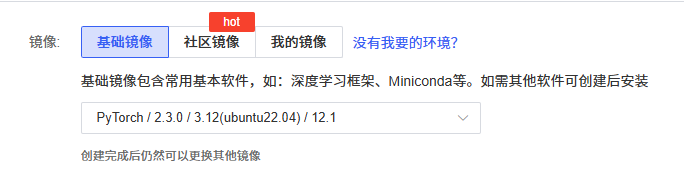
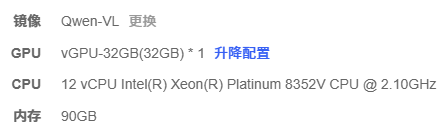
基础环境
LLaMA-Factory 安装
source /etc/network_turbo

git clone https://github.com/hiyouga/LLaMA-Factory.git

cd LLaMA-Factory

pip install -e ".[torch,metrics]"

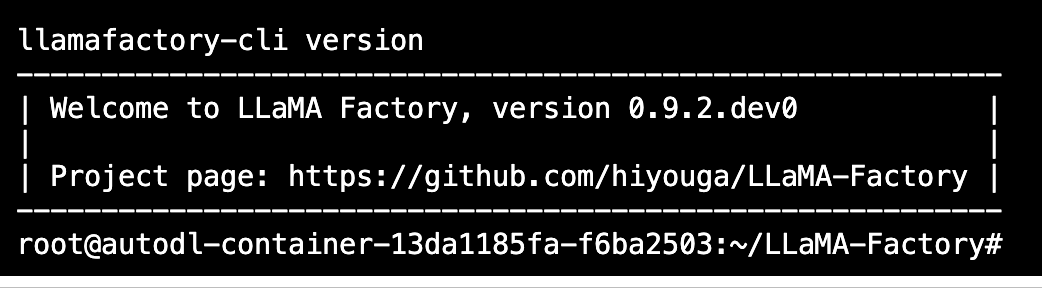
# 检查环境是否安装成功。

llamafactory-cli version
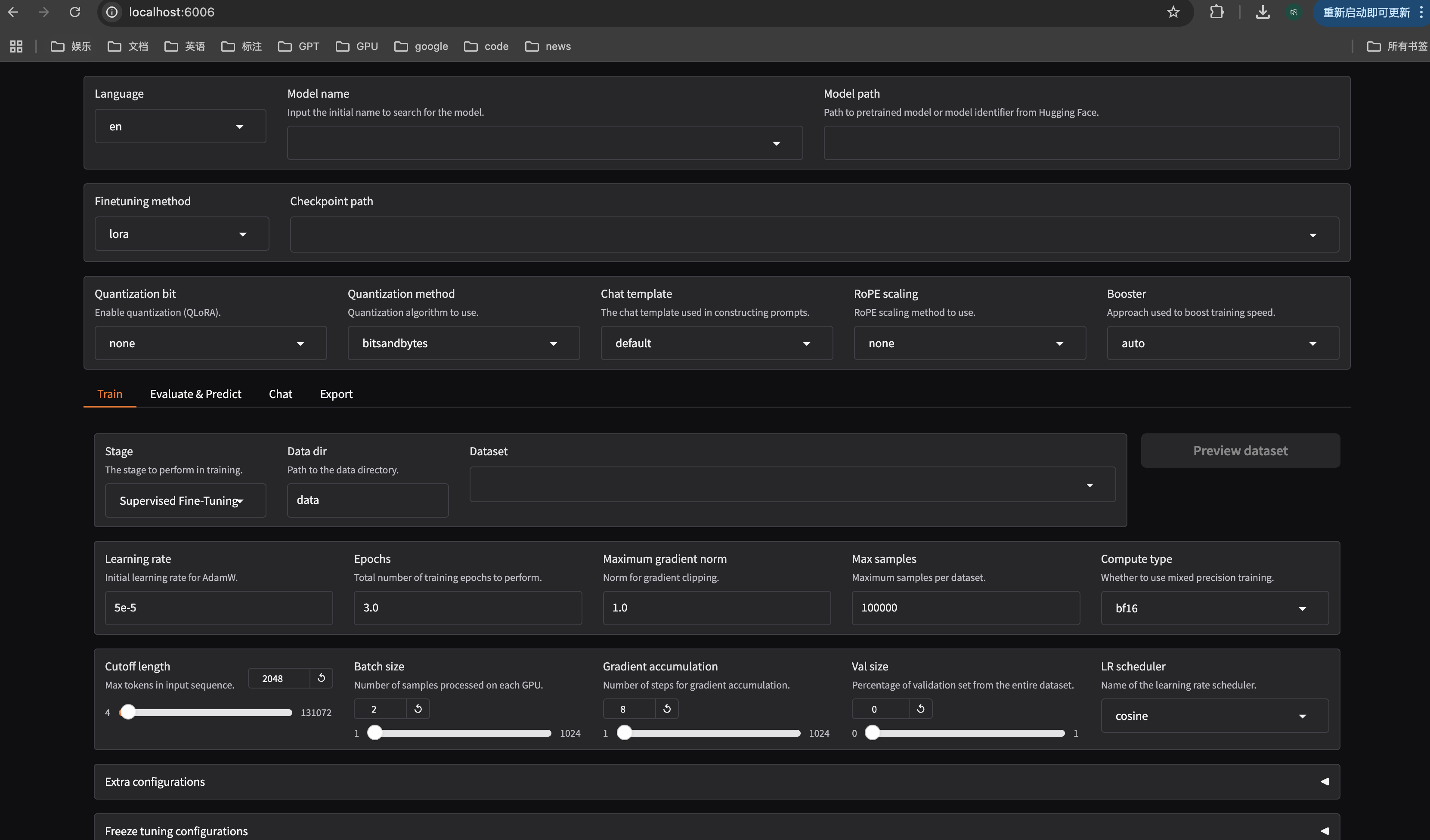
启动WebUI界面,我修改端口号为6006,因为AutoDL用的这个端口号
GRADIO_SERVER_PORT=6006 llamafactory-cli webui
上面是AutoDL版本,接下是在windows上的操作:
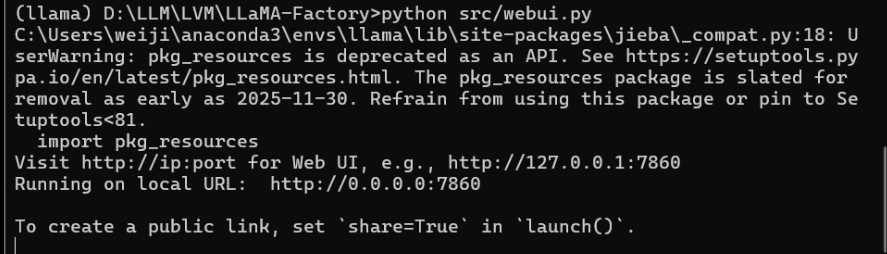
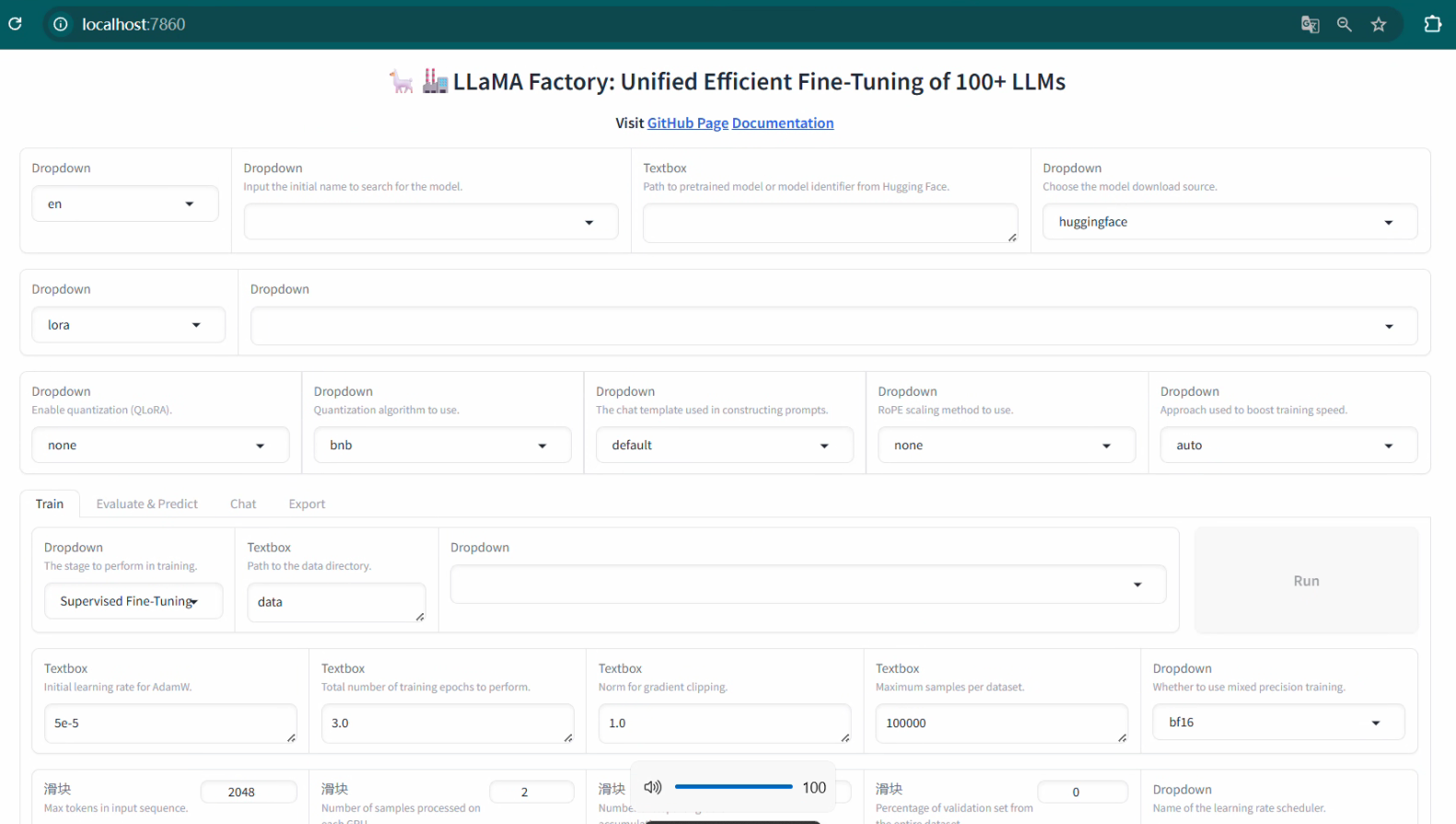
启动WebUI方式如下:
在LLaMA-Factory目录下,输入:
python src/webui.py
2 模型下载
2.1 Qwen2-VL-7B-Instruct
模型地址
https://www.modelscope.cn/Qwen/Qwen2-VL-7B-Instruct
source /etc/network_turbo
pip install modelscope
采用SDK方式下载
from modelscope import snapshot_download

# 指定模型的下载路径
cache_dir = '/root/autodl-tmp/'
# 调用 snapshot_download 函数下载模型
model_dir = snapshot_download('Qwen/Qwen2-VL-7B-Instruct', cache_dir=cache_dir)

print(f"模型已下载到: {model_dir}")

上面是Qwen2-VL版本模型下载,如果是Qwen2.5-VL,使用下面的代码
2.2 Qwen2.5-VL
采用SDK方式下载
from modelscope import snapshot_download

# 指定模型的下载路径
cache_dir = '/root/autodl-tmp/'
# 调用 snapshot_download 函数下载模型
model_dir = snapshot_download('Qwen/Qwen2.5-VL-7B-Instruct', cache_dir=cache_dir)

print(f"模型已下载到: {model_dir}")
2.3 Qwen3-VL-2B-Instruct
Qwen3-VL出来了一个多月了(现在20225年11月19日)
https://github.com/QwenLM/Qwen3-VL
https://modelscope.cn/collections/Qwen3-VL-5c7a94c8cb144b
接下来是Qwen3-VL-2B-Instruct下载:
from modelscope import snapshot_download

# 指定模型的下载路径
cache_dir = '/root/autodl-tmp/'
# 调用 snapshot_download 函数下载模型
model_dir = snapshot_download('Qwen/Qwen3-VL-2B-Instruct', cache_dir=cache_dir)

print(f"模型已下载到: {model_dir}")
3 模型测试
测试当前模型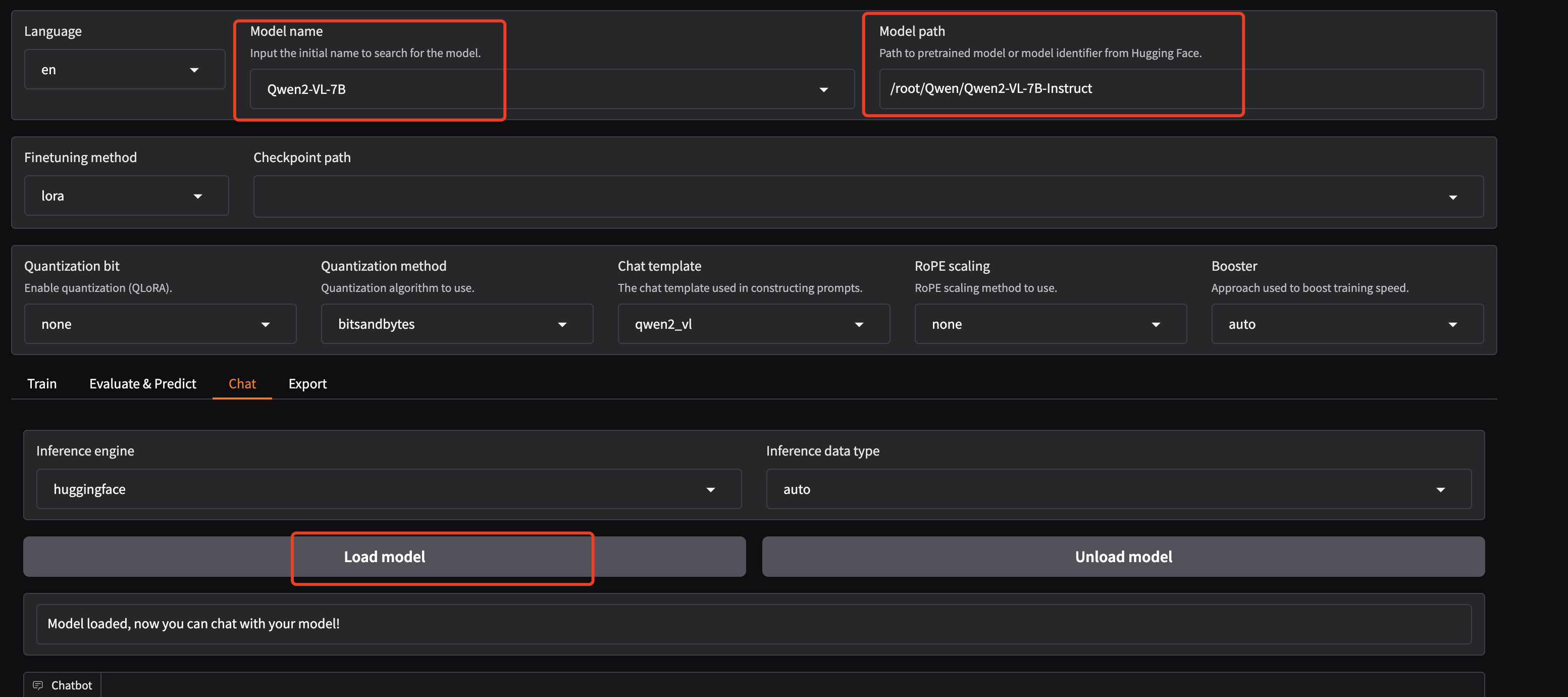
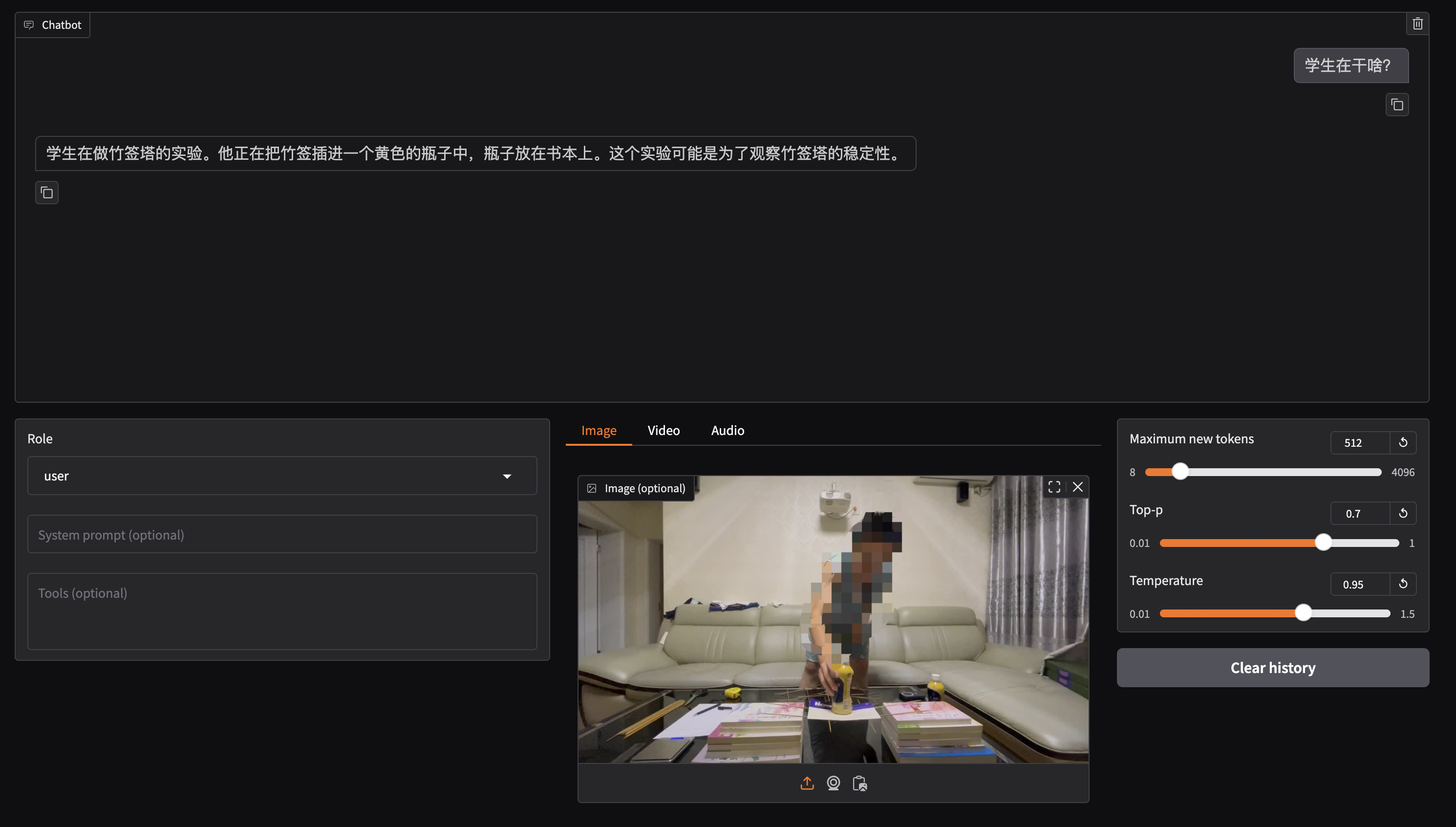
4 视觉大模型数据集制作流程
4.1 示例1 学术桥梁实验数据
训练数据集的制作流程代码与视频:
https://github.com/Whiffe/via2yolo/tree/main/BNU/LLM/Dataset
视频:https://www.bilibili.com/video/BV1opPueXEix/
训练数据集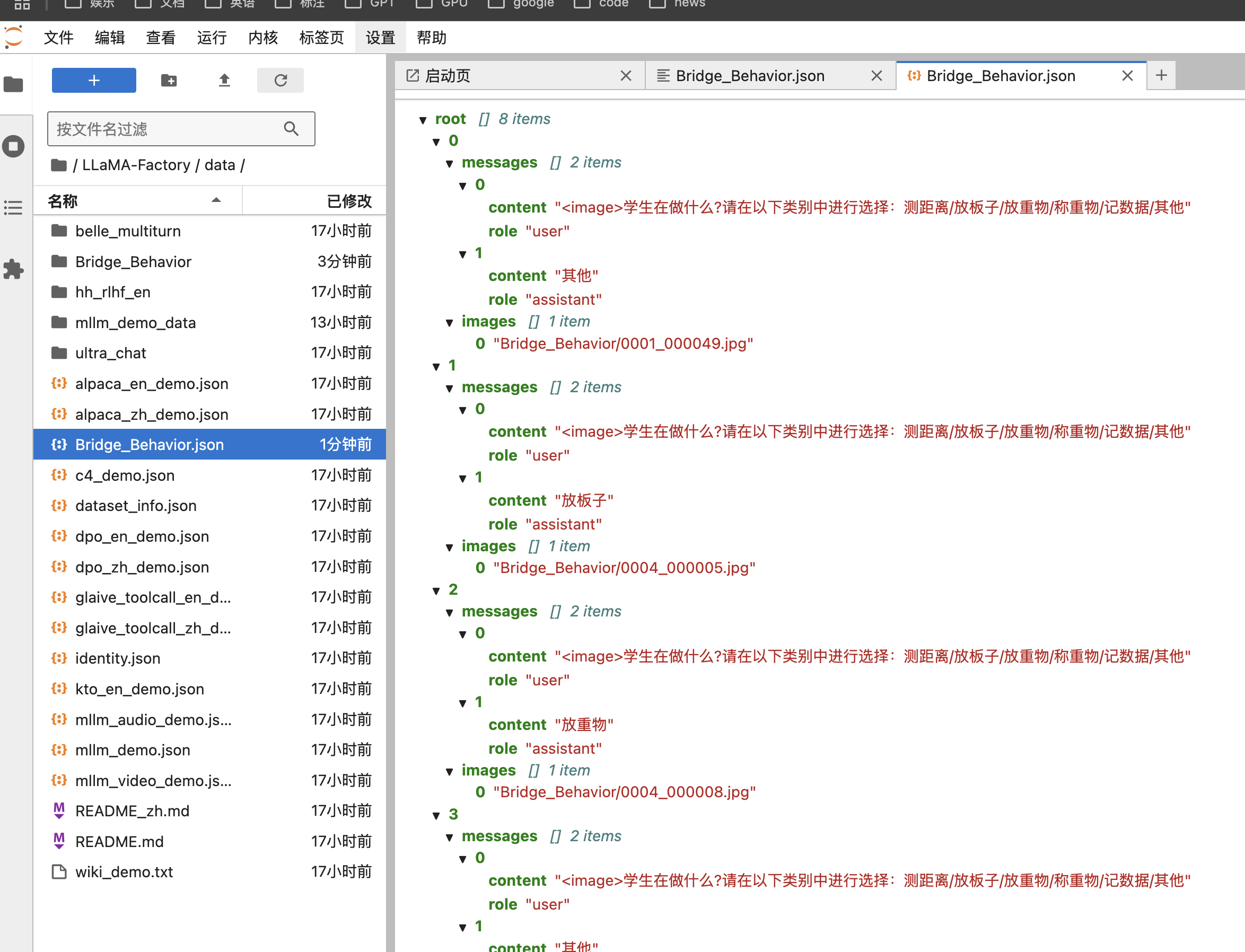
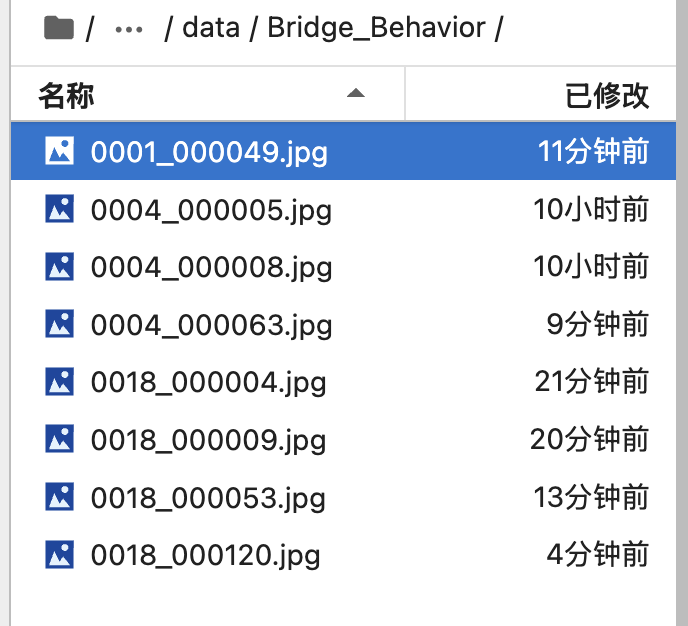
[
  {
    "messages": [
      {
        "content": "<image>学生在做什么?请在以下类别中进行选择:测距离/放板子/放重物/称重物/记数据/其他",
        "role": "user"
      },
      {
        "content": "其他",
        "role": "assistant"
      }
    ],
    "images": [
      "Bridge_Behavior/0001_000049.jpg"
    ]
  },
  {
    "messages": [
      {
        "content": "<image>学生在做什么?请在以下类别中进行选择:测距离/放板子/放重物/称重物/记数据/其他",
        "role": "user"
      },
      {
        "content": "放板子",
        "role": "assistant"
      }
    ],
    "images": [
      "Bridge_Behavior/0004_000005.jpg"
    ]
  },
  {
    "messages": [
      {
        "content": "<image>学生在做什么?请在以下类别中进行选择:测距离/放板子/放重物/称重物/记数据/其他",
        "role": "user"
      },
      {
        "content": "放重物",
        "role": "assistant"
      }
    ],
    "images": [
      "Bridge_Behavior/0004_000008.jpg"
    ]
  },
  {
    "messages": [
      {
        "content": "<image>学生在做什么?请在以下类别中进行选择:测距离/放板子/放重物/称重物/记数据/其他",
        "role": "user"
      },
      {
        "content": "其他",
        "role": "assistant"
      }
    ],
    "images": [
      "Bridge_Behavior/0004_000063.jpg"
    ]
  },
  {
    "messages": [
      {
        "content": "<image>学生在做什么?请在以下类别中进行选择:测距离/放板子/放重物/称重物/记数据/其他",
        "role": "user"
      },
      {
        "content": "测距离",
        "role": "assistant"
      }
    ],
    "images": [
      "Bridge_Behavior/0018_000004.jpg"
    ]
  },
  {
    "messages": [
      {
        "content": "<image>学生在做什么?请在以下类别中进行选择:测距离/放板子/放重物/称重物/记数据/其他",
        "role": "user"
      },
      {
        "content": "记数据",
        "role": "assistant"
      }
    ],
    "images": [
      "Bridge_Behavior/0018_000009.jpg"
    ]
  },
  {
    "messages": [
      {
        "content": "<image>学生在做什么?请在以下类别中进行选择:测距离/放板子/放重物/称重物/记数据/其他",
        "role": "user"
      },
      {
        "content": "放重物",
        "role": "assistant"
      }
    ],
    "images": [
      "Bridge_Behavior/0018_000053.jpg"
    ]
  },
  {
    "messages": [
      {
        "content": "<image>学生在做什么?请在以下类别中进行选择:测距离/放板子/放重物/称重物/记数据/其他",
        "role": "user"
      },
      {
        "content": "其他",
        "role": "assistant"
      }
    ],
    "images": [
      "Bridge_Behavior/0018_000120.jpg"
    ]
  }
]
修改LLaMA-Factory/data/dataset_info.json文件
添加如下内容: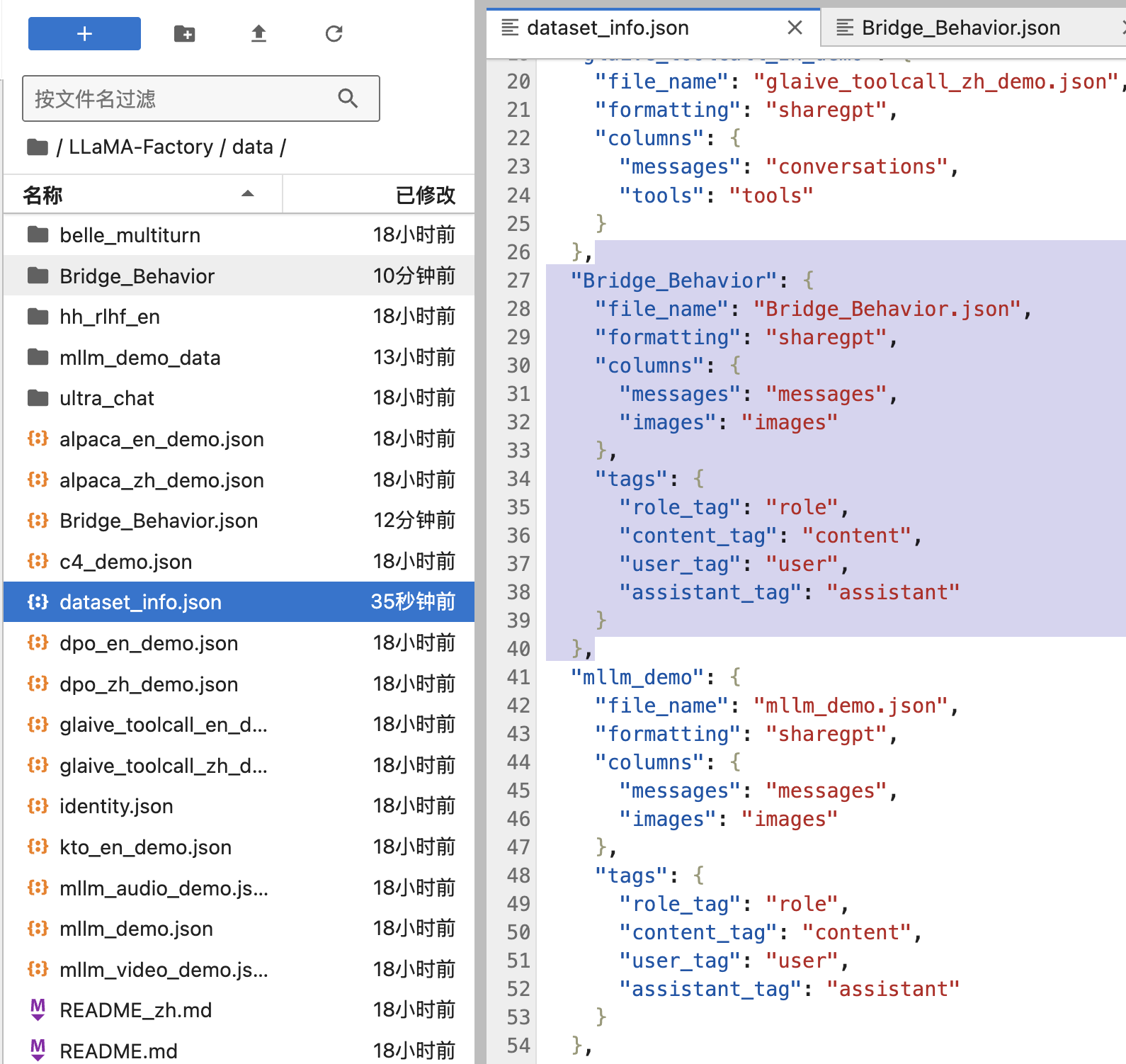
  "Bridge_Behavior": {
    "file_name": "Bridge_Behavior.json",
    "formatting": "sharegpt",
    "columns": {
      "messages": "messages",
      "images": "images"
    },
    "tags": {
      "role_tag": "role",
      "content_tag": "content",
      "user_tag": "user",
      "assistant_tag": "assistant"
    }
  },
4.2 示例2 课堂学生行为
2025-12-20
原始数据在:
https://github.com/Whiffe/SCB-dataset?tab=readme-ov-file
https://pan.baidu.com/s/1keysWqSPnVCftQqDogKb4w?pwd=SCB5
数据集位置: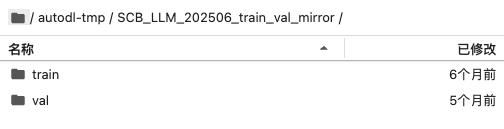
json位置,SCB.json用于训练,val.json用于评估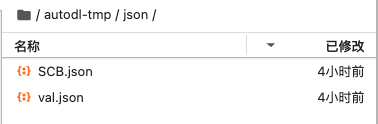
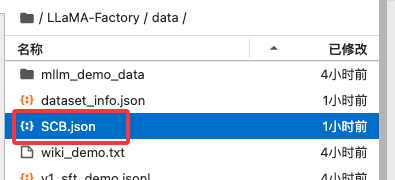
接下来修改SCB.json里面图片路径: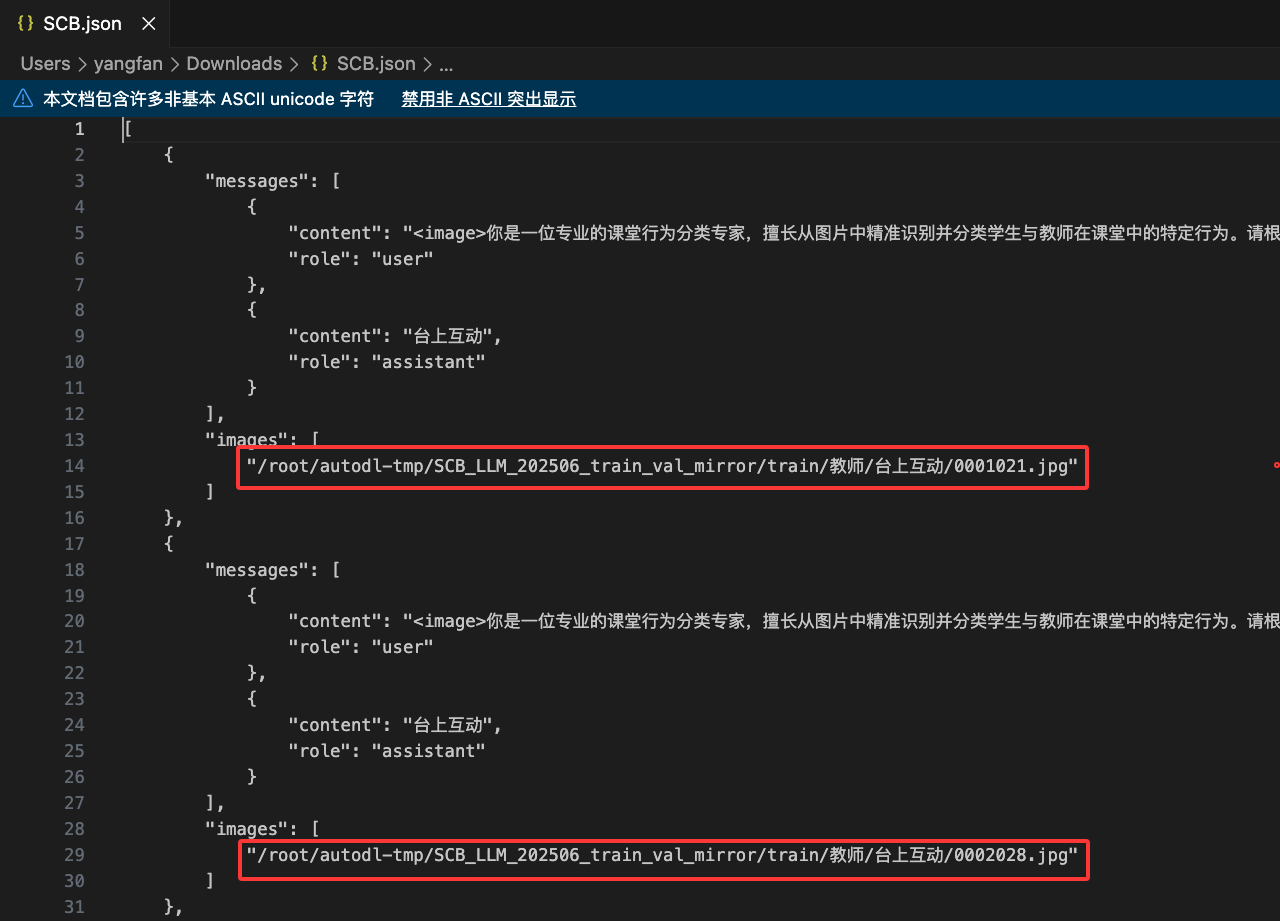
[
    {
        "messages": [
            {
                "content": "<image>你是一位专业的课堂行为分类专家,擅长从图片中精准识别并分类学生与教师在课堂中的特定行为。请根据下方的行为定义和识别规则,对图片中的主导行为进行唯一分类。\n\n行为分类分两大类:学生行为、教师行为\n学生行为包括:读写、台上展示、学生板书、回答问题、朗读、讨论、听讲、学生举手、其它。\n教师行为包括:讲授、指导、应答、台上互动、教师板书、巡视、其它。\n\n以下是每一类行为的定义:\n学生行为类别定义:\n读写:学生在读书或者写字。\n台上展示:学生在台上展示,和教师行为中的台上互动的区别在于,台上互动有教师参与,但是台上展示是没有教师,只有学生在台上。\n学生板书:学生在黑板上板书,注意区分学生板书与教师板书。\n回答问题:学生站立起来,回答问题,注意和教师行为中的应答区别,回答问题是画面中只有学生,没有教师,而应答是画面中既有学生也有教师。\n朗读:学生齐声朗读,注意区分与读写的区别,学生朗读时在读写的基础上有张开嘴或张开的趋势。\n讨论:学生在课堂中进行讨论,可以是同桌之间的讨论,也可以是前后两排之间的学生讨论。\n听讲:学生抬头听教师讲课。\n学生举手:学生举手,一般举手的学生超过3个才算举手。\n其它:不属于上述任何一种行为。\n\n教师行为类别定义:\n讲授:教师通常站在讲台上,讲解课堂上的知识点,注意区分师生互动与教师讲授,教师讲授就只有教师一人站立。\n指导:教师走下讲台,针对某位学生进行个别指导,通常伴随弯腰、驻足等动作(仅站在学生旁边观看不算指导)。\n应答:学生回答教师的问题,通常教师与学生都站立,教师提问,学生回答。通常教师与学生都站立,教师提问,学生回答,注意区分教师讲授与师生互动,教师讲授没有学生站立回答问题。\n台上互动:教师邀请学生上台进行活动,包括做游戏、完成任务或学生上台板书。注意区分学生行为中的台上展示与教师行为中的台上互动,台上展示讲台上只有学生,台上互动是老师和学生都有。\n教师板书:教师在黑板上进行书写。注意,板书指的是教师在黑板上的书写行为,学生上台书写不算作教师的行为。\n巡视:教师不在讲台上,而是在教室内走动,观察学生或巡视教室。\n其它:不属于上述任何一种行为。\n\n识别规则:\n\n1. 单一行为优先:每张图片只识别一个主导行为,如果存在复合动作,按主导行为进行分类。\n2. 唯一输出:每次识别只输出一种行为类别。\n\n现在需要你识别图片中教师的行为,输出格式: \n请严格按照以下格式输出行为类别: \n讲授/指导/应答/台上互动/教师板书/巡视/其它",
                "role": "user"
            },
            {
                "content": "台上互动",
                "role": "assistant"
            }
        ],
        "images": [
            "/root/autodl-tmp/SCB_LLM_202506_train_val_mirror/train/教师/台上互动/0001021.jpg"
        ]
    },
    {
        "messages": [
            {
                "content": "<image>你是一位专业的课堂行为分类专家,擅长从图片中精准识别并分类学生与教师在课堂中的特定行为。请根据下方的行为定义和识别规则,对图片中的主导行为进行唯一分类。\n\n行为分类分两大类:学生行为、教师行为\n学生行为包括:读写、台上展示、学生板书、回答问题、朗读、讨论、听讲、学生举手、其它。\n教师行为包括:讲授、指导、应答、台上互动、教师板书、巡视、其它。\n\n以下是每一类行为的定义:\n学生行为类别定义:\n读写:学生在读书或者写字。\n台上展示:学生在台上展示,和教师行为中的台上互动的区别在于,台上互动有教师参与,但是台上展示是没有教师,只有学生在台上。\n学生板书:学生在黑板上板书,注意区分学生板书与教师板书。\n回答问题:学生站立起来,回答问题,注意和教师行为中的应答区别,回答问题是画面中只有学生,没有教师,而应答是画面中既有学生也有教师。\n朗读:学生齐声朗读,注意区分与读写的区别,学生朗读时在读写的基础上有张开嘴或张开的趋势。\n讨论:学生在课堂中进行讨论,可以是同桌之间的讨论,也可以是前后两排之间的学生讨论。\n听讲:学生抬头听教师讲课。\n学生举手:学生举手,一般举手的学生超过3个才算举手。\n其它:不属于上述任何一种行为。\n\n教师行为类别定义:\n讲授:教师通常站在讲台上,讲解课堂上的知识点,注意区分师生互动与教师讲授,教师讲授就只有教师一人站立。\n指导:教师走下讲台,针对某位学生进行个别指导,通常伴随弯腰、驻足等动作(仅站在学生旁边观看不算指导)。\n应答:学生回答教师的问题,通常教师与学生都站立,教师提问,学生回答。通常教师与学生都站立,教师提问,学生回答,注意区分教师讲授与师生互动,教师讲授没有学生站立回答问题。\n台上互动:教师邀请学生上台进行活动,包括做游戏、完成任务或学生上台板书。注意区分学生行为中的台上展示与教师行为中的台上互动,台上展示讲台上只有学生,台上互动是老师和学生都有。\n教师板书:教师在黑板上进行书写。注意,板书指的是教师在黑板上的书写行为,学生上台书写不算作教师的行为。\n巡视:教师不在讲台上,而是在教室内走动,观察学生或巡视教室。\n其它:不属于上述任何一种行为。\n\n识别规则:\n\n1. 单一行为优先:每张图片只识别一个主导行为,如果存在复合动作,按主导行为进行分类。\n2. 唯一输出:每次识别只输出一种行为类别。\n\n现在需要你识别图片中教师的行为,输出格式: \n请严格按照以下格式输出行为类别: \n讲授/指导/应答/台上互动/教师板书/巡视/其它",
                "role": "user"
            },
            {
                "content": "台上互动",
                "role": "assistant"
            }
        ],
        "images": [
            "/root/autodl-tmp/SCB_LLM_202506_train_val_mirror/train/教师/台上互动/0002028.jpg"
        ]
    },
修改/home/winstonYF/LLaMA-Factory/data/dataset_info.json
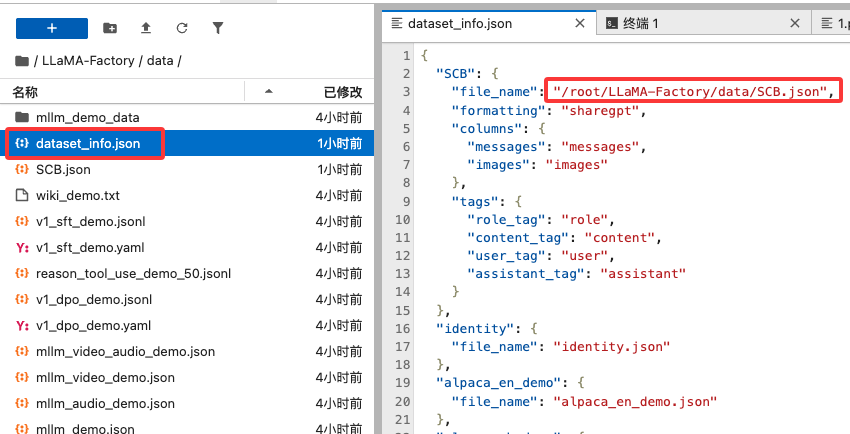
{
  "SCB": {
    "file_name": "/root/LLaMA-Factory/data/SCB.json",
    "formatting": "sharegpt",
    "columns": {
      "messages": "messages",
      "images": "images"
    },
    "tags": {
      "role_tag": "role",
      "content_tag": "content",
      "user_tag": "user",
      "assistant_tag": "assistant"
    }
  },
  "identity": {
    "file_name": "identity.json"
  },
5 训练与评估模型
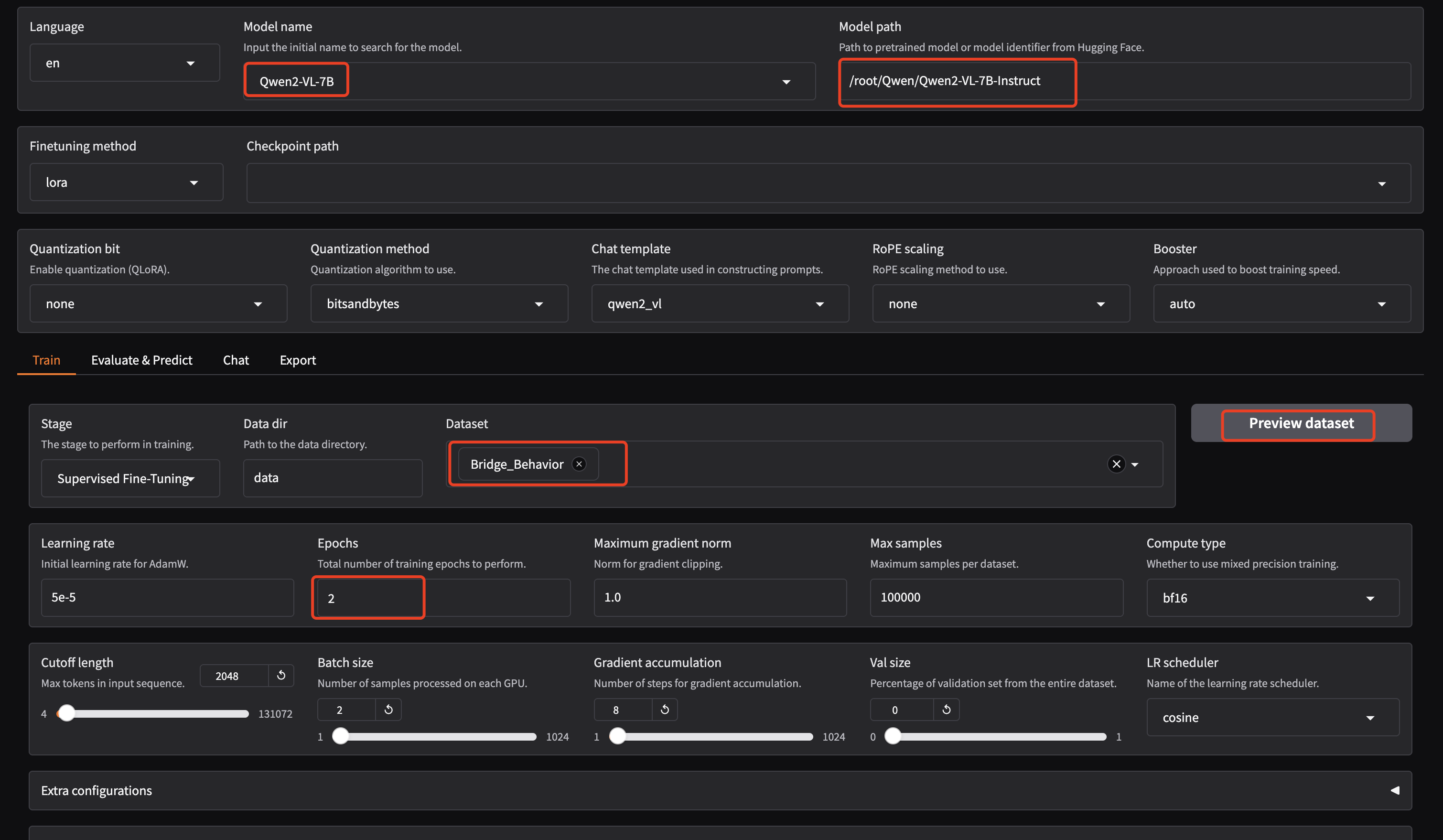
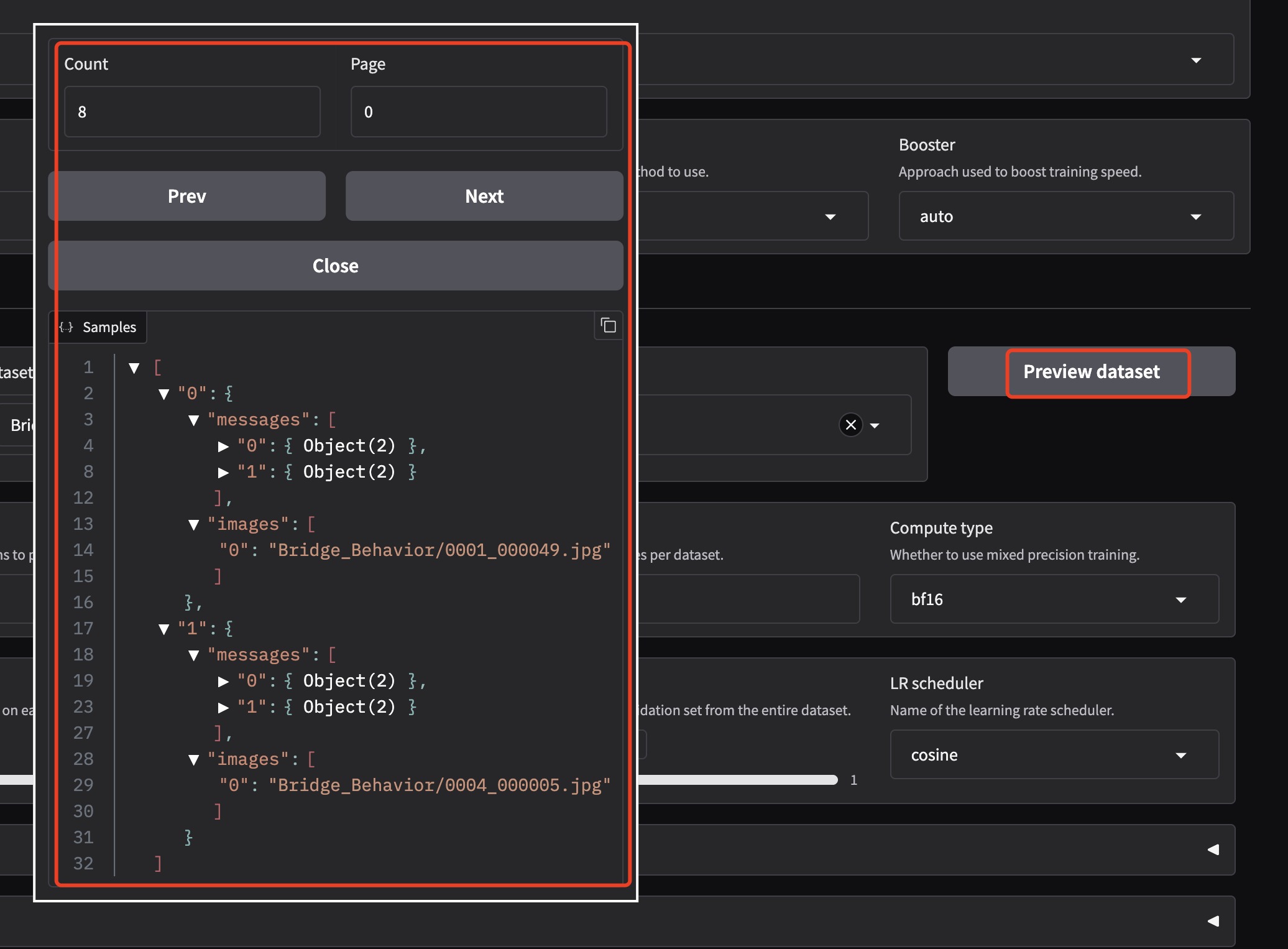
5.1 AutoDL下Qwen2-VL-7B训练为例
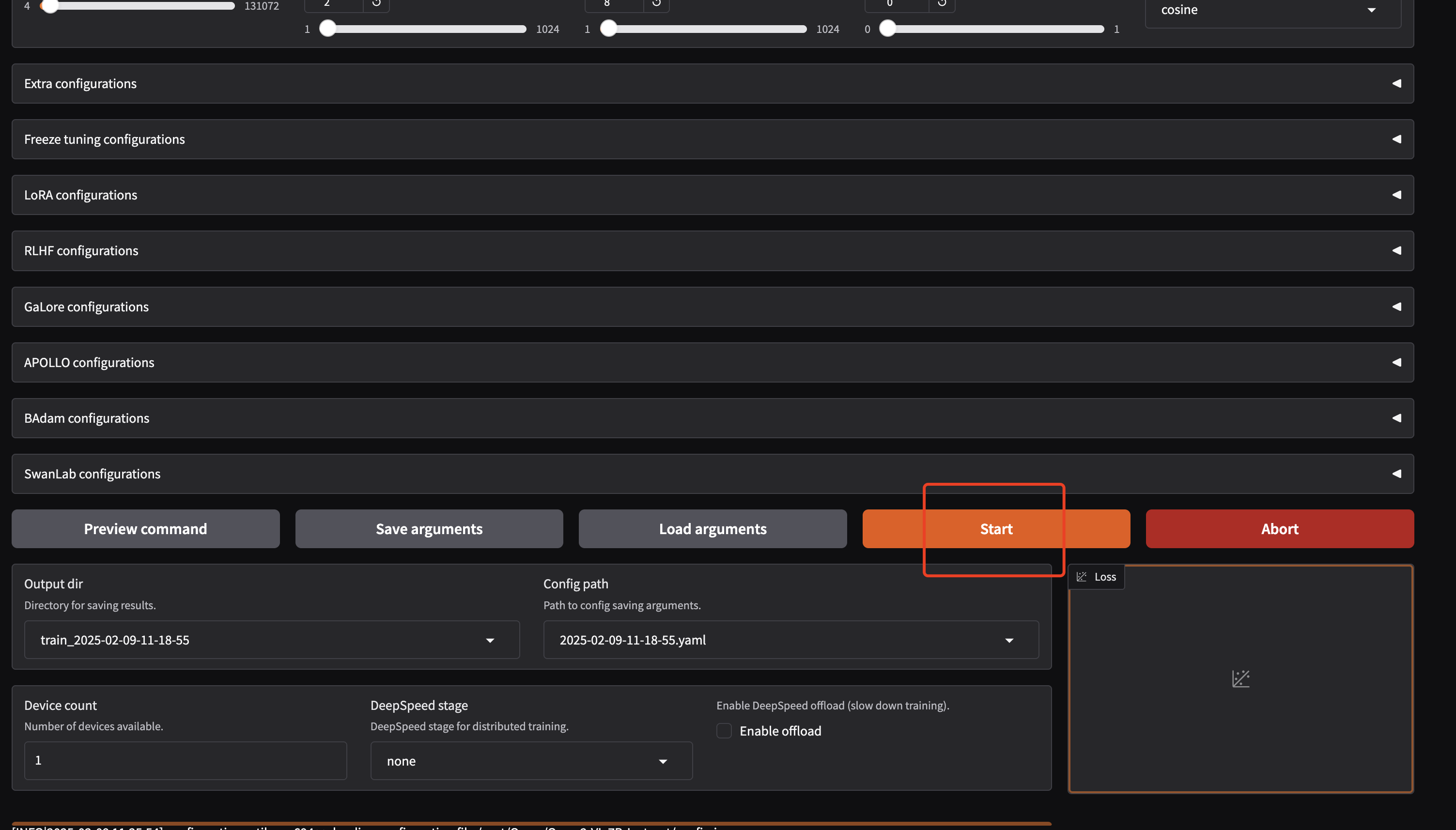
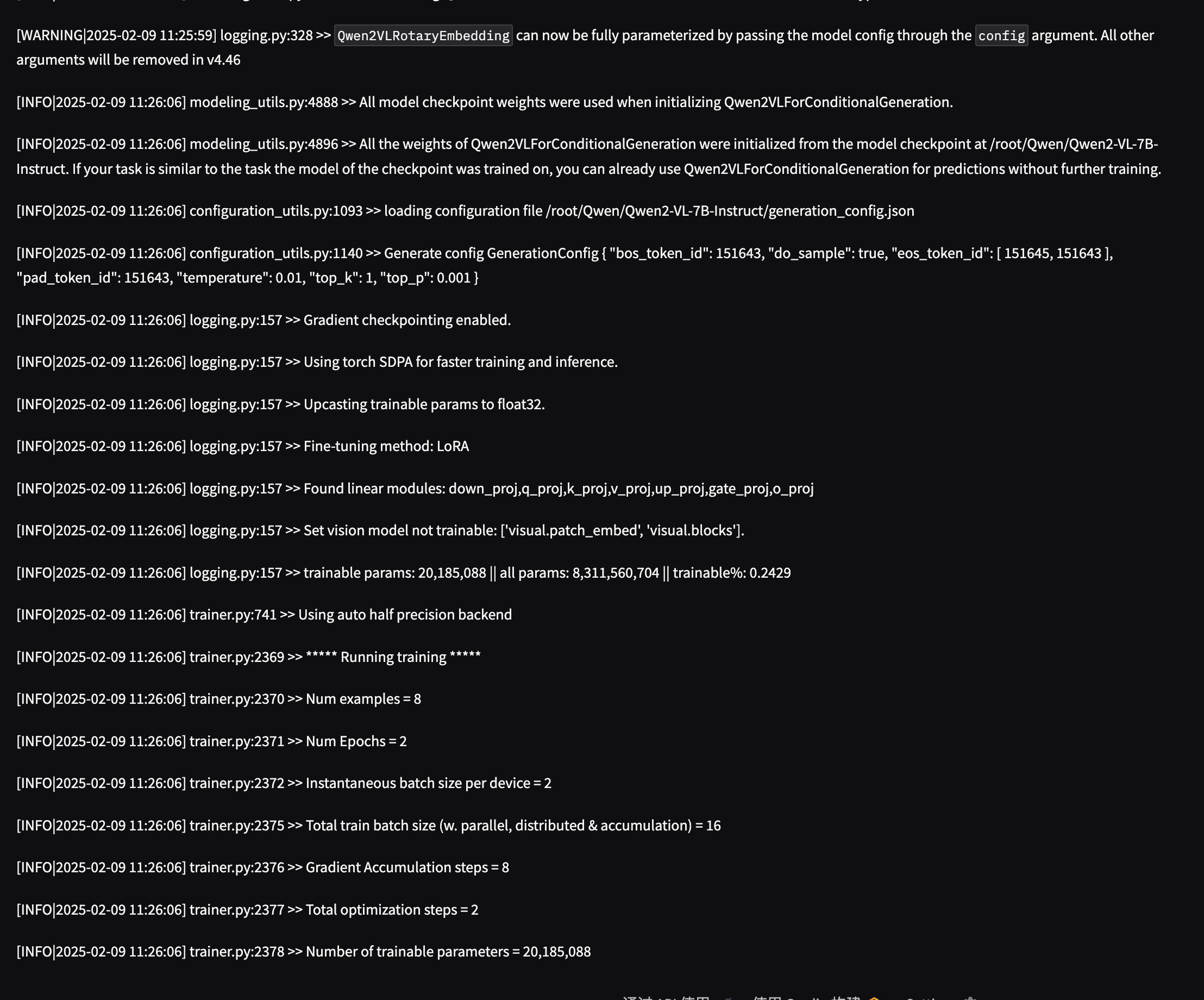
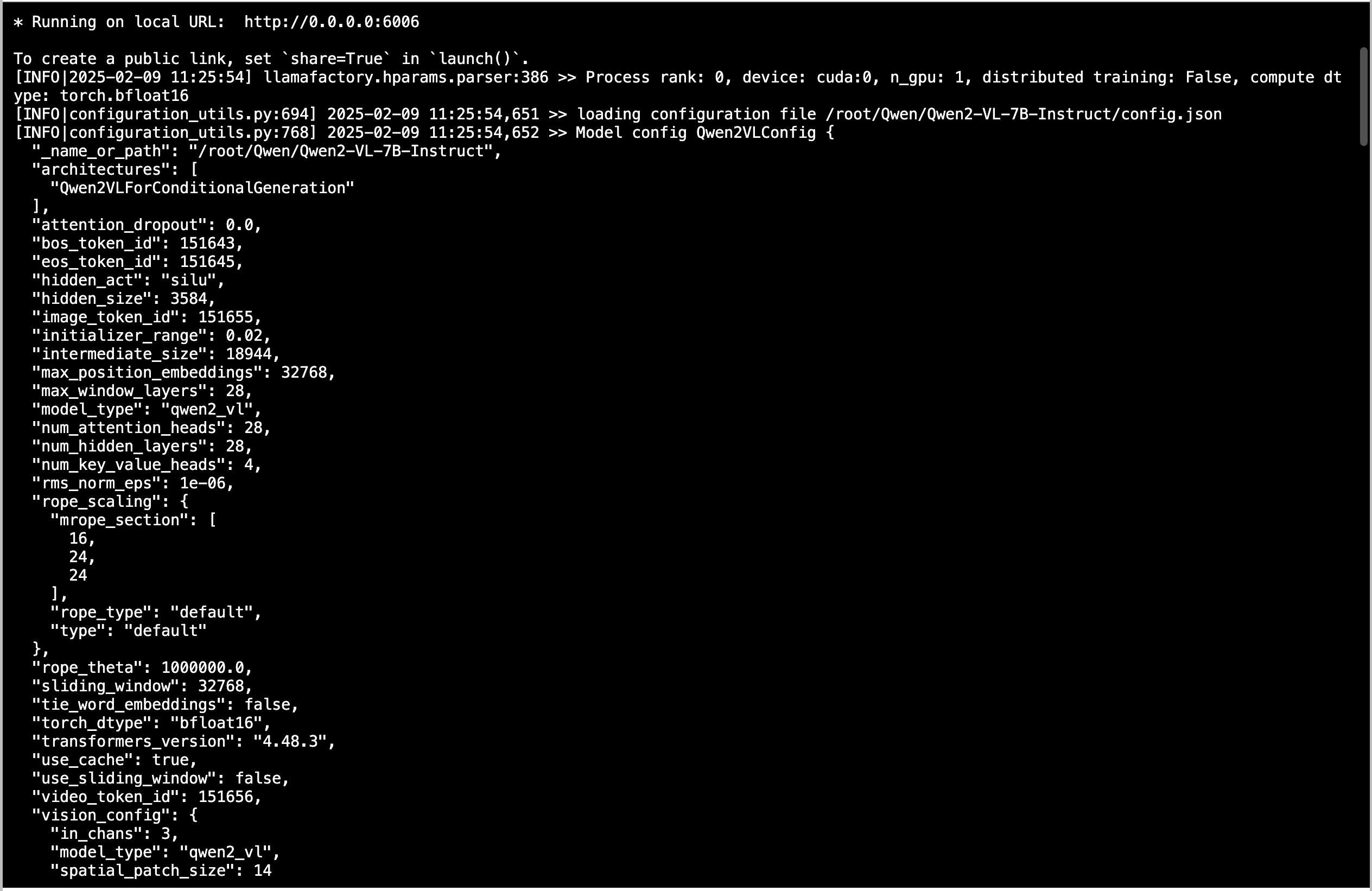
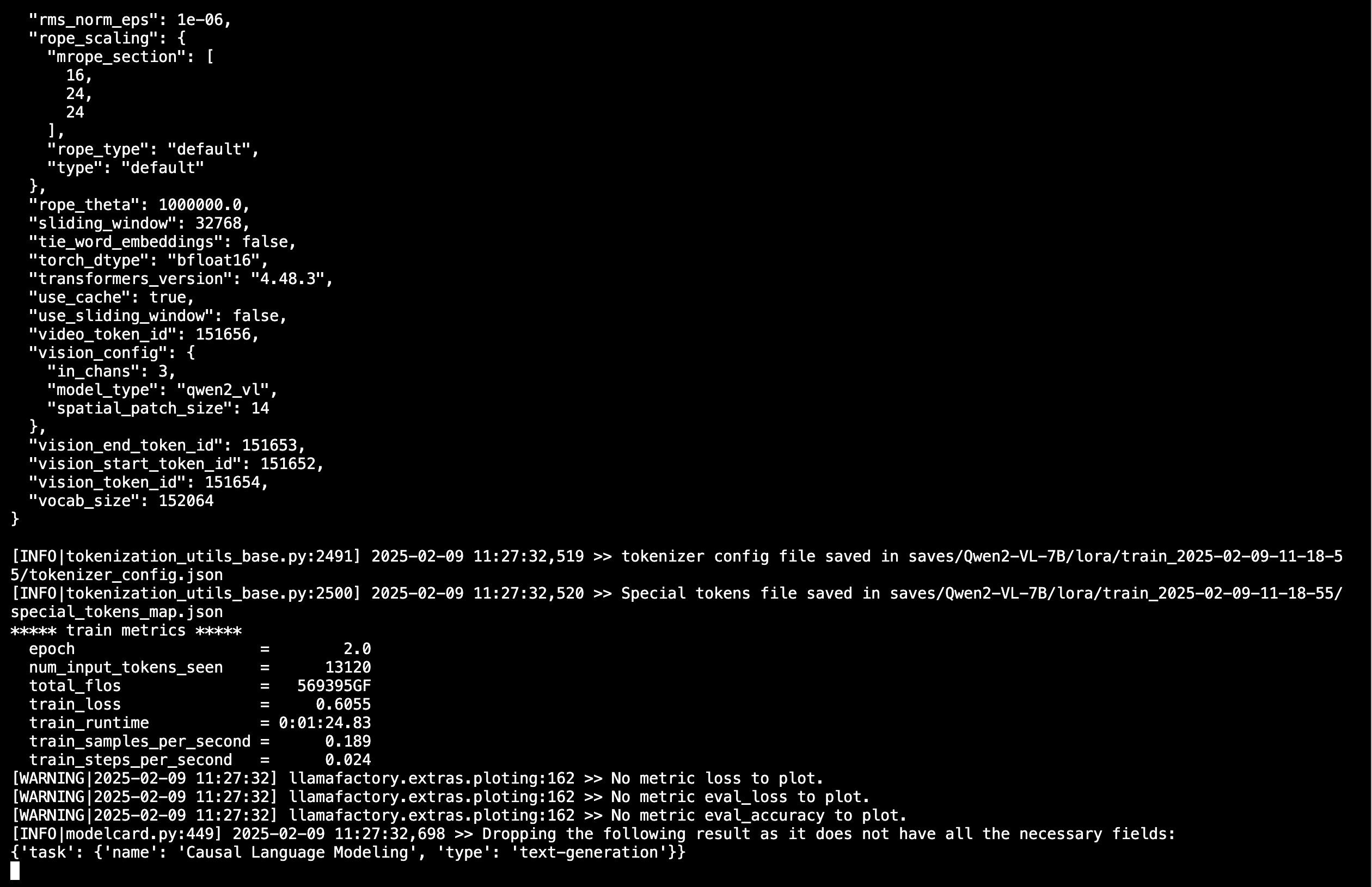
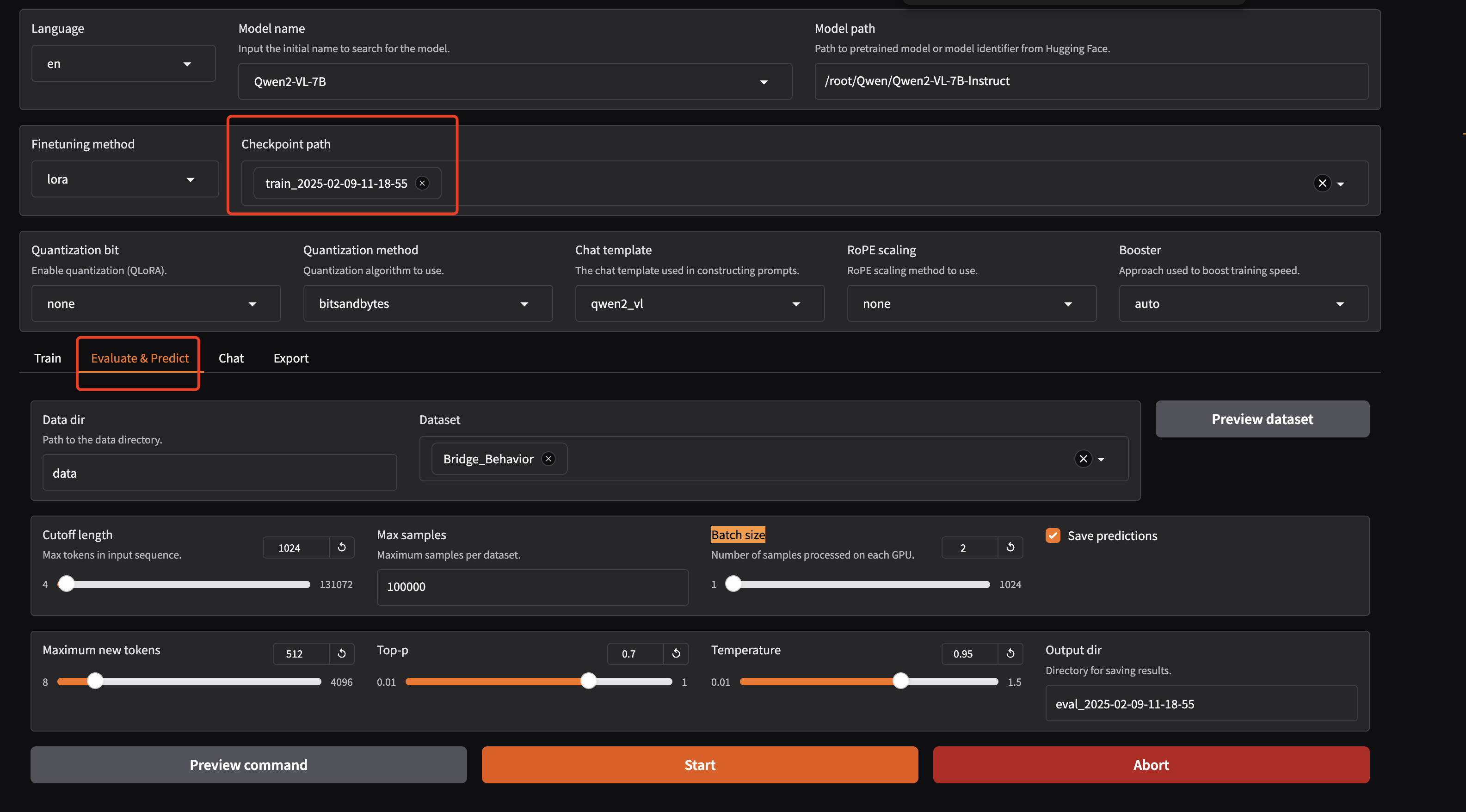
启动WebUI界面,我修改端口号为6006,因为AutoDL用的这个端口号(下面是以Qwen2-VL-7B训练为例)
GRADIO_SERVER_PORT=6006 llamafactory-cli webui
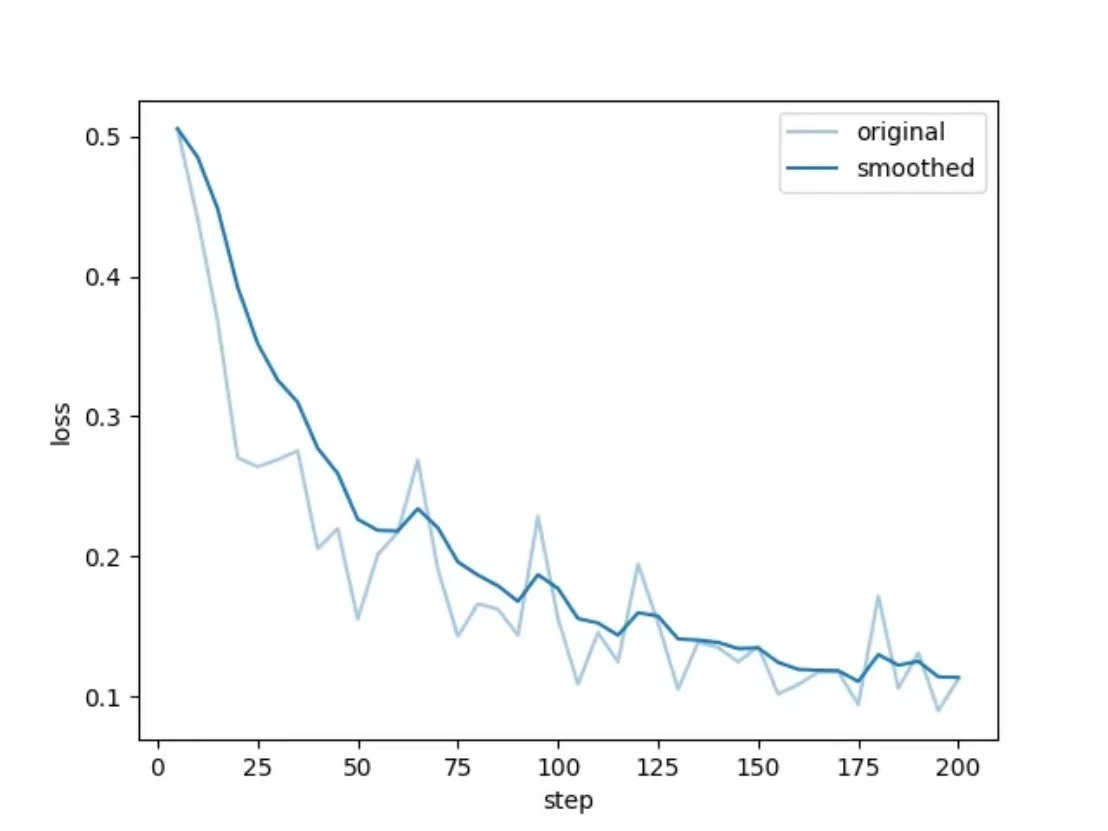
评估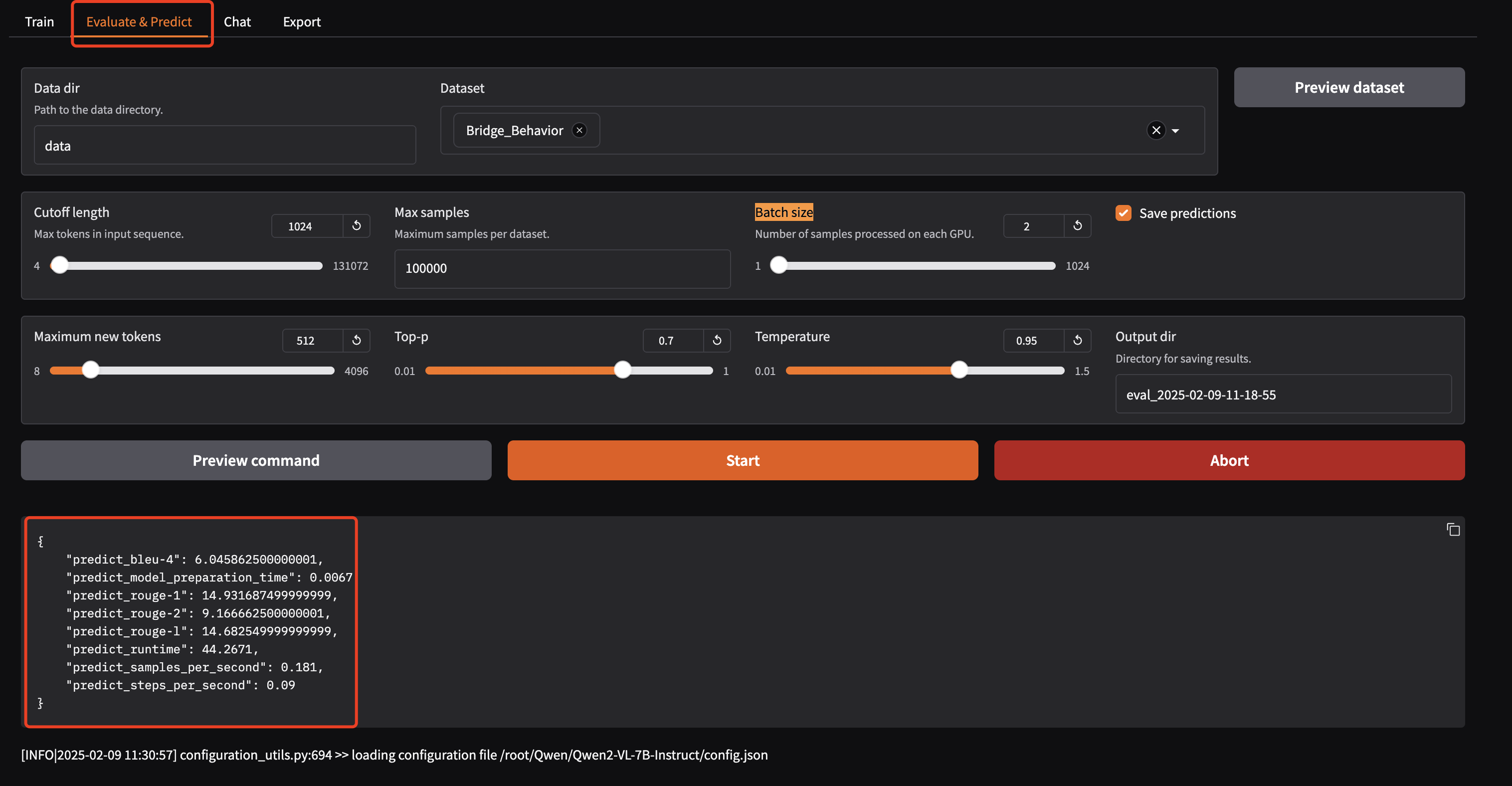
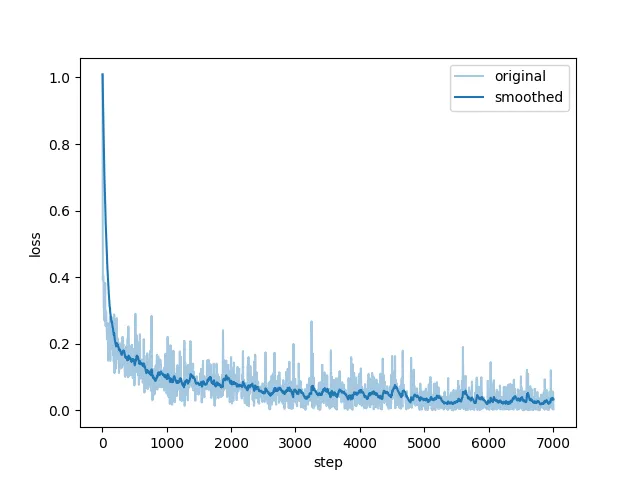
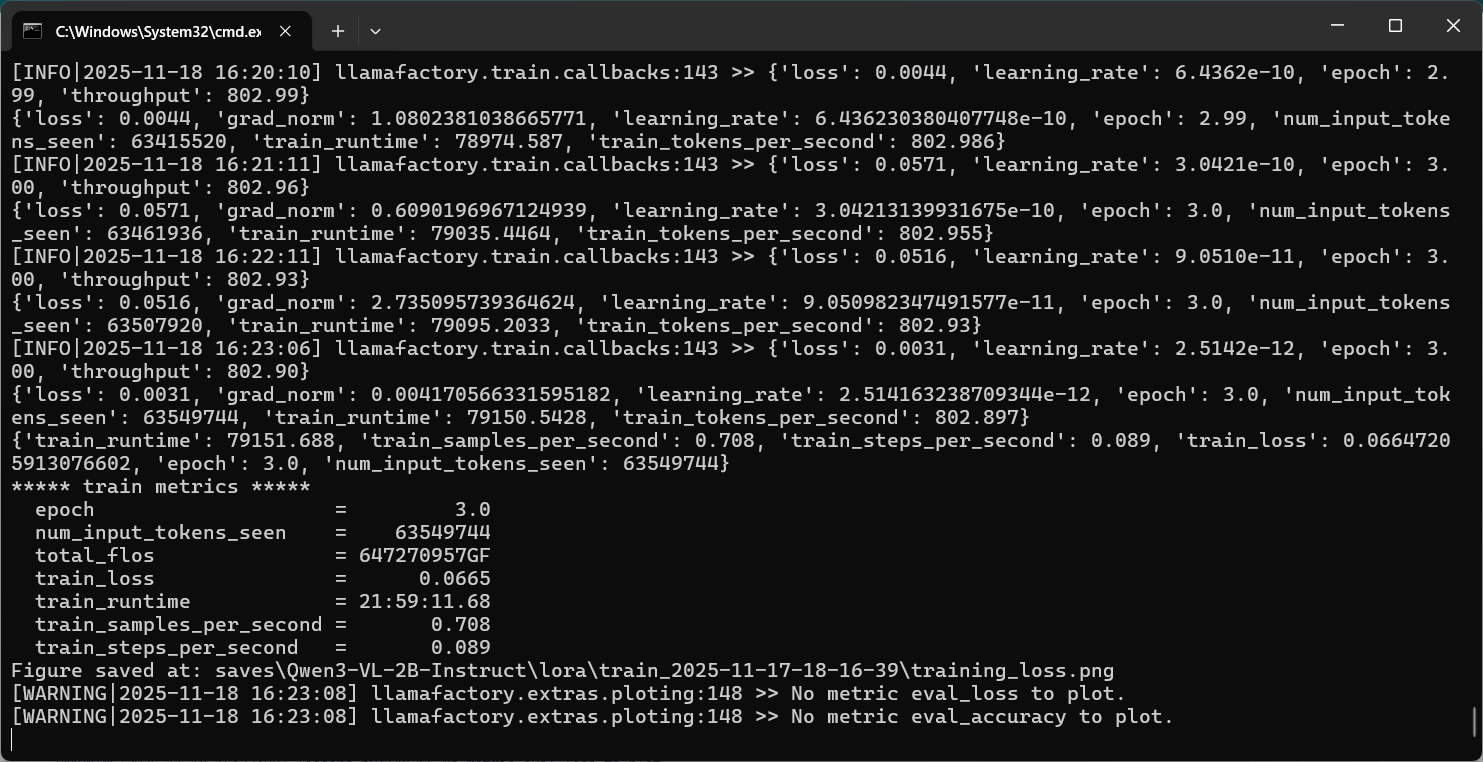
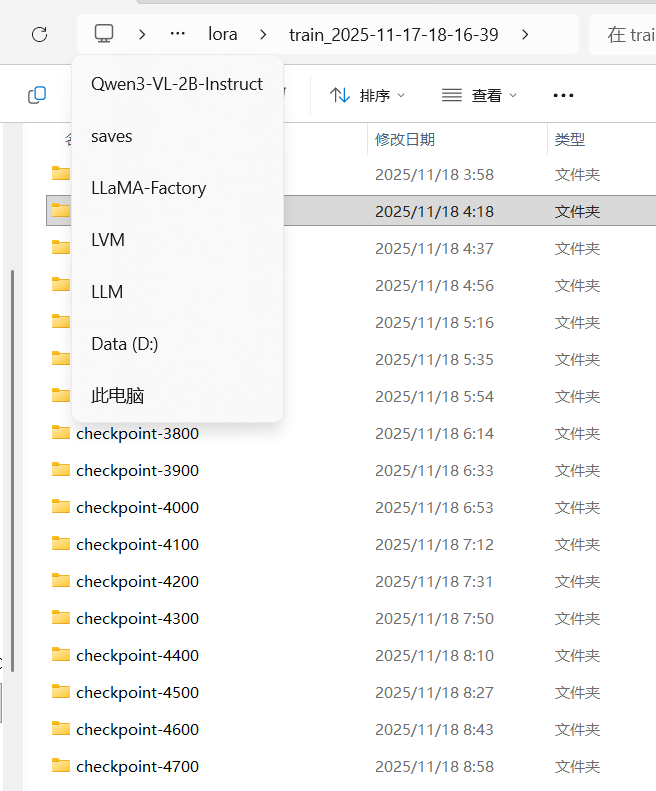
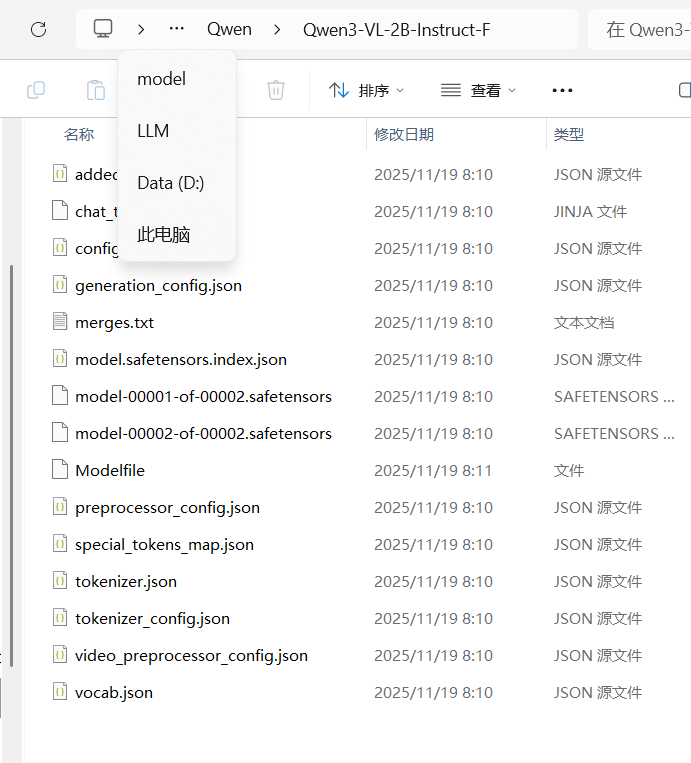
5.2 windows下训练Qwen3-VL-2B为例:
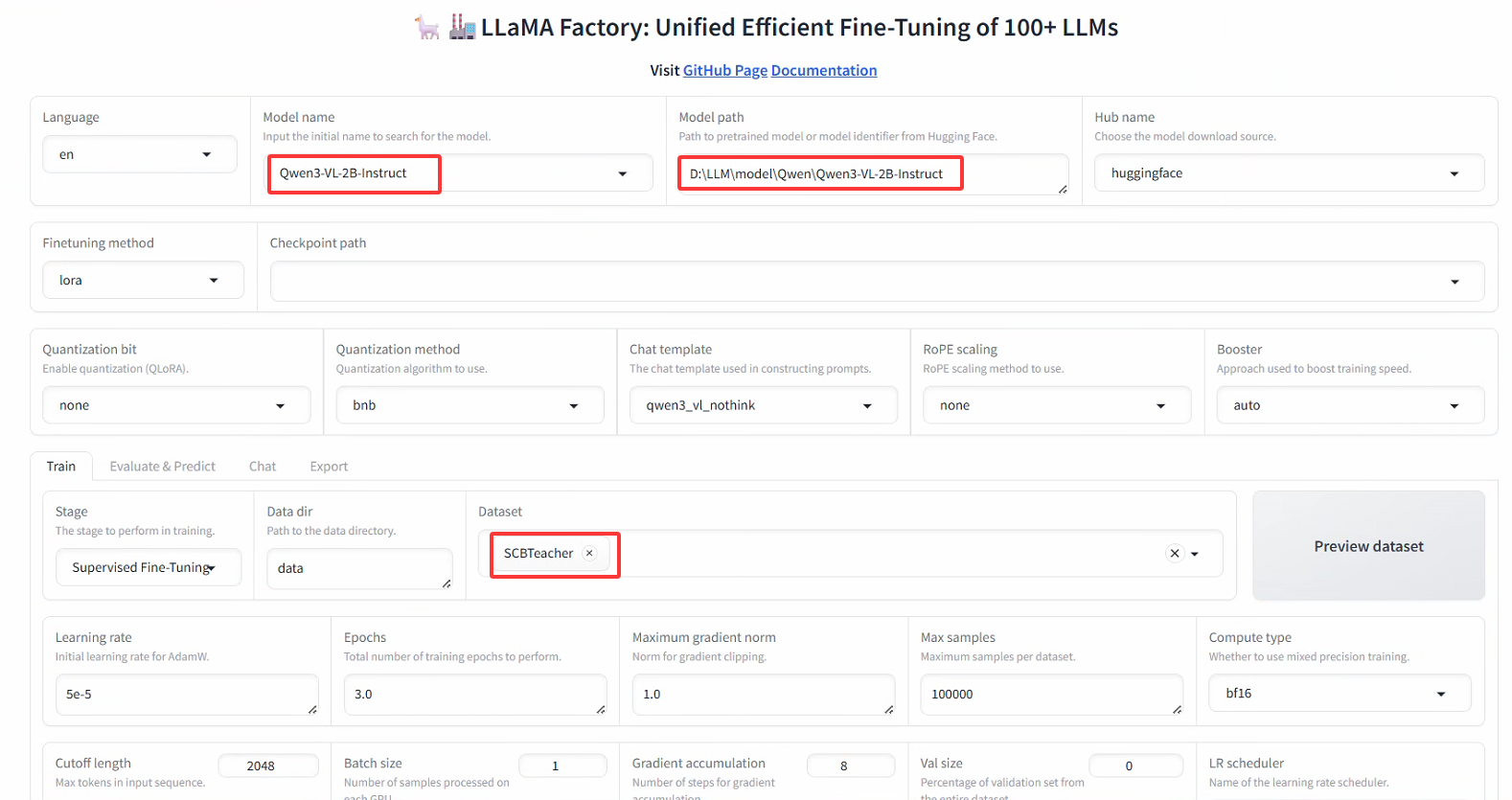
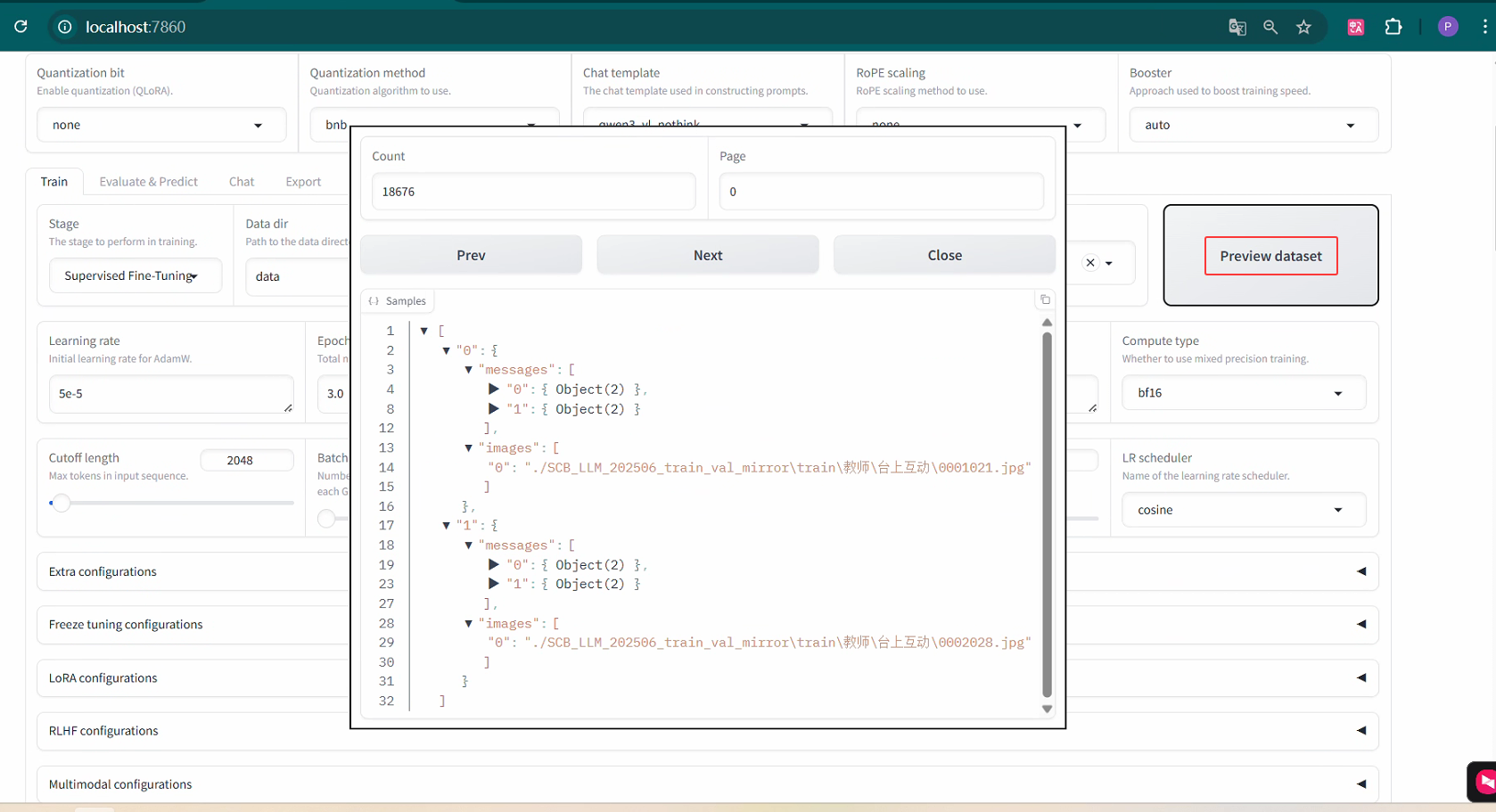
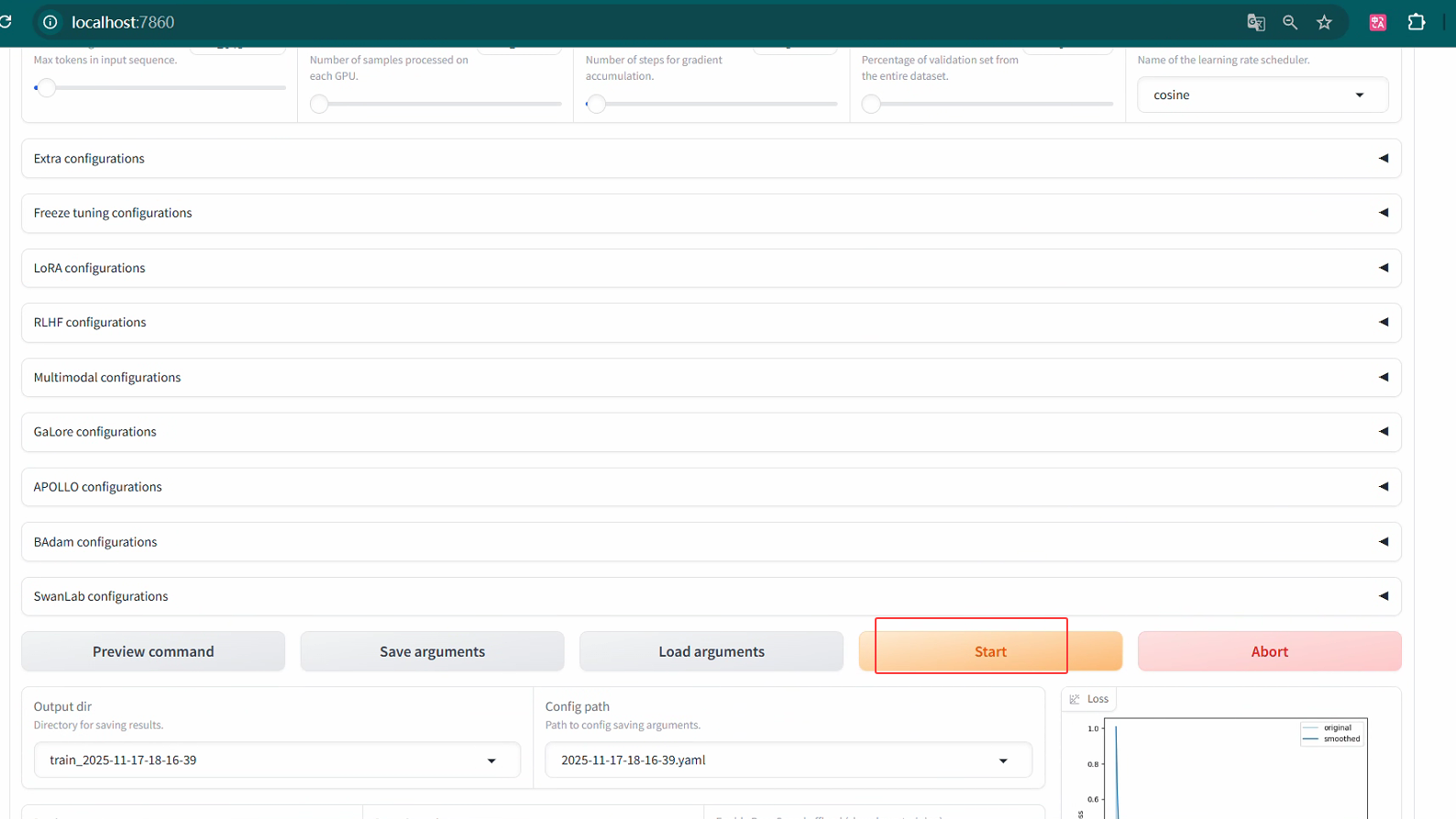
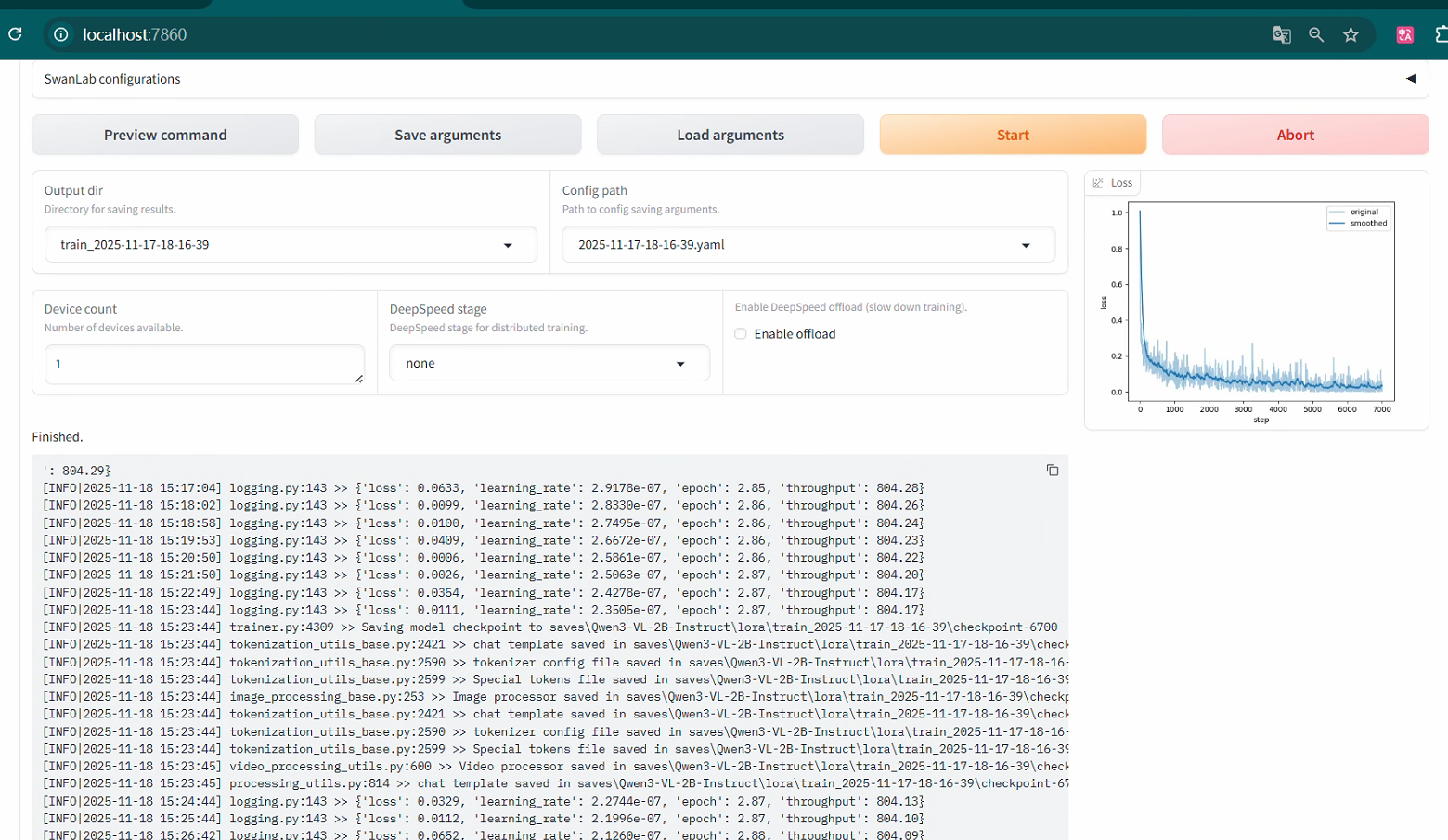
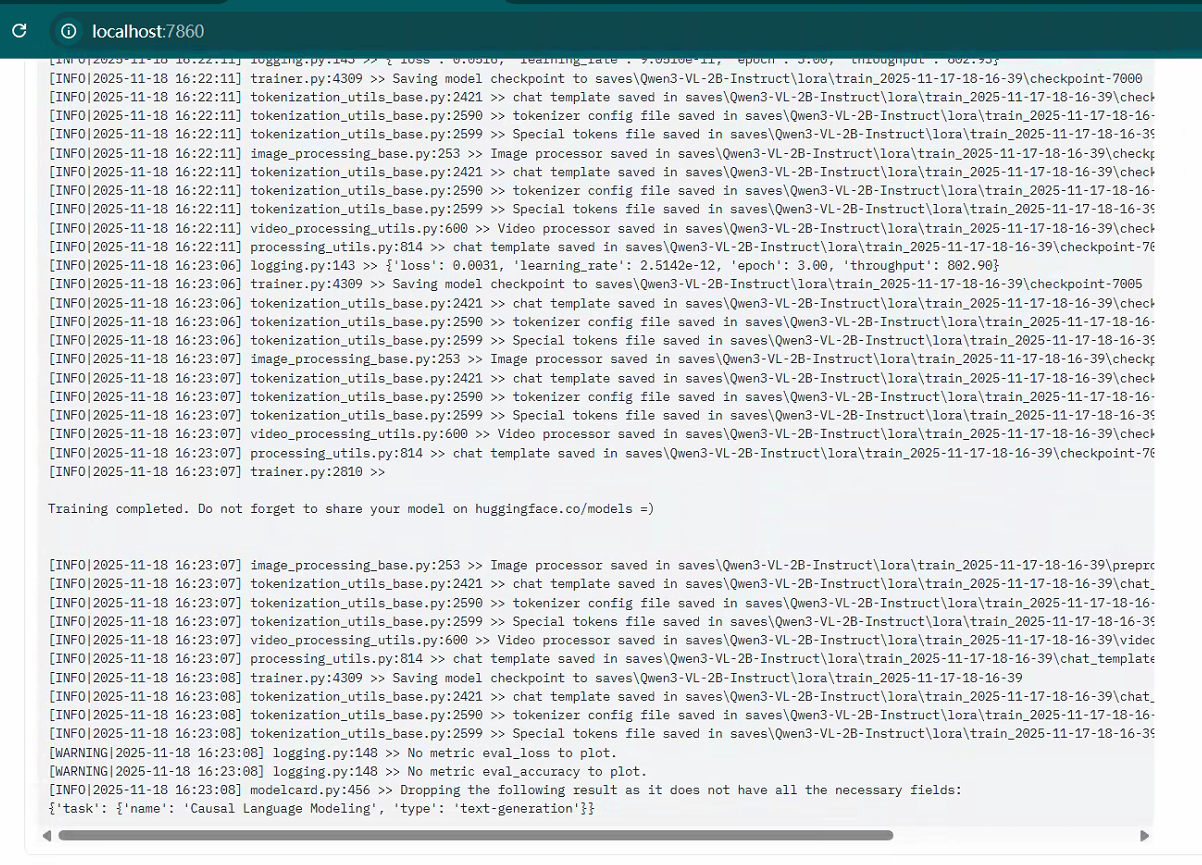

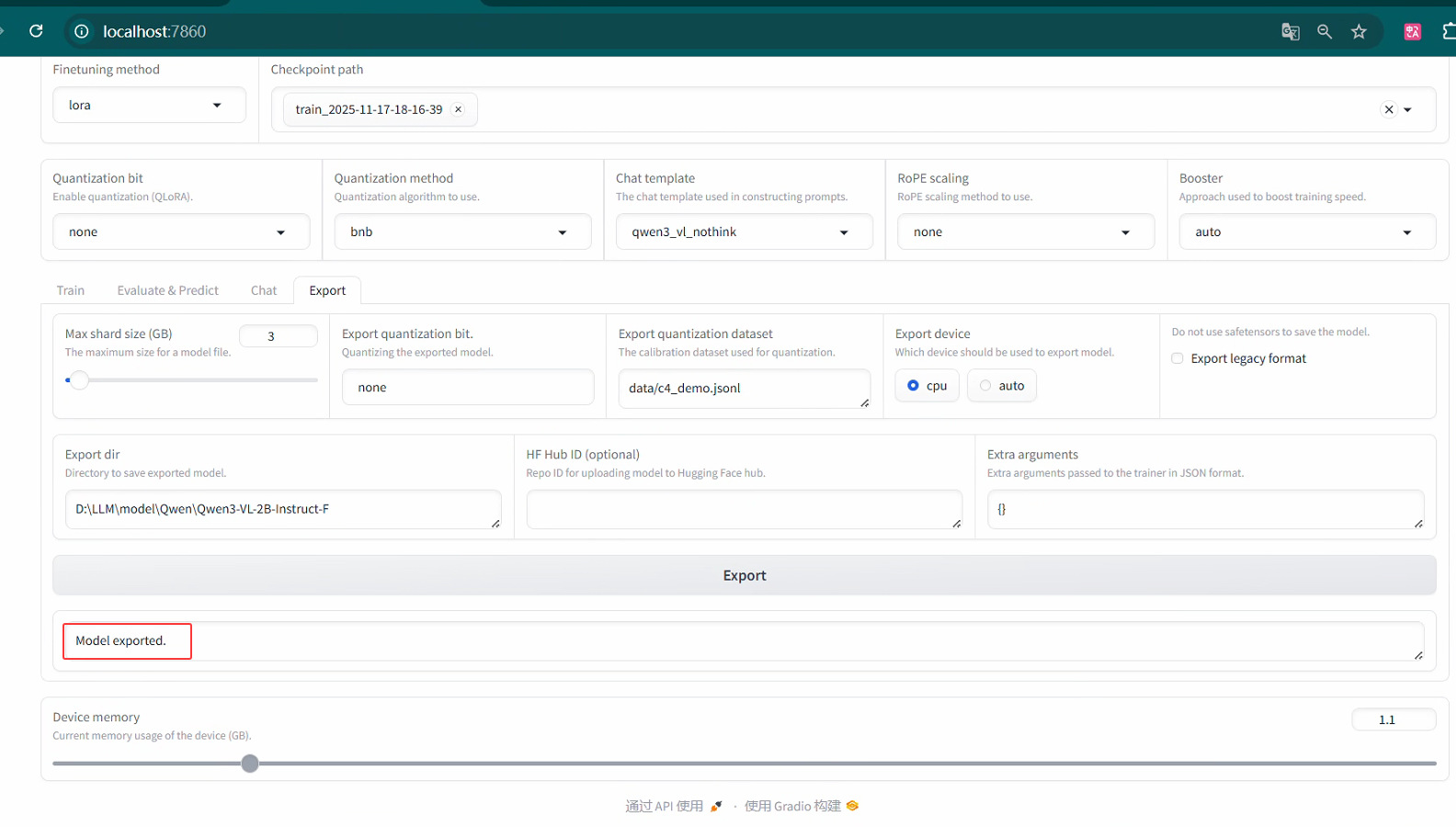
导出训练模型

5.3 AutoDL下训练Qwen3-VL-2B为例
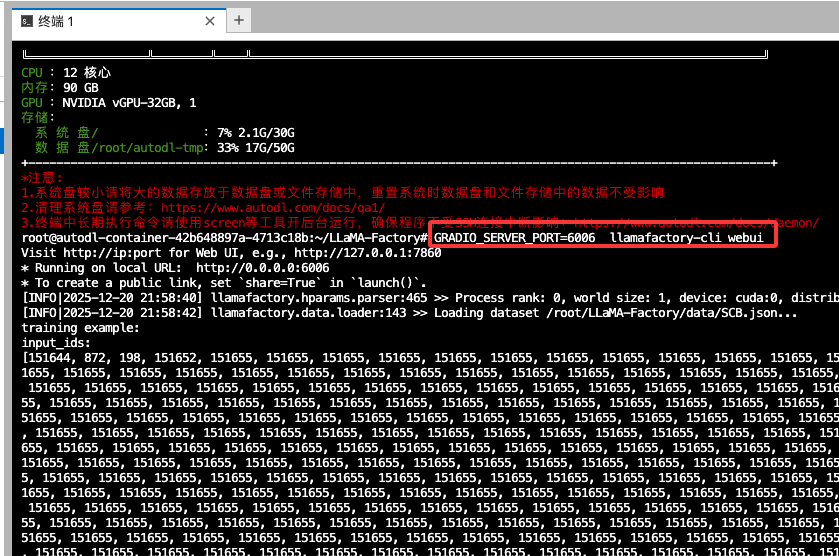
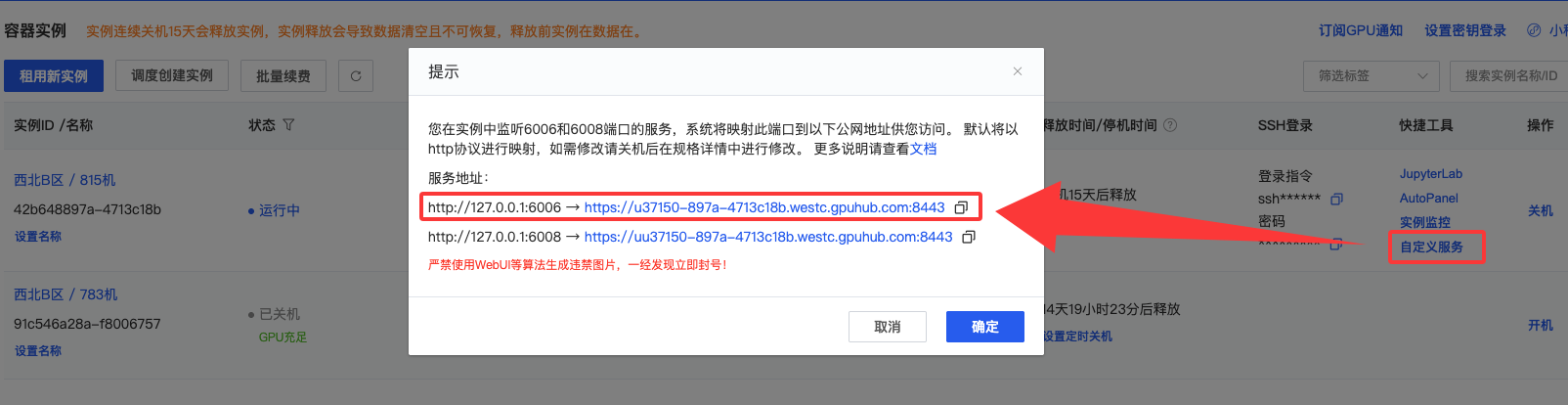
启动WebUI界面,我修改端口号为6006,因为AutoDL用的这个端口号(下面是以Qwen2-VL-7B训练为例)
GRADIO_SERVER_PORT=6006 llamafactory-cli webui
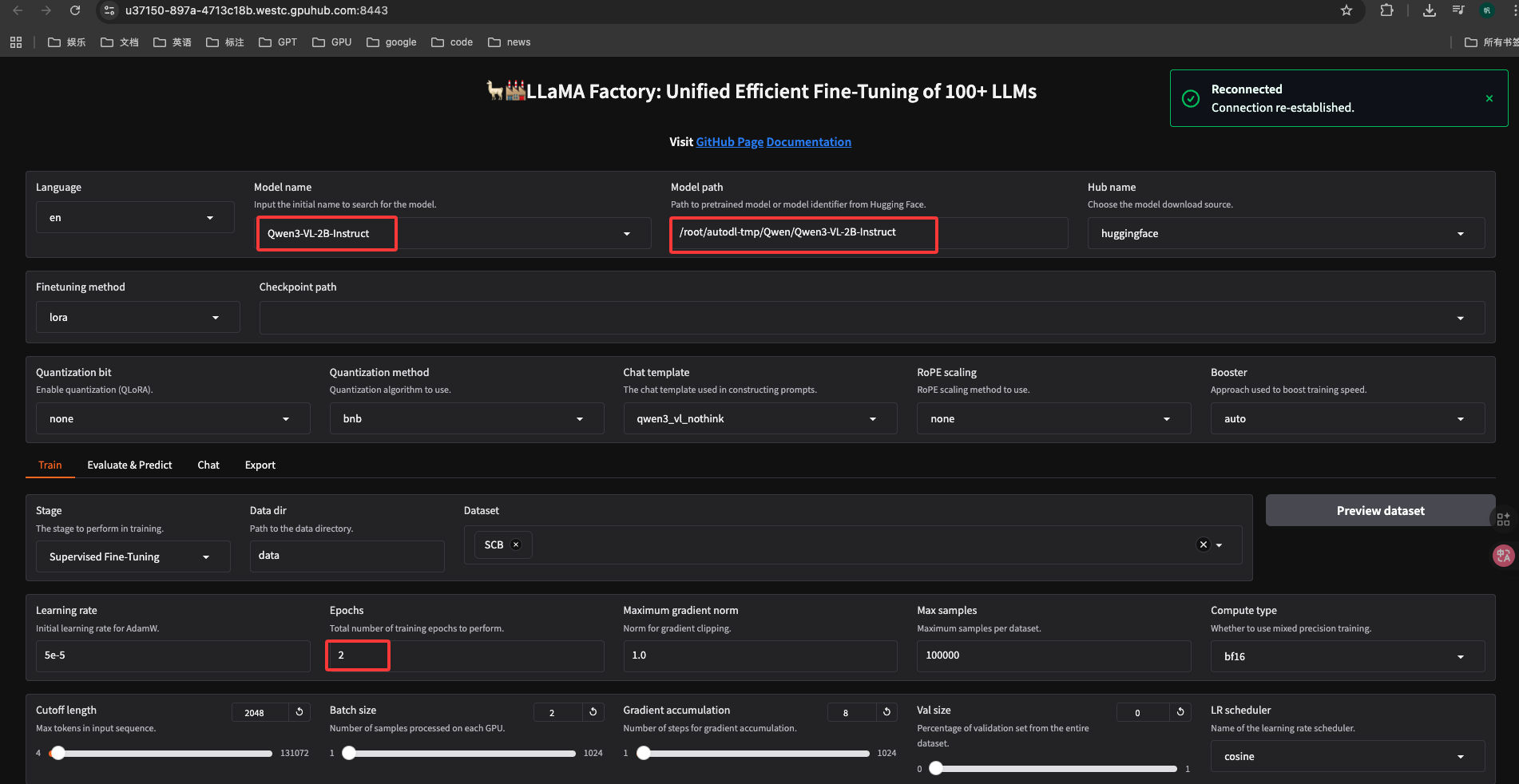
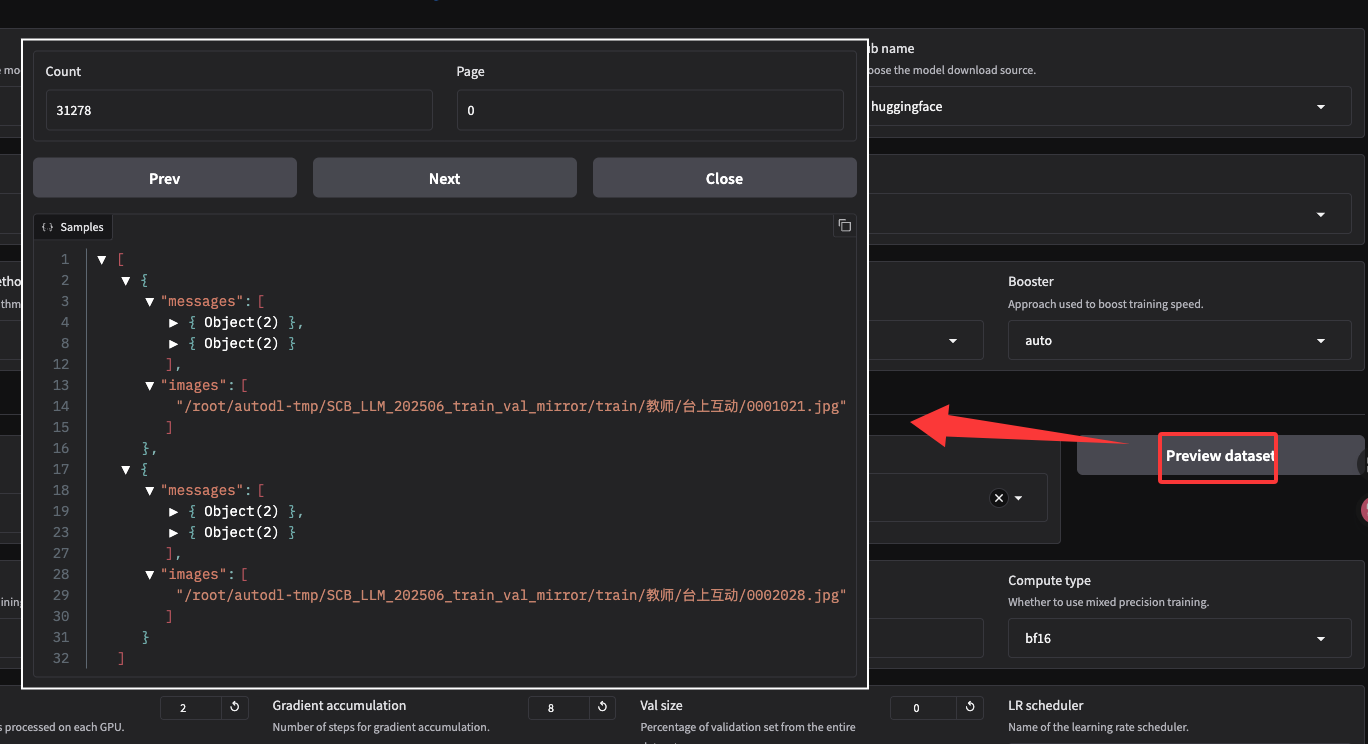
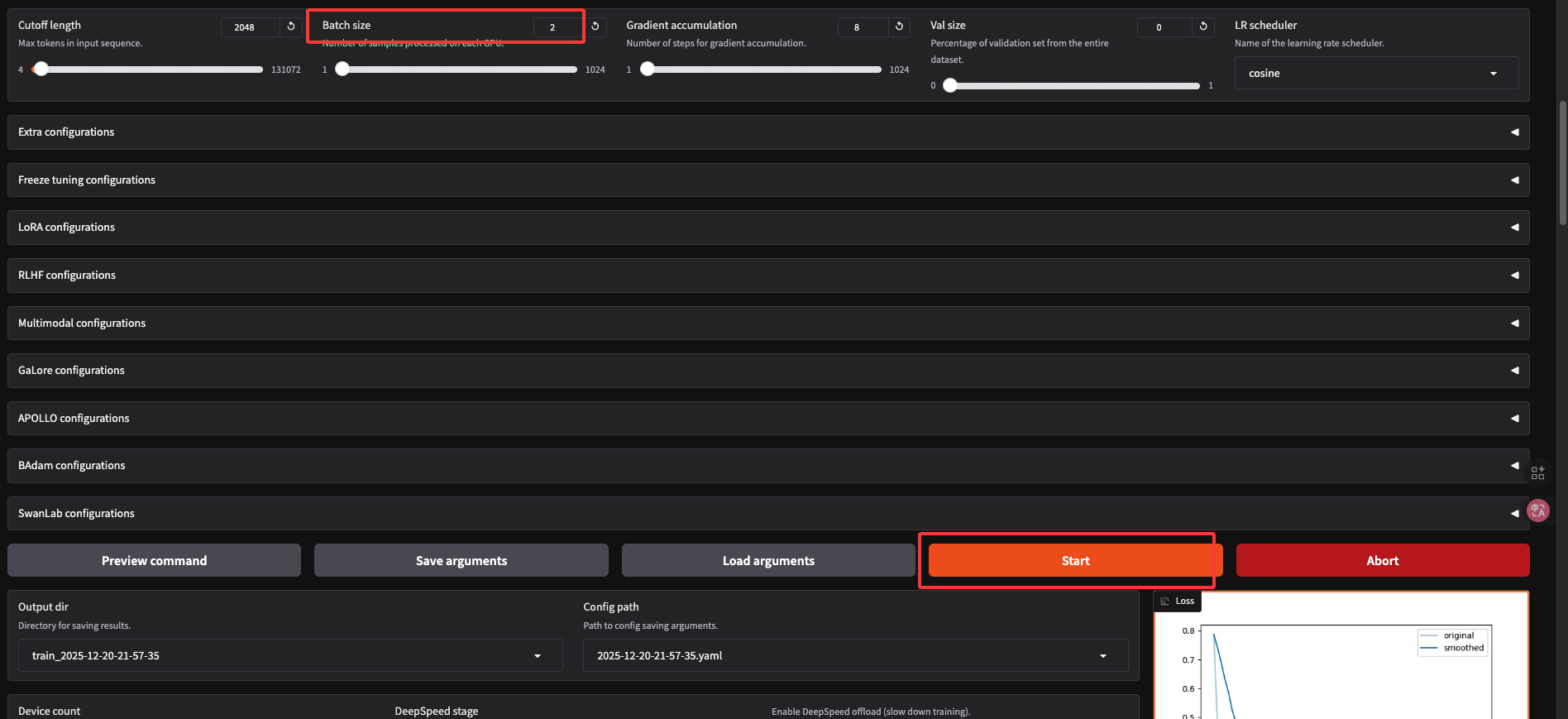
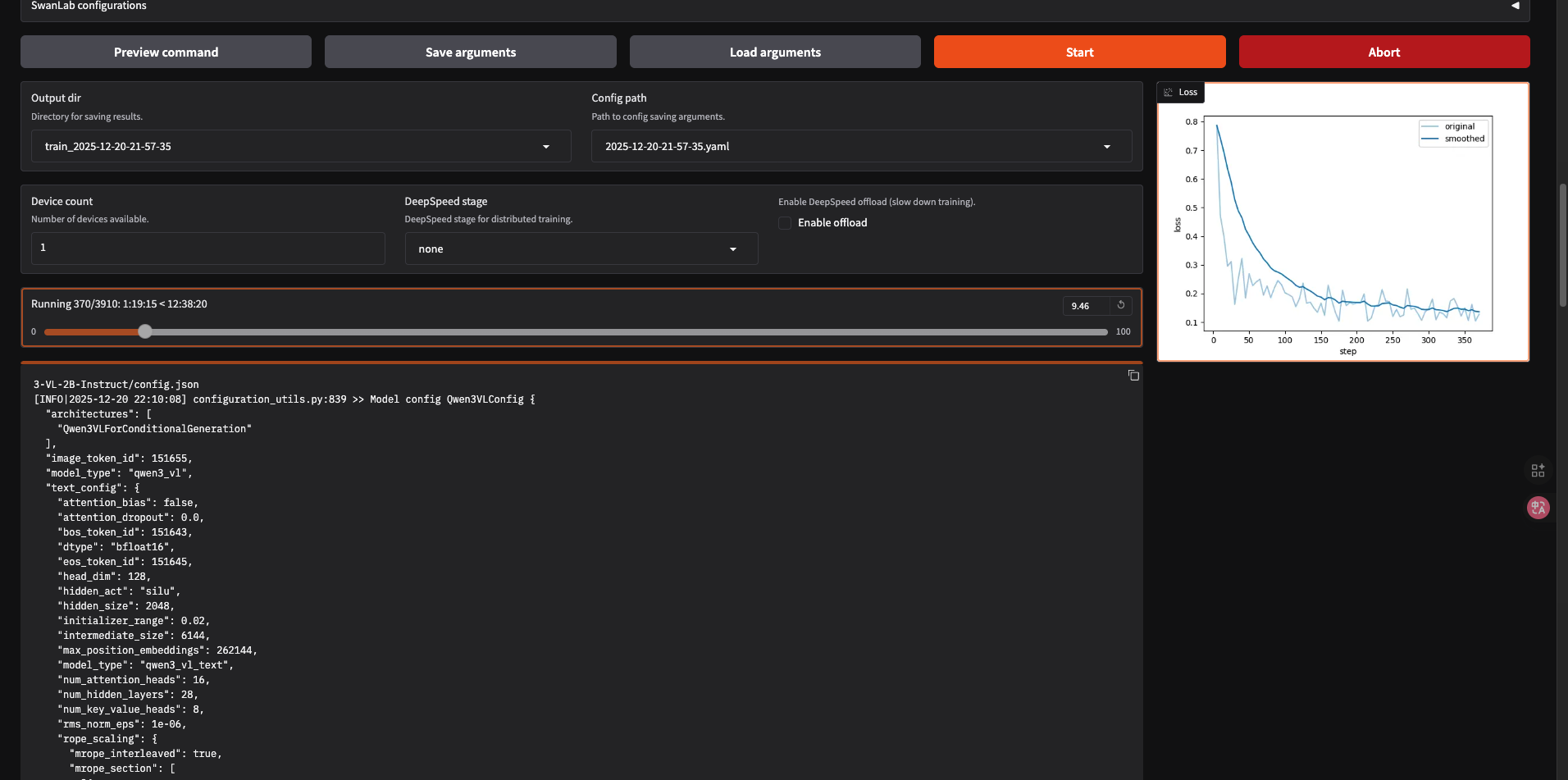
训练完成: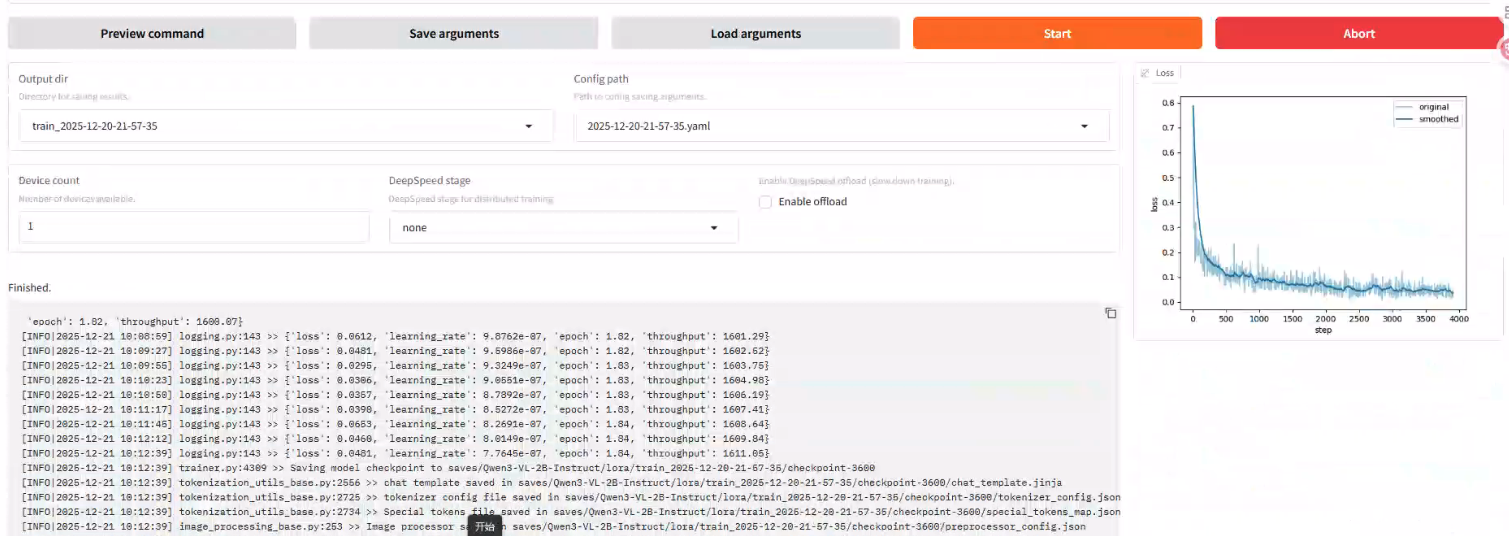
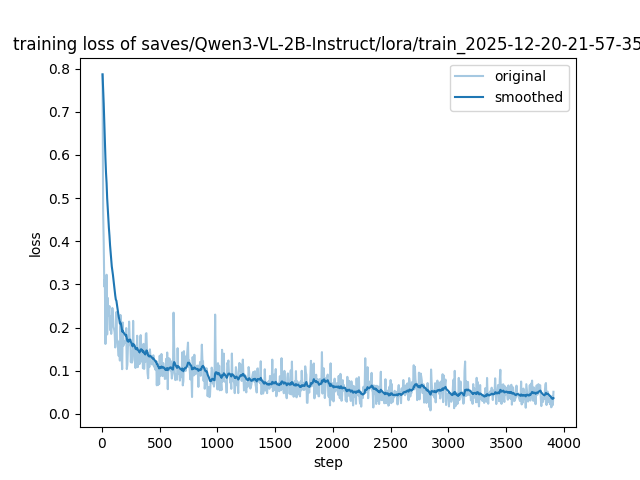
导出训练模型: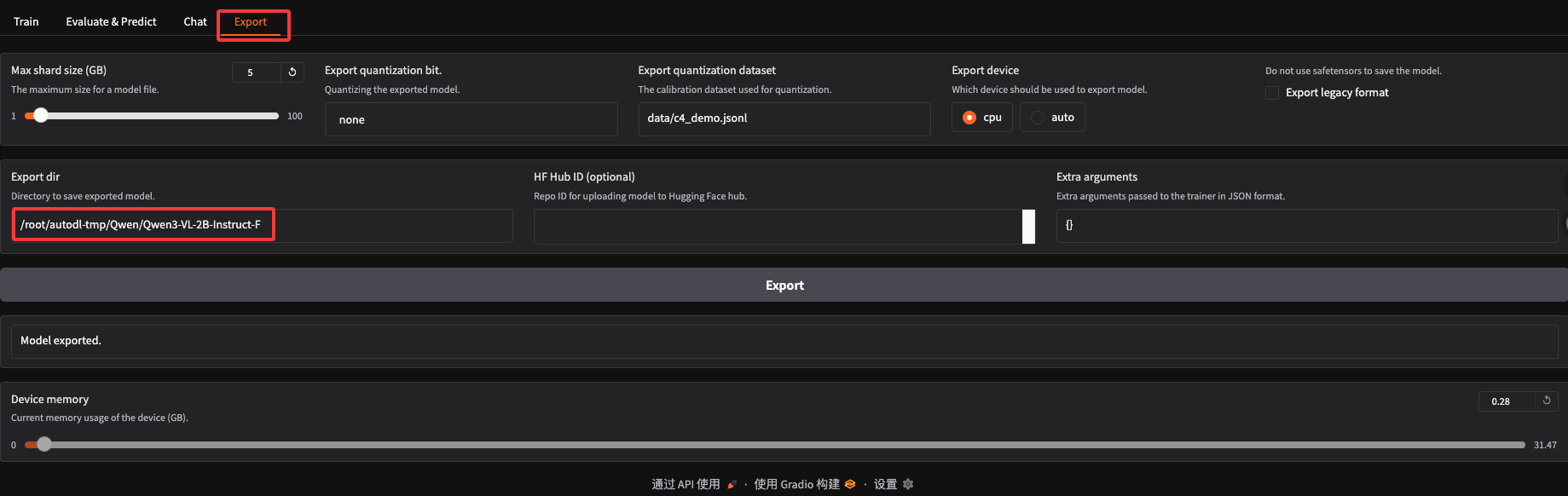
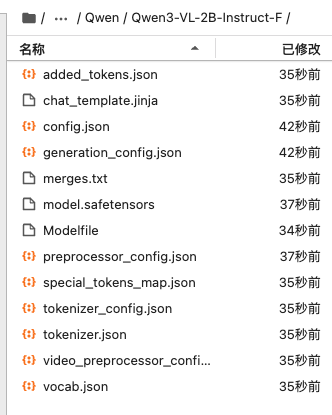
6 在Qwen上使用LLaMA-Factory框架训练的模型
具体步骤看:09 使用LLaMA-Factory微调训练Qwen2-VL-7B-Qwen安装与模型测试:https://www.bilibili.com/video/BV1KkP8ehE37/
6.1 QwenVL2安装
https://github.com/QwenLM/Qwen2-VL
source /etc/network_turbo
git clone https://github.com/QwenLM/Qwen2-VL
cd Qwen2-VL
pip install qwen-vl-utils[decord]
pip install transformers
pip install 'accelerate>=0.26.0'
6.2 评估 QwenVL2
https://github.com/Whiffe/via2yolo/tree/main/BNU/LLM/Evaluate
QwenModel.py
import torch
from transformers import Qwen2VLForConditionalGeneration, AutoProcessor
from qwen_vl_utils import process_vision_info

# 函数1:加载模型
def load_model(model_path="/root/Qwen/Qwen2-VL-7B-Instruct"):
    """
    加载 Qwen2-VL 模型和处理器。
    :param model_path: 模型路径
    :return: 加载好的模型和处理器
    """
    model = Qwen2VLForConditionalGeneration.from_pretrained(
        model_path, torch_dtype="auto", device_map="auto"
    )
    processor = AutoProcessor.from_pretrained(model_path)
    return model, processor


# 函数2:模型推理
def get_model_output(prompt, image_path, model, processor):
    """
    使用加载好的模型和处理器进行推理。
    :param prompt: 提示文本
    :param image_path: 图片路径
    :param model: 加载好的模型
    :param processor: 加载好的处理器
    :return: 模型生成的输出文本
    """
    # 准备输入消息
    messages = [
        {
            "role": "user",
            "content": [
                {"type": "image", "image": image_path},
                {"type": "text", "text": prompt},
            ],
        }
    ]

    # 准备模型输入
    text = processor.apply_chat_template(
        messages, tokenize=False, add_generation_prompt=True
    )
    image_inputs, video_inputs = process_vision_info(messages)
    inputs = processor(
        text=[text],
        images=image_inputs,
        videos=video_inputs,
        padding=True,
        return_tensors="pt",
    )
    inputs = inputs.to("cuda")

    # 生成输出
    generated_ids = model.generate(**inputs, max_new_tokens=128)
    generated_ids_trimmed = [
        out_ids[len(in_ids):] for in_ids, out_ids in zip(inputs.input_ids, generated_ids)
    ]
    output_text = processor.batch_decode(
        generated_ids_trimmed, skip_special_tokens=True, clean_up_tokenization_spaces=False
    )[0]

    return output_text
evaluate_behavior.py
根据文件夹分类来评估
from QwenModel import load_model, get_model_output
from qwen_vl_utils import process_vision_info
import argparse
from tqdm import tqdm
import os
import pandas as pd
from sklearn.metrics import precision_score, recall_score, f1_score

def argparser():
    parser = argparse.ArgumentParser()
    parser.add_argument('--prompt', default='./prompt/bridge_behavior.txt', type=str)
    parser.add_argument('--dataset', default='./experimental_Bridge/', type=str)
    parser.add_argument('--output', default='./output/result.txt', type=str)
    parser.add_argument('--model_path', default="/root/Qwen/Qwen2-VL-7B-Instruct-2", type=str)
    return parser.parse_args()

def process():
    configs = argparser()

    # 加载模型
    model, processor = load_model(configs.model_path)

    def read_txt(txt_path):
        with open(txt_path, "r") as f:
            return f.read()

    prompt = read_txt(configs.prompt)
    # 初始化变量
    all_true_labels = []  # 存储所有真实标签
    all_predicted_labels = []  # 存储所有预测标签

    # 获取所有子目录
    subdirs = [d for d in os.listdir(configs.dataset) if os.path.isdir(os.path.join(configs.dataset, d))]

    # 遍历每个子目录
    for subdir in tqdm(subdirs, desc="Processing subdirectories"):
        subdir_path = os.path.join(configs.dataset, subdir)
        excel_file = f"{subdir}_behavior.xlsx"  # 构造Excel文件名
        excel_path = os.path.join(subdir_path, excel_file)

        # 检查Excel文件是否存在
        if not os.path.exists(excel_path):
            print(f"Skipping {subdir} due to missing {excel_file}")
            continue

        # 读取Excel文件
        data = pd.read_excel(excel_path, header=None)

        # 遍历Excel文件中的每一行
        for _, row in data.iterrows():
            image_name = row[0]
            if not isinstance(image_name, str):
                continue  # Skip invalid entries
            image_path = os.path.join(subdir_path, f"{image_name}.jpg")
            if not os.path.exists(image_path):
                continue  # Skip if the image doesn't exist

            # 提取真实标签
            label_mapping = {0: "测距离", 1: "放板子", 2: "放重物", 3: "称重物", 4: "记数据"}
            ground_truth = []
            for i in range(1, len(row)):
                if pd.notna(row[i]) and row[i] in label_mapping:
                    ground_truth.append(label_mapping[row[i]])

            # 获取模型输出
            result = get_model_output(prompt, image_path, model, processor)
            output_text = result.strip()

            # Process output
            predicted_labels = {output_text.strip()}  # 模型输出为单个标签
            true_labels = set(ground_truth)

            # 处理 true_labels 为空的情况
            if len(true_labels) == 0:
                # 如果 true_labels 为空,认为预测标签是正确的
                true_labels = {'其他'}

            # Debugging output
            print("image_path:", image_path)
            print("predicted_labels:", predicted_labels)
            print("true_labels:", true_labels)

            # 将当前样本的真实标签和预测标签添加到汇总列表中
            all_true_labels.append(true_labels)
            all_predicted_labels.append(predicted_labels)

    # 计算总体指标
    # 将标签转换为多标签格式
    all_labels = set([label for sublist in all_true_labels for label in sublist] +
                     [label for sublist in all_predicted_labels for label in sublist])
    label_to_index = {label: idx for idx, label in enumerate(all_labels)}

    y_true = [[1 if label in true_labels or len(true_labels) == 0 else 0 for label in all_labels] for true_labels in all_true_labels]
    y_pred = [[1 if label in pred_labels else 0 for label in all_labels] for pred_labels in all_predicted_labels]

    print("----Overall Metrics--------")
    overall_precision = precision_score(y_true, y_pred, average="micro")
    overall_recall = recall_score(y_true, y_pred, average="micro")
    overall_f1 = f1_score(y_true, y_pred, average="micro")
    print(f"Overall Precision: {overall_precision}")
    print(f"Overall Recall: {overall_recall}")
    print(f"Overall F1 Score: {overall_f1}")

if __name__ == "__main__":
    process()
evaluate_behavior_json.py
根据json来找文件夹图片来评估
'''
python evaluate_behavior_json.py \
    --prompt ./SCB5_LLM/prompt.txt \
    --json_file SCB5_LLM_test.json \
    --model_path /root/autodl-tmp/Qwen/Qwen2-VL-7B-Instruct-F
'''

from QwenModel import load_model, get_model_output
from qwen_vl_utils import process_vision_info
import argparse
from tqdm import tqdm
import os
import json
from sklearn.metrics import precision_score, recall_score, f1_score

def argparser():
    parser = argparse.ArgumentParser()
    parser.add_argument('--prompt', default='./prompt/bridge_behavior.txt', type=str)
    parser.add_argument('--json_file', default='./SCB5_LLM_test.json', type=str)
    parser.add_argument('--model_path', default="/root/Qwen/Qwen2-VL-7B-Instruct-2", type=str)
    return parser.parse_args()

def process():
    configs = argparser()

    # 加载模型
    model, processor = load_model(configs.model_path)

    def read_txt(txt_path):
        with open(txt_path, "r") as f:
            return f.read()

    prompt = read_txt(configs.prompt)
    # 初始化变量
    all_true_labels = []  # 存储所有真实标签
    all_predicted_labels = []  # 存储所有预测标签

    # 读取 JSON 文件
    with open(configs.json_file, 'r') as f:
        data = json.load(f)

    # 遍历 JSON 数据中的每个条目
    for entry in tqdm(data, desc="Processing JSON entries"):
        # 提取真实标签
        true_label = entry["messages"][-1]["content"]

        # 提取图片路径
        image_path = entry["images"][0]

        # 获取模型输出
        result = get_model_output(prompt, image_path, model, processor)
        output_text = result.strip()

        # 处理输出
        predicted_label = output_text.strip()
        # print("答案  预测")
        print(true_label,predicted_label)
        # 将当前样本的真实标签和预测标签添加到汇总列表中
        all_true_labels.append(true_label)
        all_predicted_labels.append(predicted_label)

    # 计算总体指标
    label_to_index = {label: idx for idx, label in enumerate(set(all_true_labels + all_predicted_labels))}

    y_true = [label_to_index[label] for label in all_true_labels]
    y_pred = [label_to_index[label] for label in all_predicted_labels]

    print("----Overall Metrics--------")
    overall_precision = precision_score(y_true, y_pred, average="weighted")
    overall_recall = recall_score(y_true, y_pred, average="weighted")
    overall_f1 = f1_score(y_true, y_pred, average="weighted")
    print(f"Overall Precision: {overall_precision}")
    print(f"Overall Recall: {overall_recall}")
    print(f"Overall F1 Score: {overall_f1}")

if __name__ == "__main__":
    process()
6.3 QwenVL2.5安装
https://github.com/QwenLM/Qwen2-VL
source /etc/network_turbo
git clone https://github.com/QwenLM/Qwen2.5-VL
cd Qwen2.5-VL
pip install qwen-vl-utils[decord]
pip install transformers
pip install 'accelerate>=0.26.0'
6.4 评估 Qwen2.5
https://github.com/Whiffe/via2yolo/tree/main/BNU/LLM/Evaluate
https://github.com/QwenLM/Qwen2.5-VL
QwenModel.py
import torch
from transformers import Qwen2_5_VLForConditionalGeneration, AutoProcessor
from qwen_vl_utils import process_vision_info

# 函数1:加载模型
def load_model(model_path="/root/Qwen/Qwen2.5-VL-3B-Instruct-F-20250513"):
    """
    加载 Qwen2.5-VL 模型和处理器。
    :param model_path: 模型路径
    :return: 加载好的模型和处理器
    """
    model = Qwen2_5_VLForConditionalGeneration.from_pretrained(
        model_path, torch_dtype="auto", device_map="auto"
    )
    processor = AutoProcessor.from_pretrained(model_path)
    return model, processor


# 函数2:模型推理
def get_model_output(prompt, image_path, model, processor):
    """
    使用加载好的模型和处理器进行推理。
    :param prompt: 提示文本
    :param image_path: 图片路径
    :param model: 加载好的模型
    :param processor: 加载好的处理器
    :return: 模型生成的输出文本
    """
    # 准备输入消息
    messages = [
        {
            "role": "user",
            "content": [
                {"type": "image", "image": image_path},
                {"type": "text", "text": prompt},
            ],
        }
    ]

    # 准备模型输入
    text = processor.apply_chat_template(
        messages, tokenize=False, add_generation_prompt=True
    )
    image_inputs, video_inputs = process_vision_info(messages)
    inputs = processor(
        text=[text],
        images=image_inputs,
        videos=video_inputs,
        padding=True,
        return_tensors="pt",
    )
    inputs = inputs.to("cuda")

    # 生成输出
    generated_ids = model.generate(**inputs, max_new_tokens=128)
    generated_ids_trimmed = [
        out_ids[len(in_ids):] for in_ids, out_ids in zip(inputs.input_ids, generated_ids)
    ]
    output_text = processor.batch_decode(
        generated_ids_trimmed, skip_special_tokens=True, clean_up_tokenization_spaces=False
    )[0]

    return output_text
evaluate_behavior.py
根据文件夹分类来评估
from QwenModel import load_model, get_model_output
from qwen_vl_utils import process_vision_info
import argparse
from tqdm import tqdm
import os
import pandas as pd
from sklearn.metrics import precision_score, recall_score, f1_score

def argparser():
    parser = argparse.ArgumentParser()
    parser.add_argument('--prompt', default='./prompt/bridge_behavior.txt', type=str)
    parser.add_argument('--dataset', default='./experimental_Bridge/', type=str)
    parser.add_argument('--output', default='./output/result.txt', type=str)
    parser.add_argument('--model_path', default="/root/Qwen/Qwen2-VL-7B-Instruct-2", type=str)
    return parser.parse_args()

def process():
    configs = argparser()

    # 加载模型
    model, processor = load_model(configs.model_path)

    def read_txt(txt_path):
        with open(txt_path, "r") as f:
            return f.read()

    prompt = read_txt(configs.prompt)
    # 初始化变量
    all_true_labels = []  # 存储所有真实标签
    all_predicted_labels = []  # 存储所有预测标签

    # 获取所有子目录
    subdirs = [d for d in os.listdir(configs.dataset) if os.path.isdir(os.path.join(configs.dataset, d))]

    # 遍历每个子目录
    for subdir in tqdm(subdirs, desc="Processing subdirectories"):
        subdir_path = os.path.join(configs.dataset, subdir)
        excel_file = f"{subdir}_behavior.xlsx"  # 构造Excel文件名
        excel_path = os.path.join(subdir_path, excel_file)

        # 检查Excel文件是否存在
        if not os.path.exists(excel_path):
            print(f"Skipping {subdir} due to missing {excel_file}")
            continue

        # 读取Excel文件
        data = pd.read_excel(excel_path, header=None)

        # 遍历Excel文件中的每一行
        for _, row in data.iterrows():
            image_name = row[0]
            if not isinstance(image_name, str):
                continue  # Skip invalid entries
            image_path = os.path.join(subdir_path, f"{image_name}.jpg")
            if not os.path.exists(image_path):
                continue  # Skip if the image doesn't exist

            # 提取真实标签
            label_mapping = {0: "测距离", 1: "放板子", 2: "放重物", 3: "称重物", 4: "记数据"}
            ground_truth = []
            for i in range(1, len(row)):
                if pd.notna(row[i]) and row[i] in label_mapping:
                    ground_truth.append(label_mapping[row[i]])

            # 获取模型输出
            result = get_model_output(prompt, image_path, model, processor)
            output_text = result.strip()

            # Process output
            predicted_labels = {output_text.strip()}  # 模型输出为单个标签
            true_labels = set(ground_truth)

            # 处理 true_labels 为空的情况
            if len(true_labels) == 0:
                # 如果 true_labels 为空,认为预测标签是正确的
                true_labels = {'其他'}

            # Debugging output
            print("image_path:", image_path)
            print("predicted_labels:", predicted_labels)
            print("true_labels:", true_labels)

            # 将当前样本的真实标签和预测标签添加到汇总列表中
            all_true_labels.append(true_labels)
            all_predicted_labels.append(predicted_labels)

    # 计算总体指标
    # 将标签转换为多标签格式
    all_labels = set([label for sublist in all_true_labels for label in sublist] +
                     [label for sublist in all_predicted_labels for label in sublist])
    label_to_index = {label: idx for idx, label in enumerate(all_labels)}

    y_true = [[1 if label in true_labels or len(true_labels) == 0 else 0 for label in all_labels] for true_labels in all_true_labels]
    y_pred = [[1 if label in pred_labels else 0 for label in all_labels] for pred_labels in all_predicted_labels]

    print("----Overall Metrics--------")
    overall_precision = precision_score(y_true, y_pred, average="micro")
    overall_recall = recall_score(y_true, y_pred, average="micro")
    overall_f1 = f1_score(y_true, y_pred, average="micro")
    print(f"Overall Precision: {overall_precision}")
    print(f"Overall Recall: {overall_recall}")
    print(f"Overall F1 Score: {overall_f1}")

if __name__ == "__main__":
    process()
evaluate_behavior_json.py(最新)
根据json来找文件夹图片来评估
'''
python evaluate_behavior_json.py \
    --json_file /home/winstonYF/LLaMA-Factory/data/SCB_LLM_202506_train_val_mirror/val.json \
    --model_path /home/winstonYF/LLaMA-Factory/model/Qwen/Qwen2.5-VL-7B-Instruct-F2 \
    --output results.json
'''
from QwenModel import load_model, get_model_output
from qwen_vl_utils import process_vision_info
import argparse
from tqdm import tqdm
import os
import json
from sklearn.metrics import precision_score, recall_score, f1_score
from collections import defaultdict

def argparser():
    parser = argparse.ArgumentParser()
    parser.add_argument('--json_file', default='/home/winstonYF/LLaMA-Factory/data/SCB_LLM_202506_train_val_mirror/val.json', type=str)
    parser.add_argument('--model_path', default="/home/winstonYF/LLaMA-Factory/model/Qwen/Qwen2.5-VL-7B-Instruct-F2", type=str)
    parser.add_argument('--output', default='results.json', type=str, help='输出JSON文件路径')
    return parser.parse_args()

def process():
    configs = argparser()
    output_file = configs.output

    # 加载模型
    model, processor = load_model(configs.model_path)

    # 初始化数据结构
    all_samples = []  # 存储每个样本的详细结果
    all_true_labels = []  # 存储所有真实标签
    all_predicted_labels = []  # 存储所有预测标签

    # 读取 JSON 文件
    with open(configs.json_file, 'r') as f:
        data = json.load(f)

    # 遍历 JSON 数据中的每个条目
    for entry in tqdm(data, desc="Processing JSON entries"):
        # 提取真实标签
        true_label = entry["messages"][-1]["content"]
        # 提取图片路径
        image_path = entry["images"][0]
        # 提取提示词并处理
        prompt = entry["messages"][0]["content"].replace("<image>", "").strip()

        # 获取模型输出
        result = get_model_output(prompt, image_path, model, processor)
        output_text = result.strip()
        predicted_label = output_text.strip()

        # 判断是否正确
        is_correct = true_label == predicted_label

        # 保存单个样本结果
        sample_result = {
            "true_label": true_label,
            "predicted_label": predicted_label,
            "is_correct": is_correct,
            "image_path": image_path
        }
        all_samples.append(sample_result)
        all_true_labels.append(true_label)
        all_predicted_labels.append(predicted_label)

        # 实时保存到文件(追加模式)
        with open(output_file, 'w') as f:
            json.dump({"samples": all_samples}, f, ensure_ascii=False, indent=2)

    # 计算总体指标
    all_labels = set(all_true_labels + all_predicted_labels)
    label_to_index = {label: idx for idx, label in enumerate(all_labels)}
    y_true = [label_to_index[label] for label in all_true_labels]
    y_pred = [label_to_index[label] for label in all_predicted_labels]

    overall_precision = precision_score(y_true, y_pred, average="weighted")
    overall_recall = recall_score(y_true, y_pred, average="weighted")
    overall_f1 = f1_score(y_true, y_pred, average="weighted")

    # 计算各类别指标
    class_metrics = {}
    for label in all_labels:
        if label not in label_to_index:
            continue
        idx = label_to_index[label]
        # 二分类指标计算
        y_true_binary = [1 if y == idx else 0 for y in y_true]
        y_pred_binary = [1 if y == idx else 0 for y in y_pred]

        # 避免全0或全1导致的计算错误
        if sum(y_true_binary) == 0 or (sum(y_true_binary) == len(y_true_binary) and sum(y_pred_binary) == 0):
            precision = recall = f1 = 0.0
        else:
            precision = precision_score(y_true_binary, y_pred_binary, average="binary")
            recall = recall_score(y_true_binary, y_pred_binary, average="binary")
            f1 = f1_score(y_true_binary, y_pred_binary, average="binary")

        class_metrics[label] = {
            "precision": float(precision),
            "recall": float(recall),
            "f1": float(f1)
        }

    # 分析错误分类情况
    error_analysis = {}
    for label in all_labels:
        error_analysis[label] = defaultdict(int)

    # 统计每个真实标签被误判的目标标签分布
    for true_lbl, pred_lbl in zip(all_true_labels, all_predicted_labels):
        if true_lbl == pred_lbl:
            continue  # 正确分类不记录
        error_analysis[true_lbl][pred_lbl] += 1

    # 转换为排序后的列表
    for label in error_analysis:
        error_list = sorted(error_analysis[label].items(), key=lambda x: x[1], reverse=True)
        error_analysis[label] = [{"misclassified_as": lbl, "count": cnt} for lbl, cnt in error_list]

    # 构建最终结果
    final_results = {
        "overall_metrics": {
            "precision": float(overall_precision),
            "recall": float(overall_recall),
            "f1": float(overall_f1)
        },
        "class_metrics": class_metrics,
        "error_analysis": dict(error_analysis),
        "samples": all_samples
    }

    # 写入最终结果
    with open(output_file, 'w') as f:
        json.dump(final_results, f, ensure_ascii=False, indent=2)

    print("----Overall Metrics--------")
    print(f"Overall Precision: {overall_precision}")
    print(f"Overall Recall: {overall_recall}")
    print(f"Overall F1 Score: {overall_f1}")

if __name__ == "__main__":
    process()
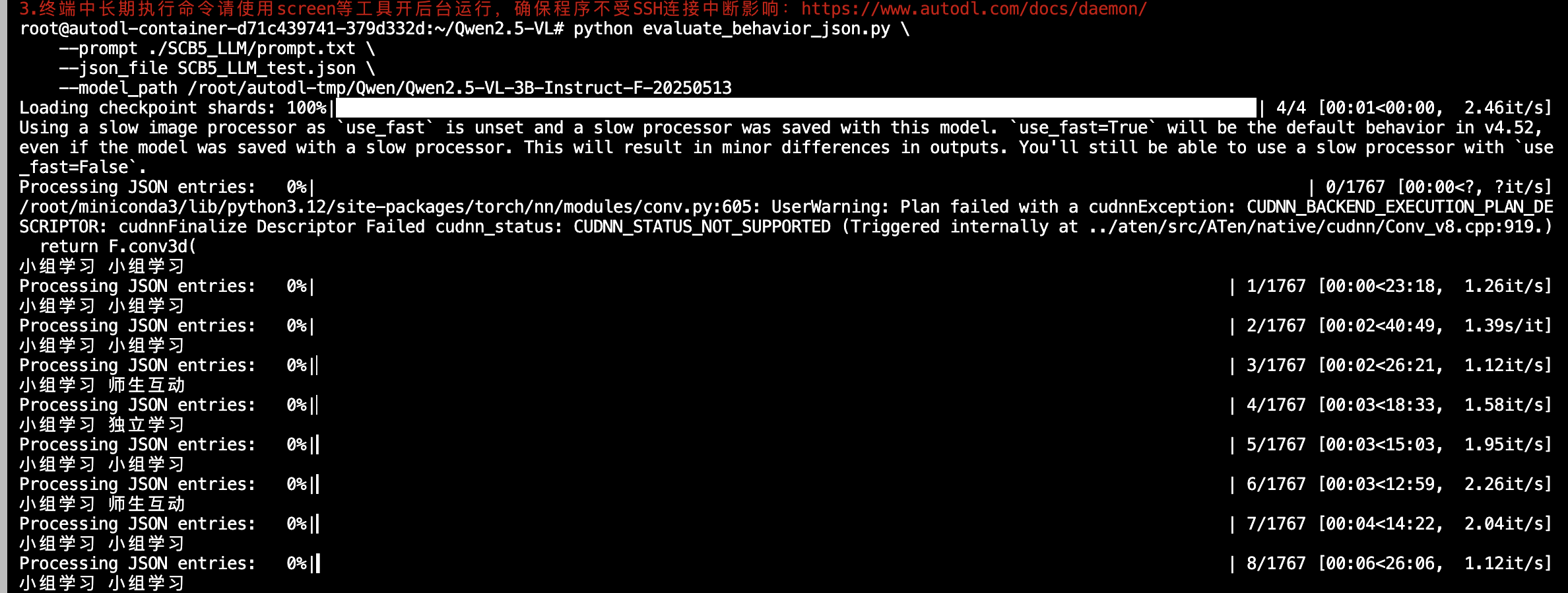
部分json结果如下;
{
  "overall_metrics": {
    "precision": 0.8609942527557702,
    "recall": 0.8344938403856454,
    "f1": 0.8376147385290325
  },
  "class_metrics": {
    "回答问题": {
      "precision": 0.75,
      "recall": 0.6923076923076923,
      "f1": 0.72
    },
    "听讲": {
      "precision": 0.8805031446540881,
      "recall": 0.89171974522293,
      "f1": 0.8860759493670886
    },
    "学生举手": {
      "precision": 0.8695652173913043,
      "recall": 0.8556149732620321,
      "f1": 0.862533692722372
    },
    "应答": {
      "precision": 0.8755980861244019,
      "recall": 0.8337129840546698,
      "f1": 0.8541423570595099
    },
    "朗读": {
      "precision": 1.0,
      "recall": 0.6923076923076923,
      "f1": 0.8181818181818182
    },
    "学生板书": {
      "precision": 0.8333333333333334,
      "recall": 0.8823529411764706,
      "f1": 0.8571428571428571
    },
    "指导": {
      "precision": 0.8703703703703703,
      "recall": 0.5081081081081081,
      "f1": 0.6416382252559727
    },
    "讨论": {
      "precision": 0.9387755102040817,
      "recall": 0.9019607843137255,
      "f1": 0.92
    },
    "台上展示": {
      "precision": 1.0,
      "recall": 0.7,
      "f1": 0.8235294117647058
    },
    "读写": {
      "precision": 0.8363636363636363,
      "recall": 0.9387755102040817,
      "f1": 0.8846153846153846
    },
    "教师板书": {
      "precision": 0.9901477832512315,
      "recall": 0.9852941176470589,
      "f1": 0.9877149877149877
    },
    "台上互动": {
      "precision": 0.8924731182795699,
      "recall": 0.7345132743362832,
      "f1": 0.8058252427184466
    },
    "讲授": {
      "precision": 0.8735177865612648,
      "recall": 0.9208333333333333,
      "f1": 0.896551724137931
    },
    "巡视": {
      "precision": 0.4230769230769231,
      "recall": 0.8712871287128713,
      "f1": 0.56957928802589
    }
  },
  "error_analysis": {
    "回答问题": [
      {
        "misclassified_as": "读写",
        "count": 11
      },
      {
        "misclassified_as": "学生举手",
        "count": 3
      },
      {
        "misclassified_as": "讨论",
        "count": 1
      },
      {
        "misclassified_as": "听讲",
        "count": 1
      }
    ],
    "听讲": [
      {
        "misclassified_as": "学生举手",
        "count": 15
      },
      {
        "misclassified_as": "读写",
        "count": 2
      }
    ],
    "学生举手": [
      {
        "misclassified_as": "听讲",
        "count": 12
      },
      {
        "misclassified_as": "回答问题",
        "count": 12
      },
      {
        "misclassified_as": "读写",
        "count": 3
      }
    ],
    "应答": [
      {
        "misclassified_as": "讲授",
        "count": 28
      },
      {
        "misclassified_as": "巡视",
        "count": 28
      },
      {
        "misclassified_as": "台上互动",
        "count": 9
      },
      {
        "misclassified_as": "指导",
        "count": 8
      }
    ],
    "朗读": [
      {
        "misclassified_as": "听讲",
        "count": 3
      },
      {
        "misclassified_as": "读写",
        "count": 1
      }
    ],
    "学生板书": [
      {
        "misclassified_as": "教师板书",
        "count": 1
      },
      {
        "misclassified_as": "学生举手",
        "count": 1
      }
    ],
    "指导": [
      {
        "misclassified_as": "巡视",
        "count": 89
      },
      {
        "misclassified_as": "应答",
        "count": 2
      }
    ],
    "讨论": [
      {
        "misclassified_as": "学生举手",
        "count": 2
      },
      {
        "misclassified_as": "听讲",
        "count": 2
      },
      {
        "misclassified_as": "读写",
        "count": 1
      }
    ],
    "台上展示": [
      {
        "misclassified_as": "学生板书",
        "count": 3
      }
    ],
    "读写": [
      {
        "misclassified_as": "学生举手",
        "count": 3
      },
      {
        "misclassified_as": "讨论",
        "count": 2
      },
      {
        "misclassified_as": "听讲",
        "count": 1
      }
    ],
    "教师板书": [
      {
        "misclassified_as": "讲授",
        "count": 3
      }
    ],
    "台上互动": [
      {
        "misclassified_as": "应答",
        "count": 29
      },
      {
        "misclassified_as": "指导",
        "count": 1
      }
    ],
    "讲授": [
      {
        "misclassified_as": "应答",
        "count": 15
      },
      {
        "misclassified_as": "巡视",
        "count": 3
      },
      {
        "misclassified_as": "教师板书",
        "count": 1
      }
    ],
    "巡视": [
      {
        "misclassified_as": "应答",
        "count": 6
      },
      {
        "misclassified_as": "指导",
        "count": 5
      },
      {
        "misclassified_as": "台上互动",
        "count": 1
      },
      {
        "misclassified_as": "讲授",
        "count": 1
      }
    ]
  },
  "samples": [
    {
      "true_label": "台上展示",
      "predicted_label": "台上展示",
      "is_correct": true,
      "image_path": "/home/winstonYF/LLaMA-Factory/data/SCB_LLM_202506_train_val_mirror/val/学生/台上展示/0107012.jpg"
    },
    {
      "true_label": "台上展示",
      "predicted_label": "台上展示",
      "is_correct": true,
      "image_path": "/home/winstonYF/LLaMA-Factory/data/SCB_LLM_202506_train_val_mirror/val/学生/台上展示/1330043.jpg"
    },
    {
      "true_label": "台上展示",
      "predicted_label": "台上展示",
      "is_correct": true,
      "image_path": "/home/winstonYF/LLaMA-Factory/data/SCB_LLM_202506_train_val_mirror/val/学生/台上展示/5155_001264.jpg"
    },
6.5 QwenVL3安装
https://github.com/QwenLM/Qwen3-VL
source /etc/network_turbo
git clone https://github.com/QwenLM/Qwen3-VL
cd Qwen3-VL
pip install qwen-vl-utils[decord]
6.6 评估 Qwen3
QwenModel.py
import torch
from transformers import Qwen3VLForConditionalGeneration, AutoProcessor
from qwen_vl_utils import process_vision_info

# 函数1:加载模型
def load_model(model_path="/path/to/Qwen3-VL"):
    """
    加载 Qwen3-VL 模型和处理器。
    :param model_path: 模型路径
    :return: 加载好的模型和处理器
    """
    model = Qwen3VLForConditionalGeneration.from_pretrained(
        model_path, dtype="auto", device_map="auto"
    )
    processor = AutoProcessor.from_pretrained(model_path)
    return model, processor


# 函数2:模型推理
def get_model_output(prompt, image_path, model, processor):
    """
    使用加载好的模型和处理器进行推理。
    :param prompt: 提示文本
    :param image_path: 图片路径
    :param model: 加载好的模型
    :param processor: 加载好的处理器
    :return: 模型生成的输出文本
    """
    # 准备输入消息
    messages = [
        {
            "role": "user",
            "content": [
                {"type": "image", "image": image_path},
                {"type": "text", "text": prompt},
            ],
        }
    ]

    # 准备模型输入(Qwen3-VL需要处理视频元数据)
    text = processor.apply_chat_template(
        messages, tokenize=False, add_generation_prompt=True
    )
    # 处理视觉信息,获取图片、视频和视频参数
    images, videos, video_kwargs = process_vision_info(
        messages,
        image_patch_size=16,  # Qwen3-VL使用16x16的图像补丁
        return_video_kwargs=True,
        return_video_metadata=True
    )

    # 分离视频和视频元数据(Qwen3-VL特有处理)
    video_metadatas = None
    if videos is not None:
        videos, video_metadatas = zip(*videos)
        videos, video_metadatas = list(videos), list(video_metadatas)

    # 构建输入(Qwen3-VL需要传入视频元数据并禁用重复resize)
    inputs = processor(
        text=[text],
        images=images,
        videos=videos,
        video_metadata=video_metadatas,
        return_tensors="pt",
        do_resize=False,  # 避免重复resize
        **video_kwargs
    )
    inputs = inputs.to(model.device)

    # 生成输出
    generated_ids = model.generate(** inputs, max_new_tokens=128)
    generated_ids_trimmed = [
        out_ids[len(in_ids):] for in_ids, out_ids in zip(inputs.input_ids, generated_ids)
    ]
    output_text = processor.batch_decode(
        generated_ids_trimmed, skip_special_tokens=True, clean_up_tokenization_spaces=False
    )[0]

    return output_text
evaluate_behavior_json.py
根据json来找文件夹图片来评估
'''
python evaluate_behavior_json.py \
    --json_file /home/winstonYF/LLaMA-Factory/data/SCB_LLM_202506_train_val_mirror/val.json \
    --model_path /path/to/Qwen3-VL \
    --output results.json
'''
from QwenModel import load_model, get_model_output
import argparse
from tqdm import tqdm
import os
import json
from sklearn.metrics import precision_score, recall_score, f1_score
from collections import defaultdict

def argparser():
    parser = argparse.ArgumentParser()
    parser.add_argument('--json_file', default='/home/winstonYF/LLaMA-Factory/data/SCB_LLM_202506_train_val_mirror/val.json', type=str)
    parser.add_argument('--model_path', default="/path/to/Qwen3-VL", type=str)  # 修改为Qwen3-VL模型路径
    parser.add_argument('--output', default='results.json', type=str, help='输出JSON文件路径')
    return parser.parse_args()

def process():
    configs = argparser()
    output_file = configs.output

    # 加载模型(Qwen3-VL模型)
    model, processor = load_model(configs.model_path)

    # 初始化数据结构
    all_samples = []  # 存储每个样本的详细结果
    all_true_labels = []  # 存储所有真实标签
    all_predicted_labels = []  # 存储所有预测标签

    # 读取 JSON 文件
    with open(configs.json_file, 'r') as f:
        data = json.load(f)

    # 遍历 JSON 数据中的每个条目
    for entry in tqdm(data, desc="Processing JSON entries"):
        # 提取真实标签
        true_label = entry["messages"][-1]["content"]
        # 提取图片路径
        image_path = entry["images"][0]
        # 提取提示词并处理
        prompt = entry["messages"][0]["content"].replace("<image>", "").strip()

        # 获取模型输出(使用适配Qwen3-VL的推理函数)
        result = get_model_output(prompt, image_path, model, processor)
        output_text = result.strip()
        predicted_label = output_text.strip()

        # 判断是否正确
        is_correct = true_label == predicted_label

        # 保存单个样本结果
        sample_result = {
            "true_label": true_label,
            "predicted_label": predicted_label,
            "is_correct": is_correct,
            "image_path": image_path
        }
        all_samples.append(sample_result)
        all_true_labels.append(true_label)
        all_predicted_labels.append(predicted_label)

        # 实时保存到文件(追加模式)
        with open(output_file, 'w') as f:
            json.dump({"samples": all_samples}, f, ensure_ascii=False, indent=2)

    # 计算总体指标
    all_labels = set(all_true_labels + all_predicted_labels)
    label_to_index = {label: idx for idx, label in enumerate(all_labels)}
    y_true = [label_to_index[label] for label in all_true_labels]
    y_pred = [label_to_index[label] for label in all_predicted_labels]

    overall_precision = precision_score(y_true, y_pred, average="weighted")
    overall_recall = recall_score(y_true, y_pred, average="weighted")
    overall_f1 = f1_score(y_true, y_pred, average="weighted")

    # 计算各类别指标
    class_metrics = {}
    for label in all_labels:
        if label not in label_to_index:
            continue
        idx = label_to_index[label]
        # 二分类指标计算
        y_true_binary = [1 if y == idx else 0 for y in y_true]
        y_pred_binary = [1 if y == idx else 0 for y in y_pred]

        # 避免全0或全1导致的计算错误
        if sum(y_true_binary) == 0 or (sum(y_true_binary) == len(y_true_binary) and sum(y_pred_binary) == 0):
            precision = recall = f1 = 0.0
        else:
            precision = precision_score(y_true_binary, y_pred_binary, average="binary")
            recall = recall_score(y_true_binary, y_pred_binary, average="binary")
            f1 = f1_score(y_true_binary, y_pred_binary, average="binary")

        class_metrics[label] = {
            "precision": float(precision),
            "recall": float(recall),
            "f1": float(f1)
        }

    # 分析错误分类情况
    error_analysis = {}
    for label in all_labels:
        error_analysis[label] = defaultdict(int)

    # 统计每个真实标签被误判的目标标签分布
    for true_lbl, pred_lbl in zip(all_true_labels, all_predicted_labels):
        if true_lbl == pred_lbl:
            continue  # 正确分类不记录
        error_analysis[true_lbl][pred_lbl] += 1

    # 转换为排序后的列表
    for label in error_analysis:
        error_list = sorted(error_analysis[label].items(), key=lambda x: x[1], reverse=True)
        error_analysis[label] = [{"misclassified_as": lbl, "count": cnt} for lbl, cnt in error_list]

    # 构建最终结果
    final_results = {
        "overall_metrics": {
            "precision": float(overall_precision),
            "recall": float(overall_recall),
            "f1": float(overall_f1)
        },
        "class_metrics": class_metrics,
        "error_analysis": dict(error_analysis),
        "samples": all_samples
    }

    # 写入最终结果
    with open(output_file, 'w') as f:
        json.dump(final_results, f, ensure_ascii=False, indent=2)

    print("----Overall Metrics--------")
    print(f"Overall Precision: {overall_precision}")
    print(f"Overall Recall: {overall_recall}")
    print(f"Overall F1 Score: {overall_f1}")

if __name__ == "__main__":
    process()
{
  "overall_metrics": {
    "precision": 0.8728572825953314,
    "recall": 0.8618103910016068,
    "f1": 0.862438686978566
  },
  "class_metrics": {
    "学生举手": {
      "precision": 0.8954248366013072,
      "recall": 0.732620320855615,
      "f1": 0.8058823529411765
    },
    "巡视": {
      "precision": 0.5263157894736842,
      "recall": 0.7920792079207921,
      "f1": 0.6324110671936759
    },
    "讨论": {
      "precision": 0.9056603773584906,
      "recall": 0.9411764705882353,
      "f1": 0.9230769230769231
    },
    "朗读": {
      "precision": 0.9166666666666666,
      "recall": 0.8461538461538461,
      "f1": 0.88
    },
    "听讲": {
      "precision": 0.8323699421965318,
      "recall": 0.9171974522292994,
      "f1": 0.8727272727272727
    },
    "台上展示": {
      "precision": 1.0,
      "recall": 0.8,
      "f1": 0.8888888888888888
    },
    "指导": {
      "precision": 0.8646616541353384,
      "recall": 0.6216216216216216,
      "f1": 0.7232704402515723
    },
    "台上互动": {
      "precision": 0.900990099009901,
      "recall": 0.8053097345132744,
      "f1": 0.8504672897196262
    },
    "教师板书": {
      "precision": 0.9902439024390244,
      "recall": 0.9950980392156863,
      "f1": 0.9926650366748166
    },
    "读写": {
      "precision": 0.8317757009345794,
      "recall": 0.9081632653061225,
      "f1": 0.8682926829268293
    },
    "学生板书": {
      "precision": 0.85,
      "recall": 1.0,
      "f1": 0.918918918918919
    },
    "应答": {
      "precision": 0.9038031319910514,
      "recall": 0.9202733485193622,
      "f1": 0.9119638826185101
    },
    "回答问题": {
      "precision": 0.6610169491525424,
      "recall": 0.75,
      "f1": 0.7027027027027027
    },
    "讲授": {
      "precision": 0.9139344262295082,
      "recall": 0.9291666666666667,
      "f1": 0.9214876033057852
    }
  },
  "error_analysis": {
    "学生举手": [
      {
        "misclassified_as": "听讲",
        "count": 24
      },
      {
        "misclassified_as": "回答问题",
        "count": 19
      },
7 使用命令进行训练 而非webui
训练Qwen2.5-VL
训练命令
llamafactory-cli train \
    --stage sft \
    --do_train True \
    --model_name_or_path /home/winstonYF/LLaMA-Factory/model/Qwen/Qwen2.5-VL-7B-Instruct \
    --preprocessing_num_workers 16 \
    --finetuning_type lora \
    --template qwen2_vl \
    --flash_attn auto \
    --dataset_dir data \
    --dataset SCB \
    --cutoff_len 2048 \
    --learning_rate 5e-05 \
    --num_train_epochs 2.0 \
    --max_samples 100000 \
    --per_device_train_batch_size 2 \
    --gradient_accumulation_steps 8 \
    --lr_scheduler_type cosine \
    --max_grad_norm 1.0 \
    --logging_steps 5 \
    --save_steps 100 \
    --warmup_steps 0 \
    --packing False \
    --enable_thinking True \
    --report_to none \
    --output_dir saves/Qwen2.5-VL-7B-Instruct/lora/train_2025-06-24-19-02-20 \
    --bf16 True \
    --plot_loss True \
    --trust_remote_code True \
    --ddp_timeout 180000000 \
    --include_num_input_tokens_seen True \
    --optim adamw_torch \
    --lora_rank 8 \
    --lora_alpha 16 \
    --lora_dropout 0 \
    --lora_target all \
    --freeze_vision_tower True \
    --freeze_multi_modal_projector True \
    --image_max_pixels 589824 \
    --image_min_pixels 1024 \
    --video_max_pixels 65536 \
    --video_min_pixels 256
自动分配的,6张卡占满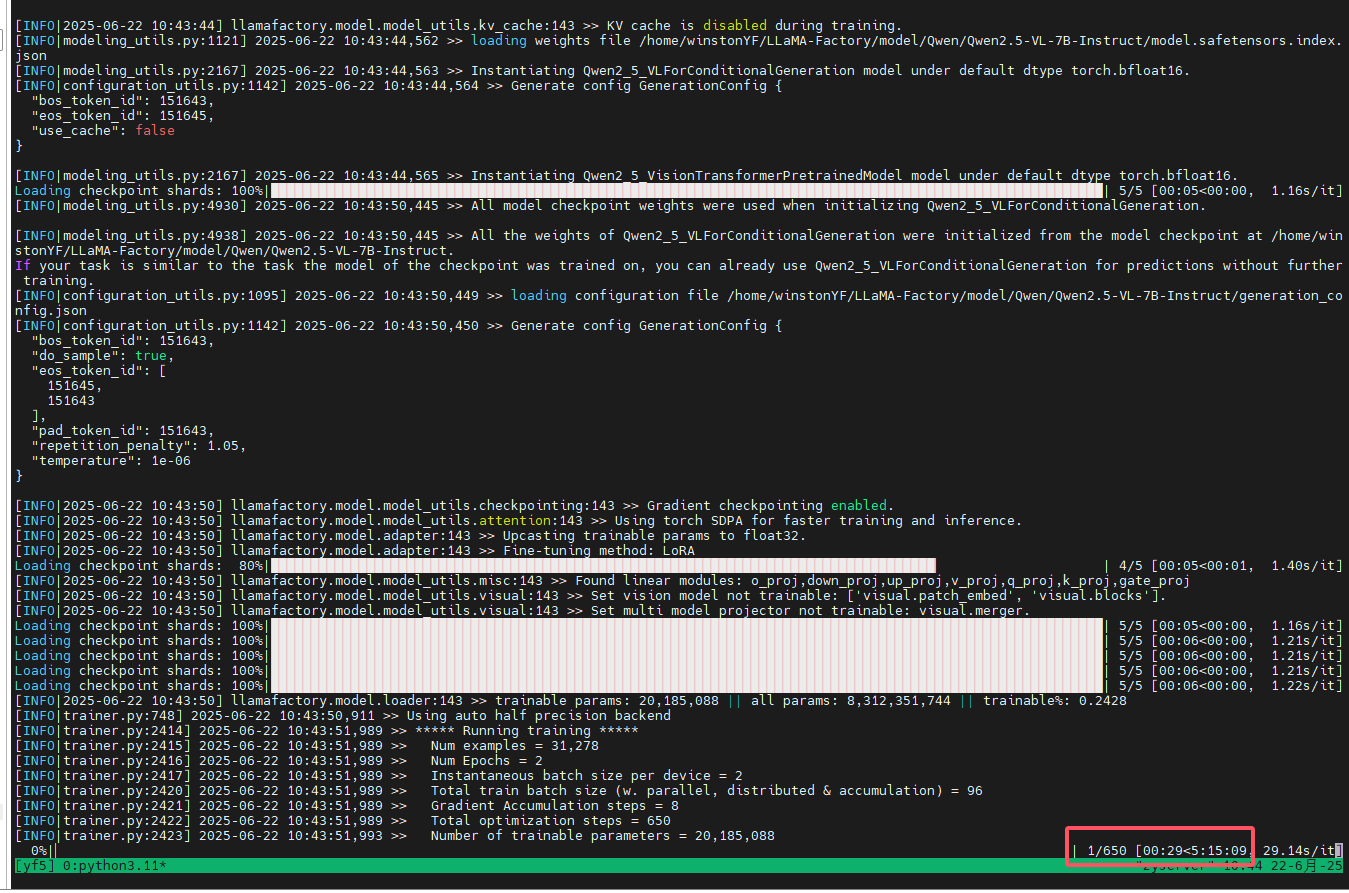
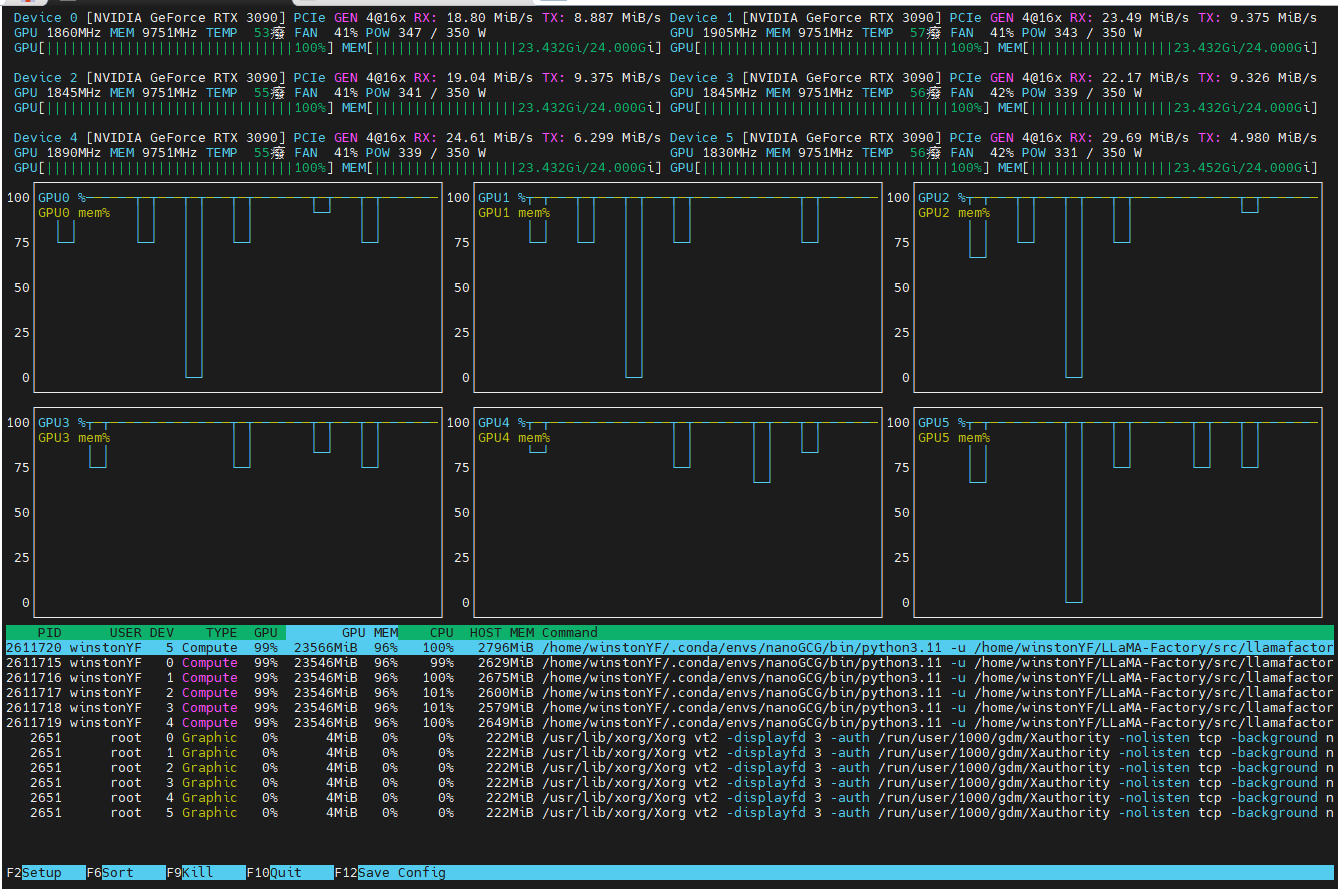
导出模型命令
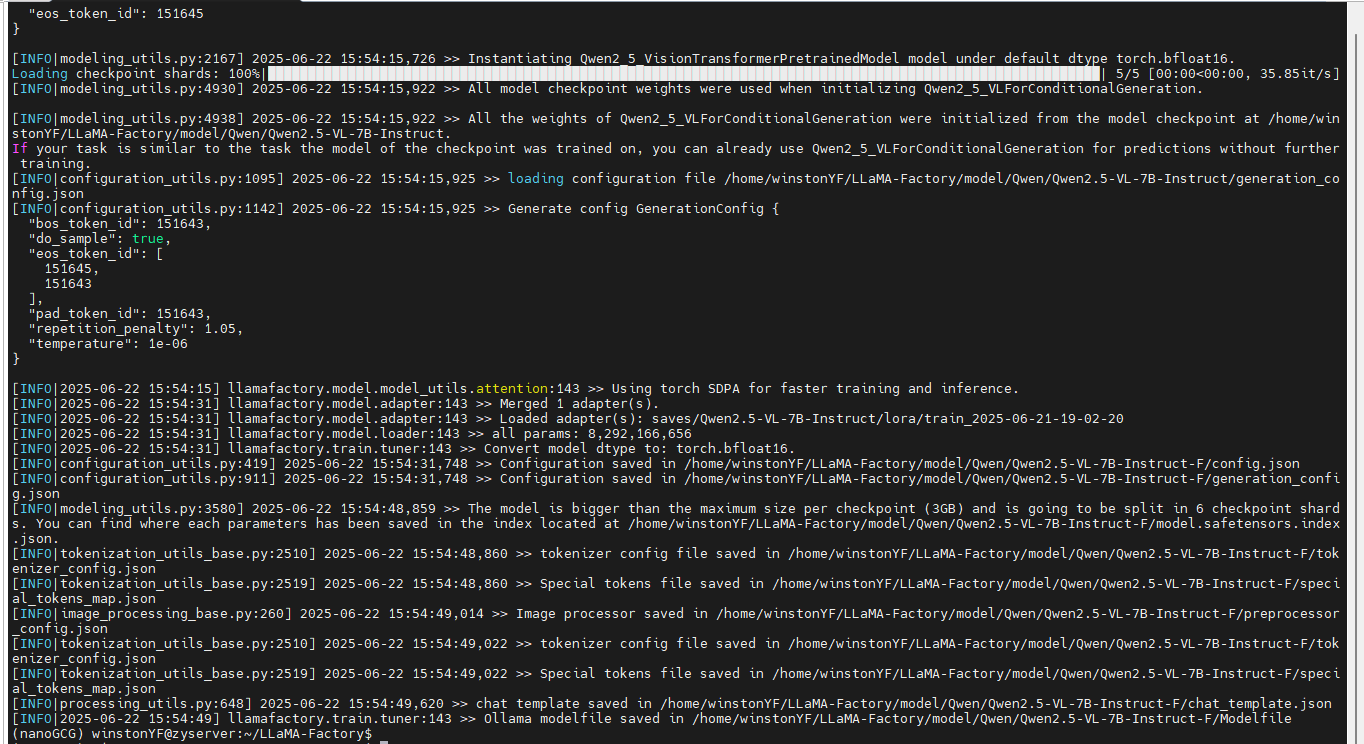
训练后导出模型
llamafactory-cli export \
    --model_name_or_path /home/winstonYF/LLaMA-Factory/model/Qwen/Qwen2.5-VL-7B-Instruct\
    --adapter_name_or_path saves/Qwen2.5-VL-7B-Instruct/lora/train_2025-06-24-19-02-20 \
    --template qwen2_vl \
    --trust_remote_code True \
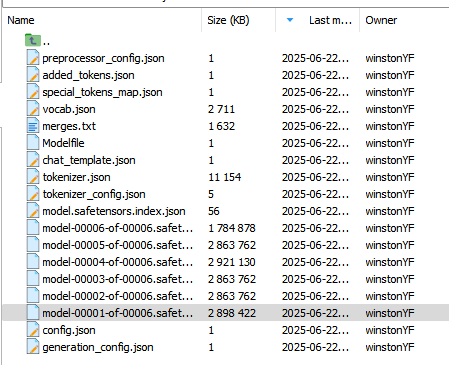
    --export_dir /home/winstonYF/LLaMA-Factory/model/Qwen/Qwen2.5-VL-7B-Instruct-F2 \
    --export_size 3 \
    --export_device cpu \
    --export_legacy_format false

欢迎加入 MCP 技术社区!与志同道合者携手前行,一同解锁 MCP 技术的无限可能!
更多推荐


 18
18 0
0- 0


 已为社区贡献9条内容

所有评论(0)