从零到一搞懂 AI Agent:原理、工作流程、LangChain Tool Use 与实战
=
文章目录
最值钱的 Agent 开发技能,从概念、原理到 LangChain 实战,一次性讲透。
一、不是直接调用大模型接口——LLM 的五大短板
很多人以为 AI 应用就是调一下大模型 API,把 prompt 丢进去拿结果。实际生产环境中,裸调 LLM 会遇到五个绕不开的问题:
| 短板 | 问题描述 | 解决方案 |
|---|---|---|
| 无记忆 | 上周聊过的内容,LLM 完全不记得(Stateless) | Memory 模块(数据库 / Redis / 前端存储) |
| 不会动手 | 让它访问网页、操作文件,它只能给你思路 | Tool Use 模块 |
| 不懂内部知识 | 公司内部文档、私有数据,LLM 训练时没见过 | RAG(检索增强生成) |
| 信息滞后 | 最新的新闻、实时数据,不在预训练语料中 | MCP / Function Call |
| 做不了复杂任务 | 做 PPT、分析股市自动买卖等长链路操作 | Skills(技能编排 / 蒸馏) |
核心认知:Agent 就是给 LLM 装上"大脑(Memory)+ 手脚(Tool)+ 知识库(RAG)+ 技能包(Skills)"。
Claude Code、Cursor、Manus、小龙虾这些明星产品,本质都是 LLM + 能力扩展 的 Agent。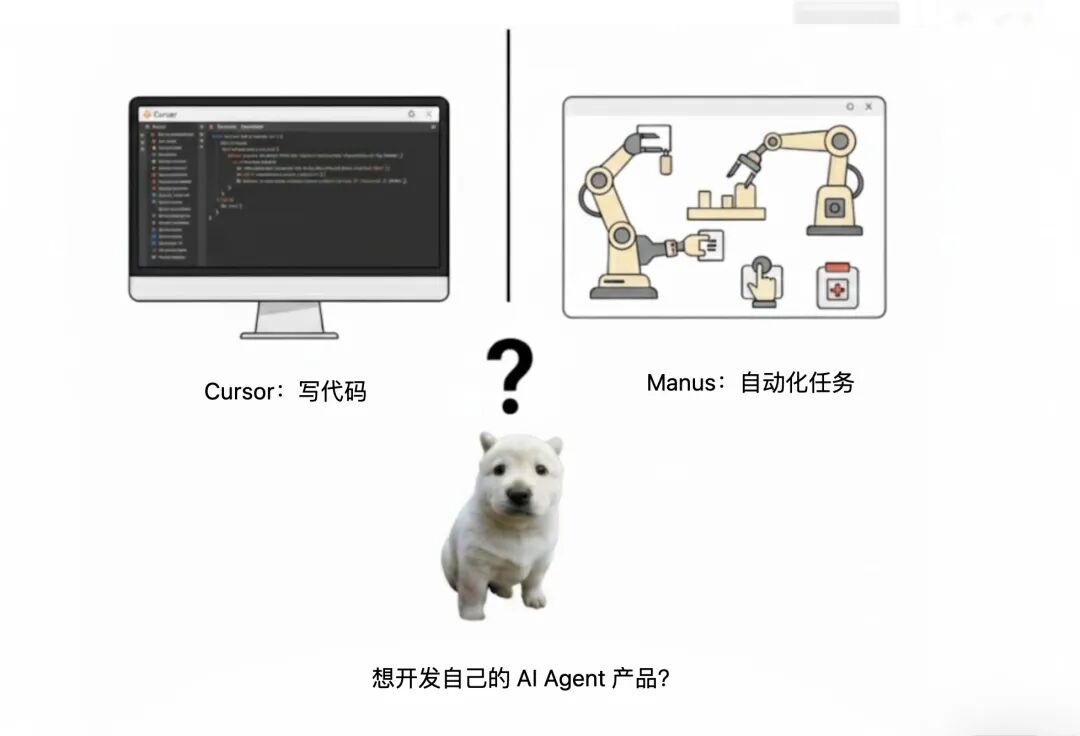
二、Agent 的工作流程
一个完整的 Agent 处理任务的过程如下:
User Prompt(用户提出复杂任务)
        ↓
    ┌─────────────────────────┐
    │  LLM Planning/Reasoning │  ← 规划 & 推理:拆解任务步骤
    └──────────┬──────────────┘
               ↓
    ┌─────────────────────────┐
    │   需要加载 Memory 吗?   │  ← 回忆历史上下文
    └──────────┬──────────────┘
               ↓
    ┌─────────────────────────┐
    │   需要调用 Tool 吗?     │  ← 分步骤调用多个工具(读文件/写文件/执行命令)
    └──────────┬──────────────┘
               ↓
    ┌─────────────────────────┐
    │   RAG 检索 + Prompt 模板 │  ← 从知识库查询相关内容,拼入 Prompt
    └──────────┬──────────────┘
               ↓
    ┌─────────────────────────┐
    │   Response → 返回给用户  │  ← 任务完成
    └─────────────────────────┘
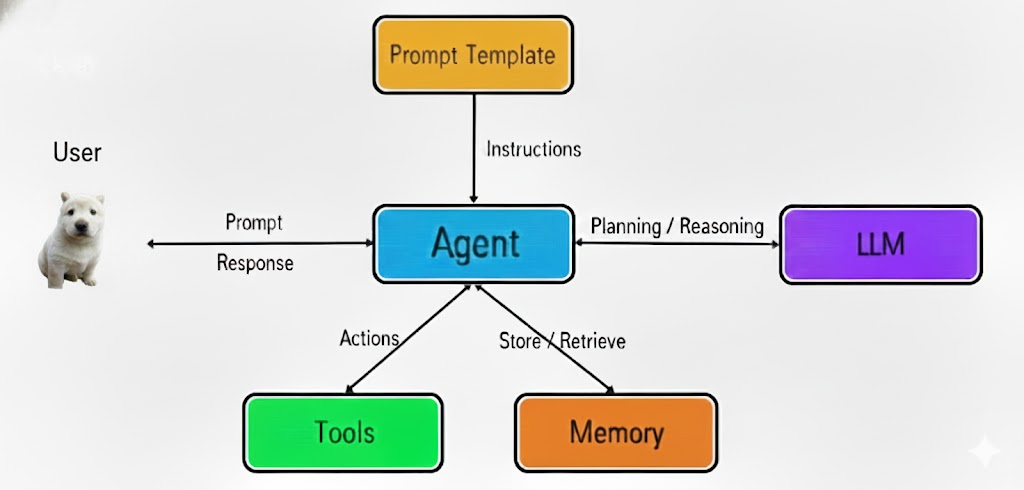
整个流程的核心驱动力是 LLM 自身的推理能力(Reasoning),它自主判断每一步需要什么、调用什么、何时结束。我们开发者要做的,就是把 Memory、Tool、RAG 这些能力"挂载"上去。
三、Agent 开发框架 LangChain
3.1 为什么需要框架?
直接调 OpenAI 接口也能做 Tool Call,但问题是:
- 各家 LLM 接口不统一:OpenAI 的 tool_calls 格式和 DeepSeek、文心一言都不一样
- 工具管理繁琐:参数校验、结果回传、异常处理都要手写
- 多 Agent 协作困难:多个 Agent 之间的消息路由、状态同步是地狱级复杂度
LangChain 就是来解决这些问题的。技术栈推荐:
Node.js (NestJS) + LangChain (单 Agent) + LangGraph (多 Agent)
3.2 LangChain 核心抽象
(1)LLM 统一接口
@langchain/openai 的 ChatOpenAI 类兼容所有 OpenAI-API 兼容的模型(DeepSeek、通义千问等),按需切换:
// llm-demo.mjs — LangChain 统一 LLM 调用
import 'dotenv/config';
import { ChatOpenAI } from '@langchain/openai';

const model = new ChatOpenAI({
    modelName: 'deepseek-v4-flash',          // 模型名称
    apiKey: process.env.DEEPSEEK_API_KEY,     // API Key
    temperature: 0,                           // 温度:0=确定性输出,适合工具调用
    configuration: {
        baseURL: 'https://api.deepseek.com/v1' // 兼容 OpenAI 接口的 Base URL
    }
});

// 一行 invoke,等价于 openai.chat.completions.create
const response = await model.invoke('用一句话介绍 Agent 是什么');
console.log(response.content);
关键设计:
ChatOpenAI封装了底层的 HTTP 调用细节,换模型只需改baseURL和modelName,业务代码零改动。
(2)Tool 工具定义
Tool 是 Agent 的"手脚",让 LLM 从"想"变成"做"。LangChain 使用 @langchain/core/tools 的 tool()(把js变成LLM的tool) 函数定义工具,配合 zod 做参数校验。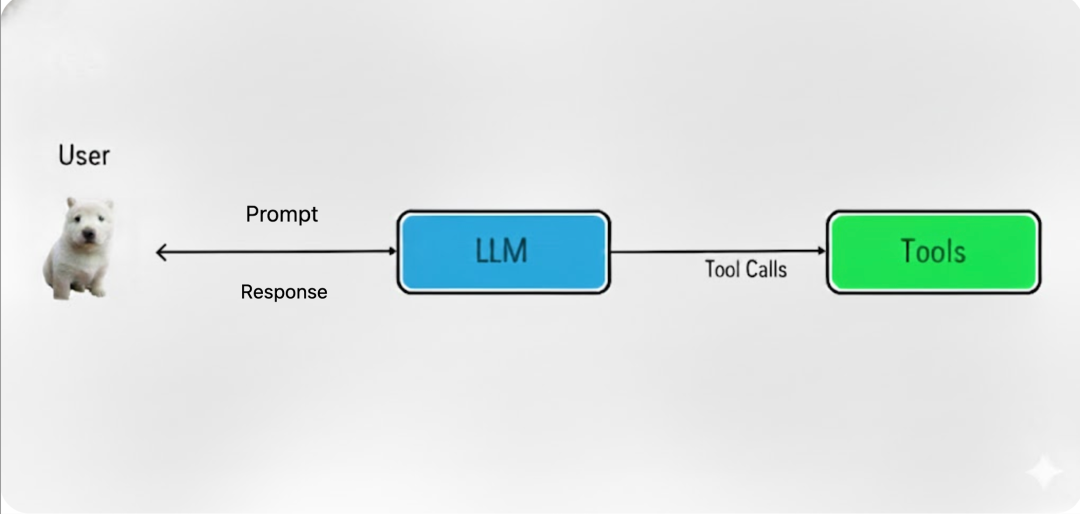
一个 Tool 由两部分组成:
| 组成部分 | 说明 |
|---|---|
| 处理函数(异步) | 真正的执行逻辑,如 fs.readFile() |
| 描述对象 | name(工具名)、description(告诉 LLM 什么时候用)、schema(zod 参数约束) |
// tool.mjs — 定义文件读取工具
import 'dotenv/config';
import { ChatOpenAI } from '@langchain/openai';
import { tool } from '@langchain/core/tools';
import {
    HumanMessage,   // role: 'user'
    SystemMessage,  // role: 'system'
    ToolMessage,    // role: 'tool'
    AIMessage       // role: 'assistant'
} from '@langchain/core/messages';
import fs from 'node:fs/promises';
import { z } from 'zod'; // zod 提供运行时类型约束

const model = new ChatOpenAI({
    modelName: 'deepseek-v4-flash',
    apiKey: process.env.DEEPSEEK_API_KEY,
    temperature: 0,
    configuration: {
        baseURL: 'https://api.deepseek.com/v1'
    }
});

// ==================== 定义 Tool ====================
const readFileTool = tool(
    // 第一部分:异步处理函数 —— 真正干活的代码
    async ({ filePath }) => {
        const content = await fs.readFile(filePath, 'utf-8');
        // 每次工具调用都应输出反馈,Agent 任务可能很耗时
        console.log(`[工具调用] read_file(${filePath}) 成功读取 ${content.length} 字节`);
        return content; // 返回值会作为 ToolMessage 喂回 LLM
    },
    // 第二部分:描述对象 —— LLM 据此判断何时调用、传什么参数
    {
        name: 'read_file',          // 工具名称,LLM 通过它引用工具
        description: `用此工具来读取文件内容。当用户要求读取文件、查看代码、
分析文件内容时,调用此工具。输入文件路径(可以是相对路径或绝对路径)。`,
        schema: z.object({
            filePath: z.string().describe('要读取的文件路径'), // zod 参数约束
        })
    }
);

// ==================== 绑定工具到模型 ====================
const tools = [readFileTool];
const modelWithTools = model.bindTools(tools); // LangChain 提供的抽象

// ==================== 构建对话 ====================
const messages = [
    new SystemMessage(`
你是一个代码助手,可以使用工具读取文件并解释代码。

工作流程:
1. 用户要求读取文件时,立即调用 read_file 工具。
2. 等待工具返回文件内容。
3. 基于文件内容进行分析和解释。
    `),
    new HumanMessage('请读取 tool.mjs 文件内容并解释代码'),
];

// ==================== 第一轮:LLM 决定调用工具 ====================
let response = await modelWithTools.invoke(messages);
messages.push(response); // 把 AIMessage(含 tool_calls)加入历史

// 此时 response.tool_calls 包含:
// [{ id: "call_xxx", name: "read_file", arguments: { filePath: "tool.mjs" } }]
(3)Tool 调用的底层机制——LLM 的"自知之明"
这是最容易踩坑的核心原理,必须彻底理解:
LLM 知道自己不会读文件。当它判断需要调用工具时,不会硬编一个答案,而是"停下来"返回
tool_calls数组。
一个 tool_calls 条目的结构:
// response.tool_calls[0] 的结构
{
    id: "call_abc123",      // 唯一 ID,关联后续的 ToolMessage
    name: "read_file",      // 要调用的工具名
    args: {
        filePath: "tool.mjs" // 参数 —— 完全由 schema 约束
    }
}
id 是关键:后续执行工具后,返回的 ToolMessage 必须带上相同的 tool_call_id,LLM 才能把工具结果和之前的调用请求对应起来。
// ==================== 第二轮:执行工具 & 回传结果 ====================
// 遍历 LLM 返回的 tool_calls,逐一执行
for (const toolCall of response.tool_calls) {
    if (toolCall.name === 'read_file') {
        const result = await readFileTool.invoke(toolCall.args);
        // 构造 ToolMessage,id 必须匹配,这样才能组成完整上下文
        messages.push(new ToolMessage({
            content: result,
            tool_call_id: toolCall.id  // ← 关键!关联 LLM 的调用请求
        }));
    }
}

// ==================== 第三轮:LLM 基于工具结果生成最终回复 ====================
const finalResponse = await modelWithTools.invoke(messages);
console.log(finalResponse.content);
// 输出:对文件内容的解释和分析...
一句话总结:
tool_calls.id是 LLM 和 Tool 之间的"快递单号",丢了就关联不上。
四、LLM Tool 调用性能优化
复杂任务中,LLM 可能调用 多个不同的 Tool,或对同一 Tool 多次调用。如果串行执行,总耗时 = 每次调用耗时之和。
4.1 Promise 基础回顾
| 概念 | 说明 |
|---|---|
| Promise | ES6 异步语法,三种状态:Pending → Fulfilled / Rejected,且不可逆 |
| await | ES8 语法糖,让异步代码看起来像同步,最优雅的写法 |
| Promise.all() | 并行执行多个 Promise,全部完成才返回,结果顺序与输入一致 |
4.2 实战:并行执行多个 Tool
// ==================== 并行执行多个工具调用 ====================
// LLM 返回了多个 tool_calls(如同时读3个文件)

// ❌ 错误写法:串行 await,慢
for (const toolCall of response.tool_calls) {
    const result = await executeTool(toolCall);   // 一个接一个等
    messages.push(new ToolMessage({
        content: result,
        tool_call_id: toolCall.id
    }));
}
// 总耗时 = t1 + t2 + t3

// ✅ 正确写法:Promise.all 并行执行
const toolResults = await Promise.all(
    response.tool_calls.map(async (toolCall) => {
        const result = await executeTool(toolCall); // 每个独立运行
        return { result, tool_call_id: toolCall.id };
    })
);
// 一次性 push 所有结果
for (const { result, tool_call_id } of toolResults) {
    messages.push(new ToolMessage({
        content: result,
        tool_call_id
    }));
}
// 总耗时 ≈ max(t1, t2, t3) —— 接近最慢的那个
适用场景:多个工具调用之间 没有依赖关系 时才可并行。如果 Tool B 的输入依赖 Tool A 的输出,必须串行。
五、LangChain 框架总结
LangChain 比 OpenAI 的 Transformer 架构还早诞生,它解决的核心问题是:
| 能力 | LangChain 模块 | 说明 |
|---|---|---|
| 统一 LLM 调用 | @langchain/openai 的 ChatOpenAI |
兼容所有 OpenAI-API 格式的模型 |
| 工具定义 & 校验 | @langchain/core/tools 的 tool() + zod |
声明式定义工具,自动生成 JSON Schema |
| 消息管理 | HumanMessage / SystemMessage / ToolMessage / AIMessage |
类型化的消息对象,避免手动拼 JSON |
| Tool 绑定 | model.bindTools(tools) |
自动将 Tool Schema 注入请求,LLM 按需返回 tool_calls |
一句话理解 LangChain:它把"调 LLM"从"手写 fetch + 拼 JSON"升级为"类型安全的工程化开发",让 Agent 开发从 demo 级别走向生产级别。
六、全文总结
核心结论
- Agent = LLM + Memory + Tool + RAG + Skills。裸调 LLM 只是"聊天机器人",加上这些扩展才是能自动干活的"智能体"。
- Agent 工作流是一个闭环:用户提需求 → LLM 规划 → 调用工具 → 获取结果 → 继续推理 → 输出答案。
- LangChain 是 Agent 开发的事实标准框架,核心就三件事:统一 LLM 接口、管理 Tool 生命周期、编排消息流转。
- Tool 机制的本质是 LLM 的"自知之明"——它知道自己不会读文件,所以"停下来"返回
tool_calls,而不是瞎编。
核心知识点复盘
| 知识点 | 一句话总结 |
|---|---|
| Agent 定义 | LLM + 能力扩展(Memory/Tool/RAG/Skills) |
| Agent 工作流 | Planning → Memory → Tool → RAG → Response |
| LangChain 价值 | 统一 LLM 接口 + Tool 管理 + 消息编排 |
| Tool 两部分 | 处理函数(干活)+ 描述对象(告诉 LLM 怎么用) |
tool_calls.id |
“快递单号”,关联工具请求和结果 |
Promise.all |
无依赖的多个 Tool 可以并行执行 |
常见问题 / 避坑指南
Q1:LLM 调用了不存在的工具怎么办?
在
toolMap中查不到时,返回明确的错误信息给 LLM(如未知工具: xxx),LLM 会自行调整策略。
Q2:tool_calls 的 id 可以随便写吗?
不可以。必须用 LLM 返回的原始
id原封不动填到ToolMessage.tool_call_id。写错了 LLM 无法关联,会导致上下文错乱。
Q3:什么时候用 Promise.all,什么时候串行?
多个 Tool 调用互不依赖时用
Promise.all并行加速;如果 Tool B 需要 Tool A 的输出作为输入,必须串行await。
Q4:temperature 为什么要设为 0?
temperature = 0让 LLM 输出确定性的tool_calls,避免同样的 prompt 每次调用不同工具。工具调用场景强烈建议设为 0。
本文基于 LangChain.js + DeepSeek 实战编写,代码完整可运行,适合作为 Agent 开发的入门到进阶参考。

欢迎加入 MCP 技术社区!与志同道合者携手前行,一同解锁 MCP 技术的无限可能!
更多推荐
 1
1 0
0- 0


 已为社区贡献2条内容

所有评论(0)