Opik 是一个开源平台,旨在帮助您洞察 LLM 应用程序的运行情况
Opik is an open-source platform that helps you understand what your LLM application is doing, measure how well it’s working, and systematically make it better. Whether you’re building a chatbot, a RAG pipeline, or a multi-step agent, Opik gives you the tools to go from “it works on my laptop” to “it works reliably in production.”
Opik 是一个开源平台,旨在帮助您洞察 LLM 应用程序的运行情况、评估其性能表现,并系统性地进行优化。无论您是构建聊天机器人、RAG 流水线还是多步骤智能体(Agent),Opik 都能为您提供所需工具,助您实现从“在本地运行正常”到“在生产环境中稳定运行”的跨越。
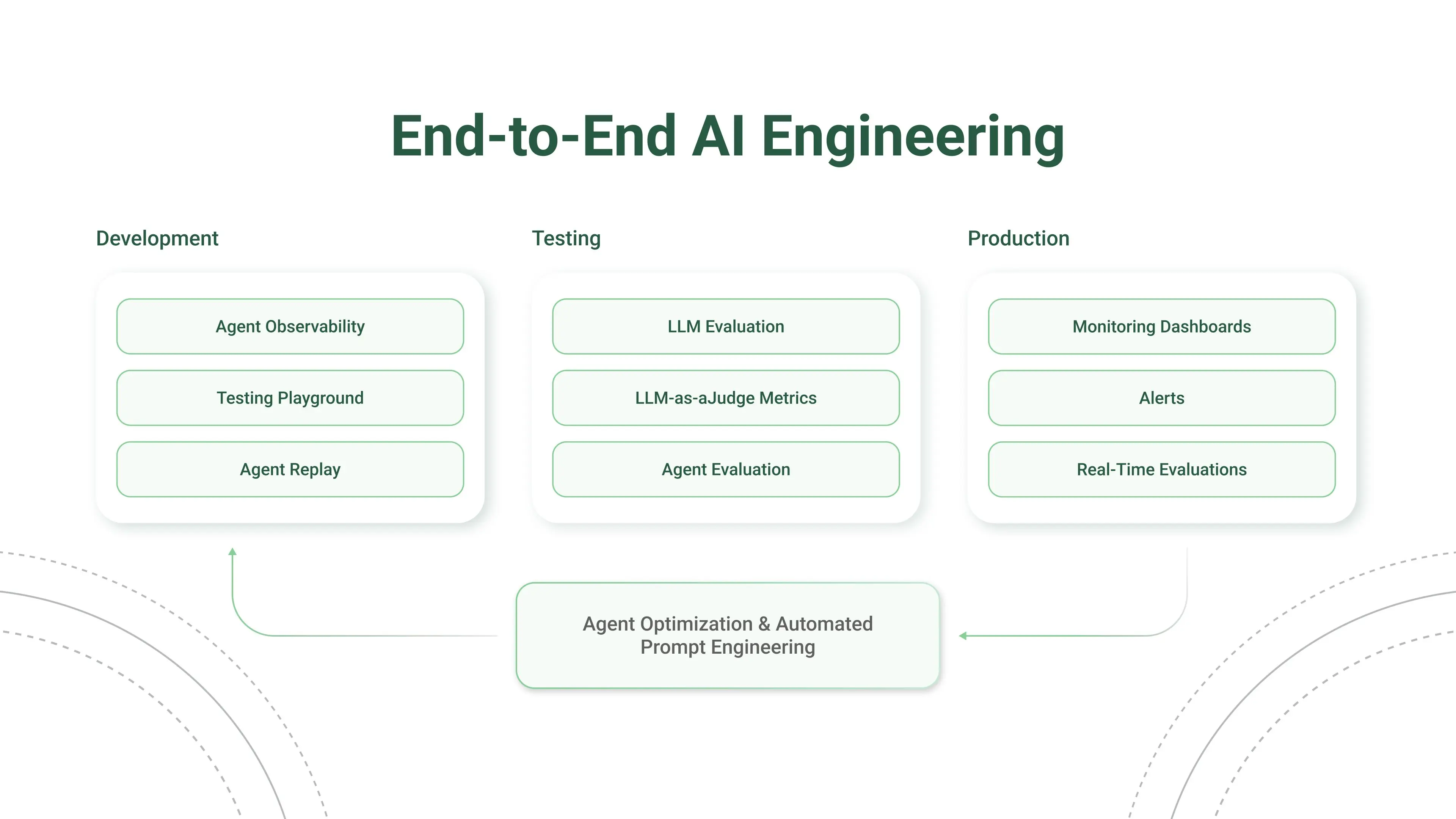
This guide helps you integrate the Opik platform with your existing Agent. The goal of this guide is to help you log your first traces and start tracking your prompts and agent configuration in Opik.
本指南旨在帮助您将 Opik 平台与现有的 Agent 进行集成,助您记录首个 Trace(追踪记录),并开始在 Opik 中追踪 Prompt(提示词)及 Agent 配置。
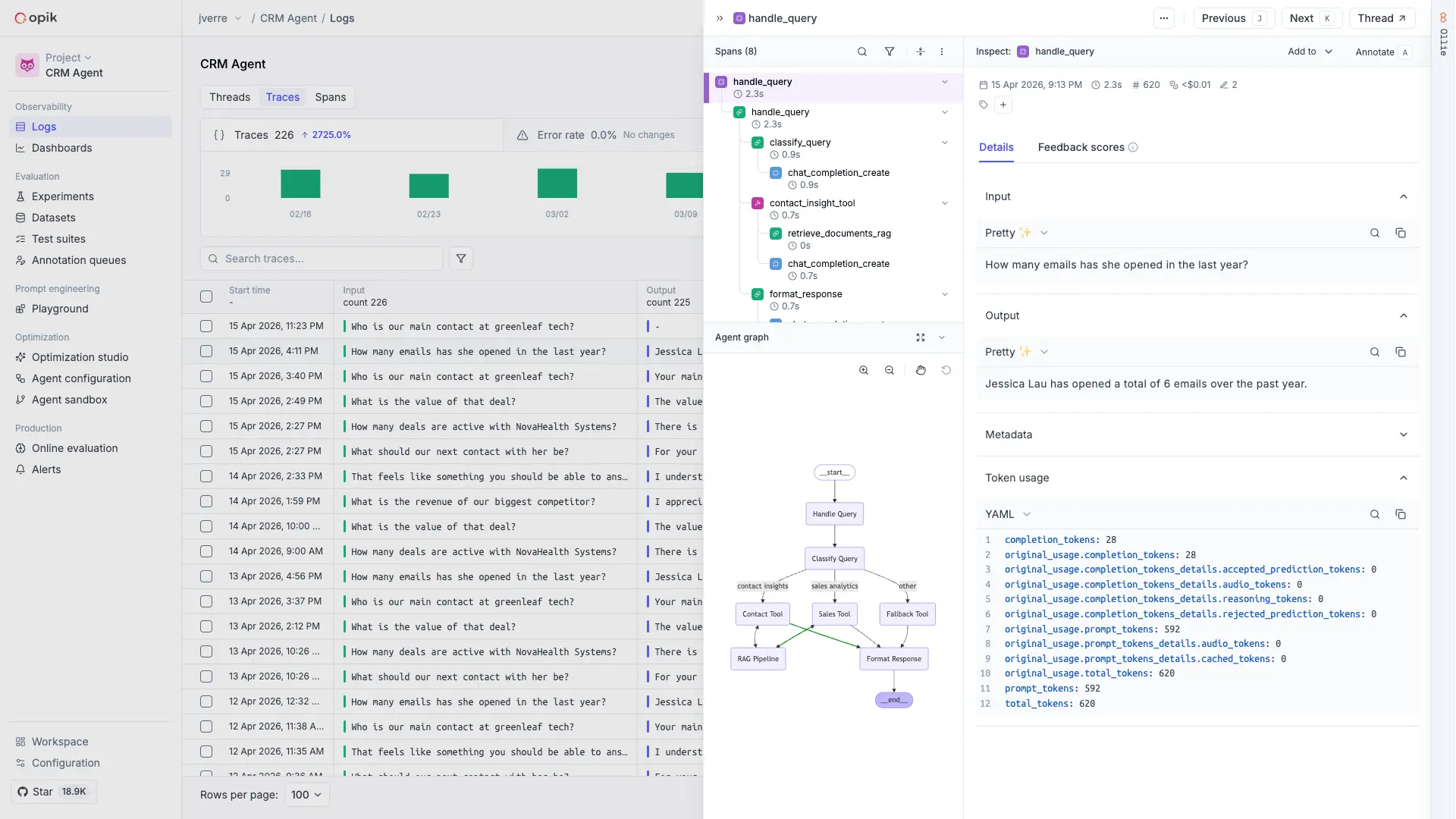
Opik's MCP server
Copy page
Opik’s MCP server is a Python 3.13+ package that connects your AI host (Claude Code, Cursor, VS Code Copilot, MCP Inspector) directly to your Opik workspace — read traces, log scores, save prompt versions, and ask Ollie investigative questions, all from the chat.
opik-mcphas been rewritten in Python. If you previously installed the npx-based JavaScript server, replacenpx -y opik-mcpwithuvx opik-mcpin the snippets below.
Before you start
You will need:
OPIK_API_KEY— generate one at comet.com/api/my/settings.OPIK_WORKSPACE— the lowercase workspace name from your Comet URL. For example,https://www.comet.com/acme-ai/...→OPIK_WORKSPACE=acme-ai. Optional — defaults todefault(the Opik SDK convention), which is correct for local/OSS installs; cloud users with a named workspace should set it.COMET_WORKSPACEis accepted as a deprecated alias (OPIK_WORKSPACEwins if both are set).- uv installed locally. The fastest way is
brew install uv(macOS) orcurl -LsSf https://astral.sh/uv/install.sh | sh.uvx(bundled withuv) fetches and runs the latest publishedopik-mcpon demand — no global install required.
Pre-release note: opik-mcp is not yet published to PyPI. Until the first PyPI release lands, replace uvx opik-mcp in any snippet on this page with uvx --from git+https://github.com/comet-ml/opik-mcp.git opik-mcp.
Quick setup with the Opik CLI
The easiest way to connect the MCP server is the Opik CLI. It detects your AI host (Claude Code, Cursor, VS Code Copilot) and sets it up for you.
When you run opik configure, it offers to set up the MCP server at the end:
Set up the Opik MCP server for an AI assistant (Claude Code, Cursor, VS Code)? (y/N)
Already configured Opik? Run the wizard on its own at any time:
| opik mcp configure |
----
https://www.comet.com/docs/opik/
Opik is an open-source platform that helps you understand what your LLM application is doing, measure how well it’s working, and systematically make it better. Whether you’re building a chatbot, a RAG pipeline, or a multi-step agent, Opik gives you the tools to go from “it works on my laptop” to “it works reliably in production.”

欢迎加入 MCP 技术社区!与志同道合者携手前行,一同解锁 MCP 技术的无限可能!
更多推荐
 4
4 0
0- 0


 已为社区贡献21条内容

所有评论(0)