基于龙蜥anolis在cpu上通过docker手动编译部署ollama
·
一、安装docker
yum install docker
二、下载docker镜像
docker pull registry.openanolis.cn/openanolis/anolisos:23.4

三、编写Docker file
vim Dockerfile
FROM registry.openanolis.cn/openanolis/anolisos:23.4

MAINTAINER wangchaodong<wang479961270@vip.qq.com>

ARG ARCH=x86_64

ARG VERSION=v0.17.7

WORKDIR /opt/

RUN dnf install go git g++ -y && git clone https://gitee.com/wangchaodong/ollama.git -b ${VERSION} && cd /opt/ollama && export GOPROXY=https://goproxy.cn && go build -trimpath -buildmode=pie -o /bin/ollama .

FROM registry.openanolis.cn/openanolis/anolisos:23.4

COPY --from=0 /bin/ollama  /bin/ollama

EXPOSE 11434

ENV OLLAMA_HOST 0.0.0.0

ENTRYPOINT ["/bin/ollama"]

CMD ["serve"]
四、生成ollama镜像
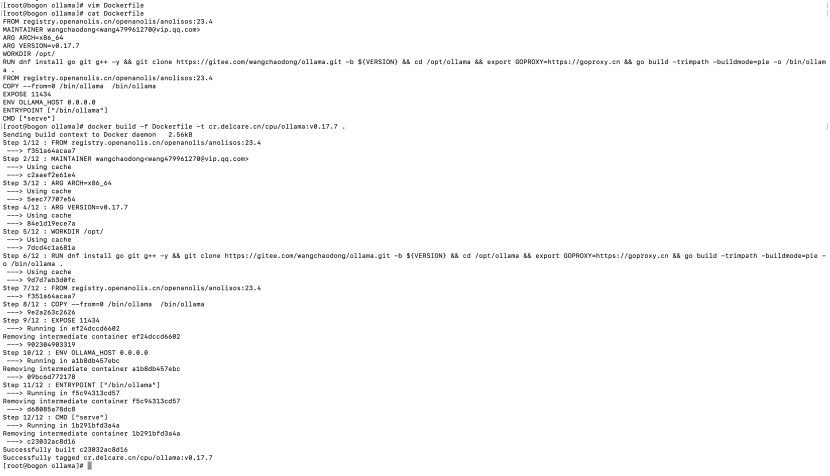
docker build -f Dockerfile -t cr.delcare.cn/cpu/ollama:v0.17.7 .
五、创建并运行ollama容器
docker run -itd --privileged --name ollama cr.delcare.cn/cpu/ollama:v0.17.7

六、验证ollama服务是否正常运行
1)查看ip
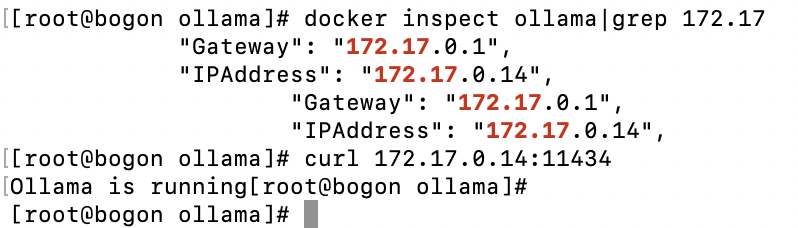
docker inspect ollama|grep 172.17
2)curl 172.17.0.14:11434

欢迎加入 MCP 技术社区!与志同道合者携手前行,一同解锁 MCP 技术的无限可能!
更多推荐
 14
14 0
0- 0


 已为社区贡献2条内容

所有评论(0)