agent环境配置
一、java
1.安装IDEA
2.配置jdk
3.开通大模型
1)阿里云https://bailian.console.aliyun.com/cn-beijing?tab=model#/model-market
2)创建API key(阿里云的模型不需要开启,字节的需要开启)
二、python
1.安装pycharm
2.配置python环境(anaconda)
3.开通大模型
1)阿里云https://bailian.console.aliyun.com/cn-beijing?tab=model#/model-market
2)创建API key(阿里云的模型不需要开启,字节的需要开启)
三、go
1.安装goland
2.安装goland Eion-Dev插件:Eino Dev(go的agent开发框架)
3.安装gohttps://goframe.org/docs/install-go/index
4.go module配置https://goframe.org/docs/install-go/go-module
5.开通大模型
1)字节火山云,注册送50万tokenhttps://console.volcengine.com/auth/login?redirectURI=%2Fhome
2)创建API key
3)开通两个模型:语言模型DeepseekV3.1和向量模型doubao-embedding
四、docker安装
1.windows/mac:https://www.runoob.com/docker/windows-docker-install.html
2.修改镜像源
{
  "builder": {
    "gc": {
      "defaultKeepStorage": "20GB",
      "enabled": true
    }
  },
  "experimental": false,
  "registry-mirrors": [
    "https://docker.hpcloud.cloud",
    "https://docker.m.daocloud.io",
    "https://docker.unsee.tech",
    "https://docker.1panel.live",
    "http://mirrors.ustc.edu.cn",
    "https://docker.chenby.cn",
    "http://mirror.azure.cn",
    "https://dockerpull.org",
    "https://dockerhub.icu",
    "https://hub.rat.dev",
    "https://proxy.1panel.live",
    "https://docker.1panel.top",
    "https://docker.m.daocloud.io",
    "https://docker.1ms.run",
    "https://docker.ketches.cn"
  ]
}
五、CLS MCP配置
1.登录腾讯云https://cloud.tencent.com/login?s_url=https%3A%2F%2Fconsole.cloud.tencent.com%2F
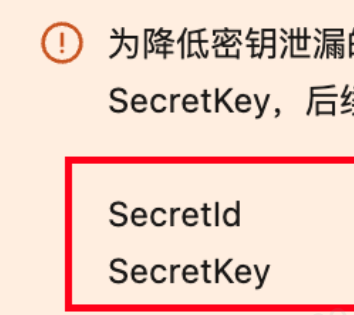
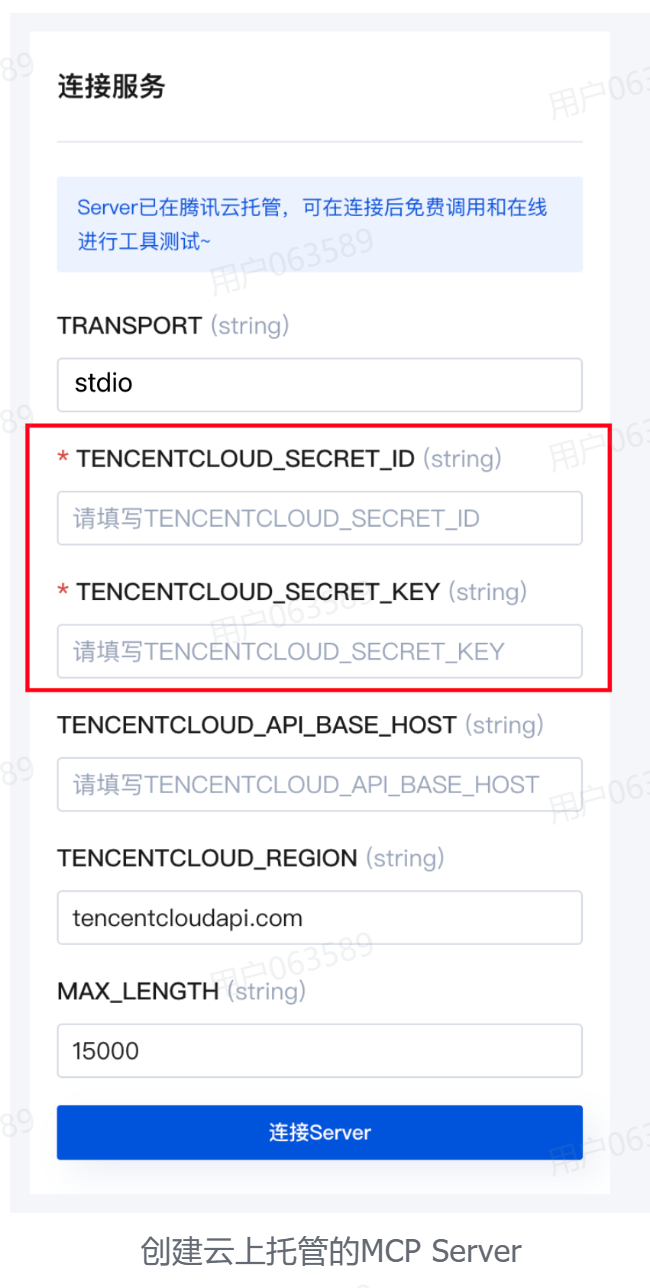
2.创建密钥,保存secred id和key
3.进入腾讯云CLS MCP配置页面https://cloud.tencent.com/developer/mcp/server/11710
4.填写如下
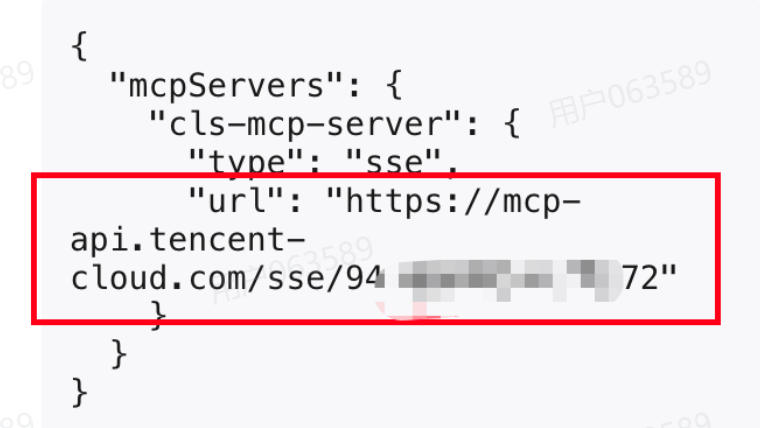
5.保存返回给你的URL,后边要用

欢迎加入 MCP 技术社区!与志同道合者携手前行,一同解锁 MCP 技术的无限可能!
更多推荐

 4
4 0
0- 0


 已为社区贡献1条内容

所有评论(0)